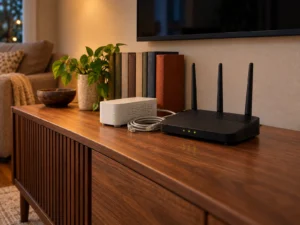
When the fibre goes down, the house stops. Video calls drop, the door camera stops uploading, and the smart speakers turn into ornaments. 5G internet failover is the fix for that, and the hardware for it is getting cheaper and smaller. On 1 September 2026 FRITZ! showed the FRITZ!Box 6835 5G at IFA in Berlin, a compact 5G router first unveiled at MWC in March that the company says can also sit beside another FRITZ!Box purely as a backup line. That is a useful moment to explain how failover really behaves, because the marketing rarely mentions what breaks during the switch. This guide covers the mechanics, the costs, and the cases where a backup line is not worth buying.
What failover actually does
A router with two internet paths keeps one active and one in reserve. It watches the primary path, and when that path fails it moves traffic to the backup. Then it watches for the primary to recover and moves traffic back. That second step is called failback, and cheap implementations often handle it badly.
The watching part matters more than people expect. A router cannot simply check whether the cable is plugged in, because a line can be electrically alive and still carry no data. Good firmware pings a target on the internet at a set interval and counts consecutive failures before declaring the link dead.
Why the switch is never invisible
Your router rewrites addresses for every connection through a table. When the WAN address changes, that table no longer applies, so every open connection is dropped and has to be rebuilt. In practice a download resumes, a web page reloads, and a video call ends.
That is the honest picture. Failover protects the next five minutes of your work, not the current call. Anyone who needs an unbroken session should look at bonded or load-balanced setups instead, and those are a different class of product with a different price.
The detection delay you can tune
Most consumer routers use a short check interval and a small failure count. Say the router probes every five seconds and switches after three failures. The line is then dead for about fifteen seconds before anything happens, plus the seconds the mobile modem needs to register on the network.
Shorten the interval and you react faster, yet you also risk flapping between links whenever the primary hiccups. Lengthen it and the house sits offline longer. Around ten to thirty seconds of total switch time is a reasonable target for a home.
Where the mobile side gets complicated
Mobile networks usually place home customers behind carrier-grade NAT, which means your connection shares a public address with many others. Inbound access then stops working. Remote desktop, a self-hosted server, a VPN endpoint at home, and some camera systems all rely on being reachable from outside, and they will fail while the backup line carries your traffic.
Data allowances are the second trap. A backup plan that looks cheap can burn its monthly cap in a single evening of streaming, because failover does not know that your family switched to 4K as soon as the fibre died.
Signal placement decides everything
A 5G router is only as good as the signal reaching it. Put it near a window on the side of the building facing the mast, not in the cupboard beside the fibre terminal. Many mobile routers include an alignment aid that shows signal quality while you move the unit, and the FRITZ!Box 6835 5G is one of them.
Check the bands your carrier uses before you buy, too. A router that lacks the band your local mast leans on will connect at disappointing speeds even with four bars showing.
Dedicated 5G routers and dual-purpose boxes
There are two ways to build this. One is a small mobile router that exists only to stand in when the main line fails. The FRITZ!Box 6835 5G takes that shape, with a nano-SIM slot, eSIM support, Wi-Fi 7 on 5 GHz and 2.4 GHz, and USB-C power that even runs from a power bank. That last detail is genuinely practical, because a power cut usually takes the fibre terminal with it.
The other approach makes mobile the main connection rather than the spare. The Ubiquiti UniFi Dream Router 5G Max is built that way, with the 5G modem as the headline WAN and the wired ports available if a fixed line ever arrives. If your address has no usable fibre, that inversion makes more sense than bolting a backup onto a line you do not have.
The cost calculation worth doing
Work out what an hour offline costs you, then compare it with the yearly bill. A backup SIM at a modest monthly price plus the hardware gives you a figure you can defend. If you work from home and an outage means lost billable hours, the maths usually clears easily.
For a household that mostly streams, it rarely does. A phone hotspot covers a short outage at no extra cost, and most fixed-line faults are repaired within a day.
Should you set up 5G internet failover
Set it up if your work depends on connectivity, if your area sees repeated outages, or if security cameras and alarms need to keep reporting. Choose a router that supports proper health checks rather than link-state detection alone, and test it by unplugging the primary line rather than trusting the label.
Skip it if outages are rare, if nothing in the house is time critical, and if a hotspot on a phone would carry you through. A backup line you never test is not a backup, and that is the part most people get wrong.