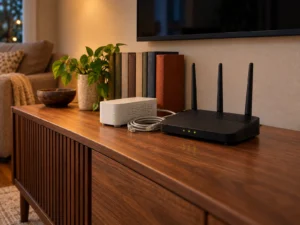
MikroTik published a security notice on 3 September 2026 and told owners almost nothing about the flaw it fixes. The page names four patched builds, calls the update important, and then says the company is holding back the details so that people have time to upgrade. When it was first published, no CVE identifier and no affected version range appeared on that page. MikroTik added the six CVE identifiers in an update on 6 October 2026. Two days later, Poland's national CERT filled in most of the gap, and its findings make the update far more urgent for one group of owners. So this guide covers what the RouterOS security update actually contains, why the silence was deliberate, what has since become public, and the post-upgrade check that matters more than the patch itself.
What MikroTik published, and what it left out
The notice is four short paragraphs. MikroTik says it found a security vulnerability in RouterOS and that releases containing a fix went out in all channels. It describes the update as important and adds that most configurations are not at risk. For home users the company states the issue poses no immediate risk, yet it still suggests everyone upgrade.
Then comes the unusual sentence. MikroTik writes that it is not currently publishing detailed information, in order to give people time to update their systems. The page promises more information in due time. Read on its own, the advisory gives owners no way to judge their exposure.
The four builds that carry the fix
MikroTik originally listed the patched releases as 7.25 beta 3, 7.24.2, 7.23.4 and 6.49.21; on RouterOS 7 the complete fix now needs 7.24.3 or 7.23.6. Each one sits on a different branch, so almost every supported device has a route to a fixed build without a major version jump. The 6.49.21 entry matters because plenty of older MikroTik hardware never moved to RouterOS 7 and would otherwise be stranded.
The company points owners at the Check for updates menu inside the device rather than at a download page. That is the shortest path for most people, and it avoids the classic mistake of flashing a build meant for a different architecture.
Why a vendor holds the details back
Withholding technical detail after shipping a patch is a deliberate trade, not an oversight. Patches are public artefacts. An attacker who compares a fixed build against the previous one can often work out what changed and rebuild the attack from that difference. Publishing a full write-up on day one simply shortens that work.
The cost lands on owners. Without a CVE, a severity score or an affected-version list, you cannot reason about your own risk, so the only safe response is to treat the update as urgent and install it. That is an editorial judgement rather than a MikroTik instruction, but the advisory leaves little room for anything else.
What CERT Polska published two days later
On 5 September 2026, CERT Polska, the Polish national computer emergency response team, published its own write-up of the flaws it had reported to MikroTik. It published six CVE identifiers and describes three of them in detail: CVE-2026-67276, CVE-2026-86060 and CVE-2026-67277. The first is an SSH authentication bypass. RouterOS did not properly verify the public key presented during SSH login, so an attacker could craft a key that passed as an authorised user's without holding the private half. The second is a privilege escalation in the same SSH path, triggered by a username that begins with a character RouterOS should have rejected, and it ends in full administrative rights. The third sits in the bandwidth-test service and can leak kernel memory or restart the device without any login.
CERT Polska also states that two of the flaws it reported, chained together, are being exploited in the wild to take full control of routers whose SSH service is reachable from public networks, and that the activity dates back to at least 2 September 2026. That is the exposure test the MikroTik notice never gave you. If SSH on your router answers from the internet, treat the device as a likely target rather than a theoretical one. If SSH only listens on the LAN or behind a VPN, the risk falls sharply, and MikroTik's line that most configurations are not at risk starts to make sense.
The step almost everyone will skip
The most important part of the notice sits below the version list. MikroTik says RouterOS will check whether your device has been compromised after the upgrade, and will set it to Flagged status if it has. A critical entry then appears in the Log section.
So the upgrade is not only a patch. It is also a scan. A router that has been quietly abused for months can look completely normal in day-to-day use, and this check is the first chance many owners will get to find out. Even when nothing is flagged, MikroTik asks owners to inspect the configuration for scripts, users or settings they do not recognise.
What Flagged status actually blocks
Flagged is part of the device-mode feature, and MikroTik documents its effects precisely. The existing configuration keeps working, so a flagged router does not drop your internet connection. What stops working is a specific list of tools.
A flagged device refuses to run the bandwidth test, the traffic generator and the packet sniffer. It also refuses to enable or create new entries for the system scheduler, SOCKS proxy, PPTP, L2TP, IPsec, proxy and SMB. Disabling or deleting those entries still works, which is the point. RouterOS wants you cleaning up, not building. The suspicious configuration that triggered the flag is disabled automatically.
Attempts to use a blocked tool return a plain error saying the configuration is flagged and asking you to check the router for unauthorised changes.
How to leave Flagged state safely
Clearing the flag takes one command, device-mode update with flagged set to no, followed by a physical action. RouterOS asks you to press a button on the device or cut the power, because a remote attacker cannot do either.
MikroTik's own guidance on the order of operations is blunt and worth following. Assume the device is compromised. Audit every setting before you clear the flag, change all system passwords, and upgrade to the latest release. Clearing the flag first and investigating later throws away the one signal you were given.
Device-mode was already limiting your router
Device-mode ships preconfigured on devices running RouterOS 7.17 or later. Home routers arrive in home mode, most other hardware in basic mode, and the CCR and 1100 series in advanced mode. Home mode already disables the scheduler, SOCKS, fetch, bandwidth test, traffic generator, sniffer, RoMON, proxy, hotspot, email, ZeroTier, containers and several system settings.
Changing any of that needs physical access to confirm, and RouterOS allows only three update attempts before it demands a power cycle. That design is why a compact home unit such as the MikroTik hAP be lite carries the same protections as MikroTik's rack hardware. It runs the same operating system, so it inherits the same advisory and the same rules.
The downgrade trap
Device-mode also keeps an allowed-versions list, which records the releases MikroTik considers free of serious known vulnerabilities. RouterOS refuses to install anything below that list unless an administrator explicitly enables install-any-version, and downgrading does not roll the list back to an older one. An attacker therefore cannot walk a device down through several releases until it lands on something exploitable.
If you do not run MikroTik hardware
The pattern still applies to other brands. Check for firmware updates on every router and access point you own, rather than waiting for a news story. Turn off remote administration from the internet unless you genuinely use it. Read the log after an update instead of closing the window. Then look through the user list, the port forwarding rules and any scheduled tasks, because those three places are where unwanted changes usually hide.
The short version
Install 7.24.3, 7.23.6 or 6.49.21 (or anything newer) now, even though MikroTik says most configurations are safe, and stop exposing SSH to the internet while you are at it. Read the log afterwards. If the router reports Flagged status, treat it as a compromise, audit the whole configuration, change every password, and only then clear the flag. MikroTik has since published its CVE list, and both it and CERT Polska point to the same exposure: SSH (and WebFig) reachable from the internet. The scan that runs after the upgrade is available today, and it is the part that answers the question you actually care about.