No current price: no retailer we track lists it right now.
22 facts in comparison
Zyxel GS1100-16EPS vs NETGEAR GS108EPP
Both are fanless PoE+ switches sized for a cupboard or a shelf rather than a rack, and both hold a similar total power budget. The difference is how many ports that budget is spread across, and whether you get any control over it.
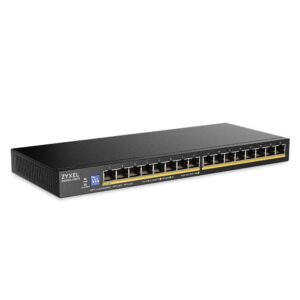
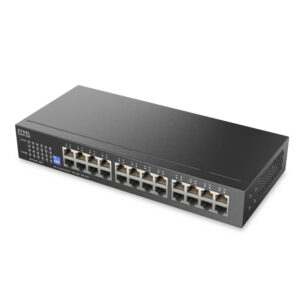
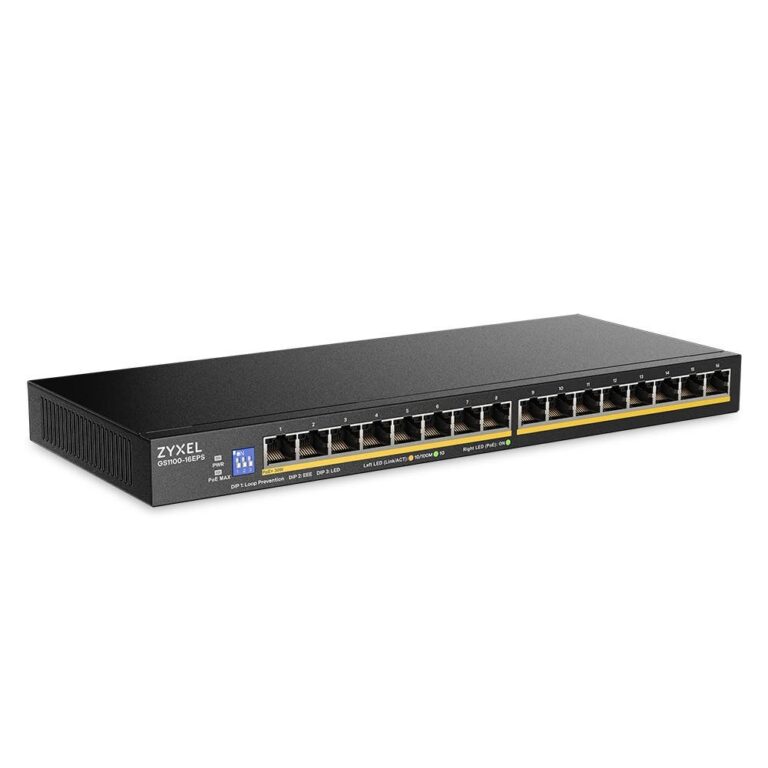
The Zyxel gives you sixteen gigabit ports, every one of them PoE+, with 135 watts to share between them. It is unmanaged: no VLANs, no link aggregation, no web interface, just power and packets. Its draw at full load is correspondingly higher, and its MAC table is the larger of the two.
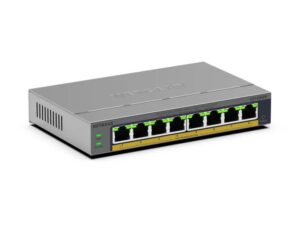
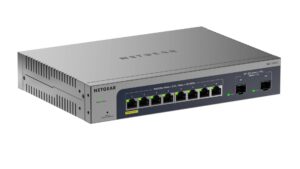
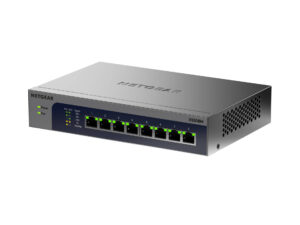
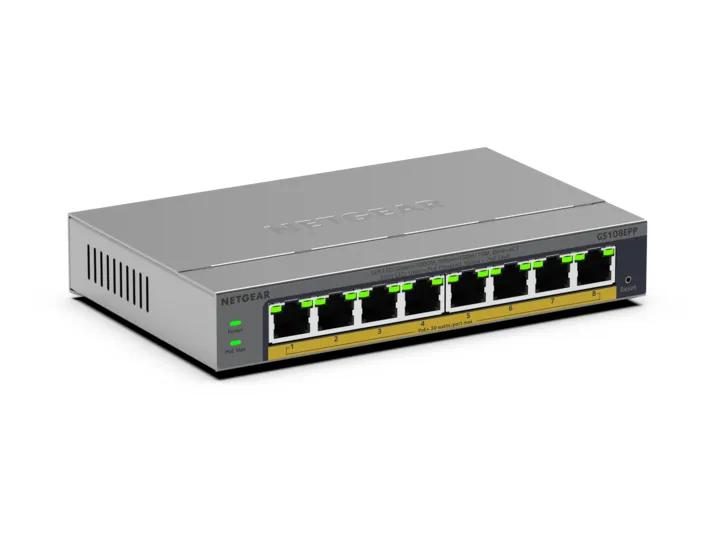
The Netgear gives you eight ports, all PoE+, with a 123-watt budget, and it is smart-managed: 802.1Q VLANs, link aggregation, port mirroring and QoS through a browser. That is the control a small office or a camera installation actually uses - putting the cameras on their own VLAN, for instance - and it is the thing the Zyxel cannot do at any price.
The trade is therefore ports against management. Sixteen powered ports with no configuration suits a house or shop with a lot of cameras, phones and access points and no wish to manage anything. Eight powered ports with VLANs suits a smaller installation that needs to be segmented, or a network with an IT owner who will use the features.
Neither is a heavy-lift PoE switch. Both budgets run out well before every port draws its 30-watt maximum, which is normal and rarely matters for phones and cameras, but a buyer feeding Wi-Fi 6 access points or PTZ domes on many ports should count watts before ports.
If the device count is the problem, Zyxel. If the segmentation is the problem, Netgear. If both are, neither, and the next tier up is the honest answer.
Editor’s note
The Zyxel's strength is that it asks for nothing. Power on every socket, no fan, a low steel chassis that fits on a shelf, surge protection and a lifetime warranty add up to a switch that can be installed and forgotten, which is exactly what a camera installer or a small shop wants. The compromise is visibility as much as control. With no interface there is no way to see which port is drawing power or why a camera dropped offline, so troubleshooting means walking to the cupboard and unplugging things. Spread evenly across a fully loaded switch, the shared budget comes to roughly 8.4 W a port, fine for phones and fixed cameras and thin for anything hungrier.
The Netgear charges a premium over unmanaged rivals for features that only pay off when someone uses them. For a household that wants its smart-home gadgets on their own network, or an office that wants voice traffic prioritised, the premium is money well spent. For an owner who will never log in, it buys silence that was available for less.
Keeping any device apart from the rest rules the Zyxel out on day one; a long device list and no interest in configuration does the same to the Netgear.
Head-to-head points: every spec is scaled between these products only, so a product can score high here and modestly on its own page, where the VS Score measures it against the median of its class.
Where the Zyxel GS1100-16EPS beats the NETGEAR GS108EPP
- More total ports ?16 vs 8
- More gigabit ports ?16 vs 8
- More PoE ports ?16 vs 8
- A slightly higher PoE budget ?135 W vs 123 W
- A much higher switching capacity ?32 Gbps vs 16 Gbps
- A much higher MAC address table ?16 K vs 4 K
Where the NETGEAR GS108EPP beats the Zyxel GS1100-16EPS
- Smart managed Management level ?Smart managed vs Unmanaged
- Has VLAN support ?
- Has link aggregation ?
- A much lower power consumption ?5.9 W vs 157.9 W
Key real-world differences
The spec sheet pulls in both directions. These are the gaps big enough to shape the decision — with the actual figures, and what each one means in real-world use.
- Total portsPorts16 vs 8 — 2× more for the Zyxel GS1100-16EPS
The total number of Ethernet ports.
- Management levelManagementUnmanaged vs Smart managed — advantage NETGEAR GS108EPP
Unmanaged switches are plug-and-play; managed ones add VLANs, monitoring and control.
- VLAN supportManagementNo vs Yes — only the NETGEAR GS108EPP has it
Segment the network into isolated virtual LANs.
- Gigabit portsPorts16 vs 8 — 2× more for the Zyxel GS1100-16EPS
Ports running at 1 Gbps.
- Switching capacityPerformance32 Gbps vs 16 Gbps — 2× more for the Zyxel GS1100-16EPS
The total internal bandwidth; enough capacity keeps every port at full speed.
Which one should you buy?
There is no single answer — it depends on what you will actually use it for. Match your priority to the pick below.
- Best for ports Zyxel GS1100-16EPS takes the category 100 to 40 — driven by total ports (16 vs 8).
- Best for management NETGEAR GS108EPP takes the category 100 to 0 — driven by management level (Unmanaged vs Smart managed).
- Best for Power over Ethernet Zyxel GS1100-16EPS takes the category 100 to 25 — driven by PoE ports (16 vs 8).
- Best for performance Zyxel GS1100-16EPS takes the category 100 to 14 — driven by switching capacity (32 Gbps vs 16 Gbps).
- Best for design & power NETGEAR GS108EPP takes the category 100 to 67 — driven by power consumption (157.9 W vs 5.9 W).
- The safe all-rounder Zyxel GS1100-16EPS wins 3 of 5 categories and tops the overall VS Score at 81.
Where each one falls short
Zyxel GS1100-16EPS
- Management level: Unmanaged vs Smart managed
- VLAN support: No vs Yes
- Link aggregation: No vs Yes
- 2 specs are unreported (shown as Unknown) and excluded from its scores.
NETGEAR GS108EPP
- Total ports: 16 vs 8
- Gigabit ports: 16 vs 8
- Switching capacity: 32 Gbps vs 16 Gbps
- 1 spec is unreported (shown as Unknown) and excluded from its scores.
What matters to you?
Drag the sliders to weight each category and re-rank the products to suit your priorities.
Score breakdown
Ports
Power over Ethernet
Performance
Management
Design & power
Specs last verified October 11, 2026Zyxel GS1100-16EPS: 20 of 22 specs verified (91%)NETGEAR GS108EPP: 21 of 22 specs verified (95%)Unverified specs show as Unknown — never estimated, never scored
What reviewers say
The bottom line
Two switches this close on power and this far apart on management make the choice unusually binary. If every device can share one flat network - cameras recording to a local recorder, desk phones, a couple of access points on the same segment - the Zyxel does the job with twice the sockets and nothing to maintain.
If anything needs fencing off, only the Netgear can do it. Cameras kept away from the internet, guests on their own network, a work laptop apart from the smart TV: none of that is possible on the Zyxel, whatever effort goes into it.
The trade-off, then, is sockets against segmentation. For a home the sensible default is the Netgear, because most households have fewer powered devices than they expect and more reasons to separate them than they realise.