Tenda TEM2005D: Specs, Features, Pros & Cons
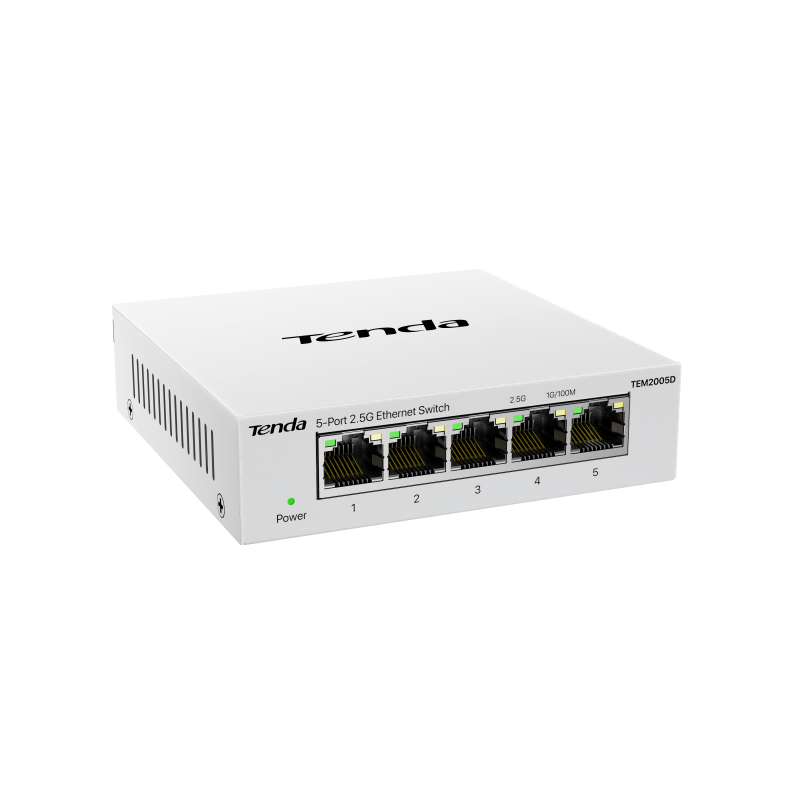
Five ports, one job, no settings. The TEM2005D exists to remove a gigabit bottleneck from between fast devices, and it does not attempt anything beyond that: a steel case, no fan, and a power draw low enough to leave it running permanently without thinking about it.
The situation it addresses has crept up on a lot of home networks. A NAS, a recent motherboard, a Wi-Fi 7 access point and a growing number of USB adapters will all negotiate 2.5 Gigabit now, and an older gigabit switch sitting between them silently discards the difference. Replacing that one component restores it.
The switching capacity quoted is all five ports running at full duplex simultaneously, so nothing is oversubscribed internally and every port can work at once without competing for the backplane. Any port can serve as the uplink, so it drops into an existing network without planning or configuration.
There is no power over Ethernet, so cameras and access points still need their own supply. There are no VLANs, no link aggregation and no traffic prioritization. It has no fiber socket and no way to see what is passing through it.
That makes it a component rather than a project. For joining a couple of fast machines to a router, or sitting behind a desk where two devices need more than gigabit between them, it is close to the simplest answer available. For segmenting a network or powering devices, it is the wrong purchase, and a managed or PoE switch is the right tool.
Category strengths
Where the Tenda TEM2005D beats the median
- More 2.5G ports ?5 vs 0 (median)
- A much lower power consumption ?5.75 W vs 26.5 W (median)
Where the Tenda TEM2005D trails the median
- Fewer PoE ports ?0 vs 4 (median)
- A much lower PoE budget ?0 W vs 135 W (median)
- Fewer total ports ?5 vs 10 (median)
- No VLAN support ?
- A lower switching capacity ?25 Gbps vs 40 Gbps (median)
- No link aggregation ?
- No Quality of Service (QoS) ?
- A lower forwarding rate ?18.6 Mpps vs 32.73 Mpps (median)
- No IGMP snooping ?
- No cloud management ?
How this VS Score was computed
Score 30: each known spec is measured against the median of all network switches (17 products), then weighted; 50 means level with that median. In classes of six or more, a value beyond the class’s 10th–90th percentile range counts as that limit, so one extreme product cannot set the scale. 92% of the scoreable weight could be used; unknown values, features not applicable to this class and proxies (battery capacity where a rated life exists) add or remove nothing.
| Specification | This product | Cohort median | Score weight | Points moved |
|---|---|---|---|---|
| PoE ports | 0 | 4 | 1.2 | −57.6 |
| PoE budget | 0 | 135 | 1.2 | −57.6 |
| Total ports | 5 | 10 | 2 | −50.0 |
| 2.5G ports | 5 | 0 | 1 | +50.0 |
| VLAN support | No | 59% of the class have it | 0.8 | −38.4 |
| Switching capacity | 25 | 40 | 1.5 | −28.5 |
| PoE standard | None | PoE+ (802.3at) | 0.8 | −26.4 |
| Management level | Unmanaged | Smart managed | 1 | −25.0 |
| Power consumption | 5.75 — capped at the class’s lower range (5.9) | 26.5 | 0.5 | +25.0 |
| Link aggregation | No | 53% of the class have it | 0.5 | −24.0 |
| Quality of Service (QoS) | No | 62% of the class have it | 0.5 | −24.0 |
| Cloud management | No | 50% of the class have it | 0.4 | −19.2 |
| Forwarding rate | 18.6 | 32.73 | 0.8 | −17.6 |
| IGMP snooping | No | 60% of the class have it | 0.3 | −14.4 |
| Rack-mountable | No | 35% of the class have it | 0.3 | −14.4 |
| Gigabit ports | 0 | 0 | 1.5 | +0.0 |
| 10G ports | 0 | 0 | 0.8 | +0.0 |
| SFP/SFP+ ports | 0 | 0 | 0.5 | +0.0 |
| MAC address table | 16 | 16 | 0.3 | +0.0 |
Not scored: Jumbo frame support (unknown: not scored); Fanless (standard for the class (80% have it)); Metal housing (standard for the class (87% have it)).
Editor’s note
Tenda's own feature page puts a large NAS copy at about 280 MB/s through a 2.5G switch, against about 110 MB/s through gigabit. The arithmetic holds up. A 2.5 Gbps link carries 312.5 MB/s before overhead, so 280 is about 90 percent of it, the same efficiency the gigabit figure implies. Two conditions apply: both ends have to link at 2.5G, and the NAS drives have to keep up, which a single hard drive may not.
Tenda does not list jumbo-frame support for the TEM2005D. Setting a NAS and PC to a 9,000-byte MTU through a switch that does not pass jumbo frames turns a speed tweak into dropped connections. Leave both ends at the standard 1,500 bytes unless a test copy proves otherwise, and the 2.5G gain is still there.
A router with its own 2.5G port on the uplink also lets a multi-gig internet plan reach the machines on the desk. The case measures 100 by 99 mm and draws under 5.75 W at most, so it can sit on the desk itself.
The step up within Tenda's range is the TEM2008D, with the same fanless steel build and eight ports. The step sideways is a managed switch such as NETGEAR's MS110TX, which only earns its place once a VLAN or a 10G uplink is on the list.
Specifications
Quality bars show where each figure sits between the lowest and highest of the 17 network switches this VS Score is measured against.
Ports
Power over Ethernet
Performance
Management
Design & power
Networking assessment
What the specification table does not say on its own: what this device needs to connect, what speeds are realistic, what costs extra, and where it falls short. Every statement below is read from the verified sheet or written by an editor — nothing is estimated.
Test environment
Research-based assessment: this brief is derived from the manufacturer’s published specifications for the Tenda TEM2005D and the documents listed under Sources and verification. We have not run this unit on our own network, so nothing here is a measurement of ours.
Connection requirements
Unmanaged: it plugs into any router’s LAN port and needs no configuration, but it also offers none — no VLANs, no port monitoring.
Ports: 5 in total, of which an unspecified number are Gigabit.
PoE budget is 0 W shared across the powered ports — add up the draw of the cameras, phones and access points you intend to hang off it before assuming they all fit.
Throughput expectations
Switching capacity is 25 Gbps, enough for every port to run flat out at once — the usual case for a home or small-office switch.
Security support
Security-update cadence is not something manufacturers publish as a specification; see Support and updates below.
Known limitations
Not offered, according to the spec sheet: vLAN support, link aggregation, quality of Service (QoS), cloud management.
One specification is not published by the manufacturer and is shown as Unknown rather than guessed.
Support and updates
We have not found a published firmware support-lifetime commitment for this model. Update policies differ widely between brands; check the support page linked under Sources and verification before relying on it for a long deployment, and treat a device that has stopped receiving security updates as due for replacement.
Sources and verification
Where the specifications come from
- Official product pagetendacn.com
- Datasheet or manualtendacn.com
- Retailer listing (cross-check)amazon.com
Verification
- First published
- Specifications last checked
- Sheet completeness
- 21 of 22 specifications verified; the rest show as Unknown and are never estimated or scored
- Page type
- Product specification page — Compiled from the manufacturer’s published specifications and the cited sources; this is not a hands-on test.
- Basis
- Research-based: specifications and editorial text were compiled from the documents listed here and the manufacturer’s published data. We have not tested this unit ourselves; where independent measurements are mentioned they belong to the linked publication.
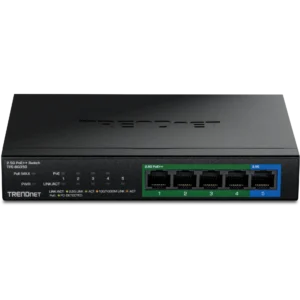
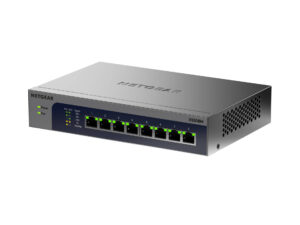
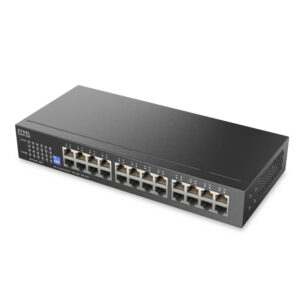
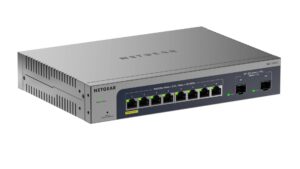
Network Switches with similar specs to the Tenda TEM2005D

Ratings & reviews
No reviews yet. Be the first to share your experience.
The bottom line
The Tenda TEM2005D earns a VS Score of 30, below the median of the 17 network switches it is measured against (a score of 50 is level with that median).
- Who it’s for
- A desk with a 2.5G NAS or PC and a router or access point with a 2.5G port, where three or four devices need to move files faster than gigabit and nothing should need configuring.
- Who should look elsewhere
- Anyone who needs PoE, VLANs or a 10G link, or more than four devices besides the uplink, since all five ports are the same 2.5G RJ45.
- The trade-off that matters
- Five ports leave four for devices once the uplink is plugged in, which fills fast on a desk with a NAS, a PC, a console and an access point.
- The main alternative
- Tenda TEM2008D: the same fanless steel design with eight 2.5G ports, for the desk that has already run out of sockets.
The VS Score is calculated from the weighted specifications above, each measured against the median of comparable network switches — a shortlisting guide, not a substitute for your own priorities. See how we score.