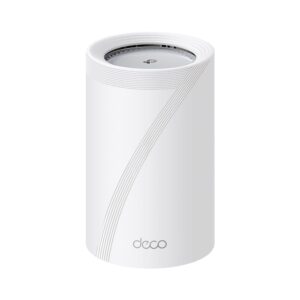
A Wi-Fi repeater has one old problem. It listens to your router and repeats what it hears, and with a single radio it can only do one of those at a time. That is why the far end of the house often gets about half the speed you expected. On 1 September 2026, FRITZ! showed the FRITZ!Repeater 6700 Pro at IFA in Berlin, a Wi-Fi 7 unit first unveiled at MWC in March, with four radios and a headline figure of 18 Gbit/s. The number is not the interesting part. The second 5 GHz radio is, because that is the piece aimed straight at the halving problem. This guide explains what a quad-band Wi-Fi repeater changes, what it cannot fix, and when a cable still wins.
Why a single-radio repeater costs you half your speed
Wi-Fi radios are half duplex. A radio transmits or it receives, and it never does both in the same instant on the same channel. A basic repeater has one radio for the band it extends. So it spends part of its airtime pulling data down from the router, then spends the rest pushing that same data out to your laptop.
Every byte therefore crosses the air twice on one channel. The result is roughly half the throughput a client would get from the router directly at the same signal strength. Add a weak link back to the router and the loss grows, because slow transmissions occupy the channel for longer and leave less airtime for everything else.
What quad-band means on this particular device
FRITZ! lists the radio layout in its own specification sheet. The repeater runs 2×2 on 6 GHz, 4×4 on one 5 GHz radio, 4×4 on a second 5 GHz radio, and 2×2 on 2.4 GHz. That is four radios spread across three bands, which is why the company writes "quad-band" in the headline and "tri-band Wi-Fi 7 … 2 radio units for 5 GHz" in the specification table. Both descriptions are accurate.
The published rates are 5,760 Mbit/s on 6 GHz, 5,760 Mbit/s on each 5 GHz radio, and 688 Mbit/s on 2.4 GHz. Add them up and you get 17,968 Mbit/s, which is where the "up to 18 Gbit/s" claim comes from. Treat that as an accounting total for every radio running at once. No single device will ever see it.
The second 5 GHz radio is the backhaul
Here is the useful part. With two independent 5 GHz radios, one can talk to the router while the other serves your devices. Receiving and retransmitting stop fighting over the same airtime, so the halving effect largely disappears on that path. Mesh systems have used a dedicated backhaul band for years, and this brings the same idea to a plug-in repeater.
The 6 GHz radio can carry backhaul too, and it usually has cleaner spectrum and wider channels. Yet 6 GHz loses signal faster through walls than 5 GHz does. So the sensible design keeps both options open and picks whichever link is healthier at the moment.
What four radios still cannot fix
Backhaul over the air is still over the air. If the repeater hears your router poorly, no amount of radio hardware repairs that. Place the unit where the signal from the router is still strong, roughly halfway to the dead zone rather than inside it. A repeater sitting in the weak spot simply rebroadcasts a weak spot.
Band count also does nothing about channel congestion from neighbours, thick walls, or an internet plan that tops out well below the Wi-Fi rate. The 6700 Pro carries a 10 Gbit/s and a 2.5 Gbit/s LAN port, and the honest advice is to use one of them if a cable can reach. A wired node beats any wireless backhaul, every time.
Mesh membership matters more than the band count
A repeater that joins your router's mesh keeps one network name, hands devices over as you walk, and is managed from one place. A cheap extender that is not mesh compatible usually creates a second network instead, so your phone clings to the wrong one until you force it across. The JoyLantern AX3000 WiFi 6 extender is a clear example of that older pattern. It is dual band, it presents its own SSID, and it has no mesh support at all, which matters more in daily use than any advertised throughput figure.
So when you compare two extenders, check mesh compatibility with your existing router brand first. Band count comes second.
Does any of this help your internet speed
Usually not, and it is worth being blunt about that. If your line delivers 1 Gbit/s, a repeater cannot exceed it. What extra radios buy you is headroom, so a video call in the back bedroom does not collapse when someone else starts a large download.
Local traffic is different. Copying files to a network drive, streaming to a TV, or backing up a laptop all stay inside the house, and those transfers can genuinely use the extra capacity.
Who should pay for a quad-band repeater
Buy one if you already run a Wi-Fi 7 router from the same brand, you cannot run Ethernet to the far room, and several devices share that space. The dedicated backhaul radio earns its price there.
Skip it if a cable can reach, if your router is Wi-Fi 5 or Wi-Fi 6, or if only one phone needs coverage on a balcony. In those cases a cheaper mesh-compatible extender does the job, and the money saved is real.