Review · Mesh Wi-Fi Systems

TP-Link Deco BE65 Pro Review: A Mesh for a House With Cables

If an Ethernet cable can reach the room where your second node will sit, the TP-Link Deco BE65 Pro becomes a stronger mesh than its radios suggest. Each node has two 5 Gbps ports and one 2.5 Gbps port, and any of them can take the internet line or a cable to the next node.

Its closest rival is the eero Pro 7, which has the same pair of 5 Gbps ports and two-stream radios, plus a smart-home hub. The hardware facts here come from TP-Link's datasheet, user guide and US firmware notes, and the one flaw published under this model's name comes from the National Vulnerability Database.

Every band runs two streams, so one phone or laptop needs the 6 GHz band and a very wide channel to get near the BE11000 printed on the box. A cable between the nodes keeps that airtime for your devices.
By Published Research-based assessment

This review was generated with the assistance of artificial intelligence. How we work

Affiliate disclosure: the price links on this page may earn us a commission at no extra cost to you. Retailers cannot pay for placement or influence the score. How we stay independent

Quick verdict

TP-Link Deco BE65 Pro (BE11000 tri-band Wi-Fi 7 mesh, US hardware version 1.6)
TP-Link Deco BE65 Pro specifications
7.0/10
Editorial ratingGoodWeighted average of 4 rated sections.

Run one Ethernet cable between two Deco BE65 Pro nodes and the mesh stops sharing its two-stream radios with its own backhaul. That makes it a strong pick for a home on multi-gig fiber with wiring between rooms.

Strengths

  • Three multi-gig Ethernet ports on every node, each able to take the internet line
  • Wired and wireless backhaul at the same time
  • A 6 GHz radio rated for 320 MHz channels

Weaknesses

  • Two streams on every band
  • Only two firmware builds in the past 12 months
  • Advanced HomeShield features need the paid Pro plan

Key specifications

Wi-Fi
Wi-Fi 7 (802.11be), tri-band, two streams per band. 6 GHz up to 5,765 Mbps (320 MHz), 5 GHz up to 4,324 Mbps (240 MHz), 2.4 GHz up to 688 Mbps
Ethernet ports per node
2 x 5 Gbps and 1 x 2.5 Gbps, all WAN or LAN (one WAN at a time)
USB
1 port, for a storage drive
Backhaul
Wired and wireless at the same time, with MLO between nodes
Coverage and devices (TP-Link rating)
Up to 3,000 sq ft and more than 200 devices per node
Security and software
WPA3, firewall, HomeShield (free Basic plan, paid Pro plan for advanced features), IoT network, guest networks on all three bands
VPN
Server and client: OpenVPN, PPTP, L2TP/IPSec, WireGuard
Modes
Router or access point
Setup
Deco app with a TP-Link ID
Firmware (US, V1.6)
1.3.1, May 27, 2026. Nine builds since April 2024
Size and power
107.5 x 107.5 x 176 mm, 29 W max, 12 V 3.3 A adapter
In the box (3-pack)
3 nodes, 1 Ethernet cable, 3 power adapters, quick installation guide

Full specification sheet and comparisons →

How we reviewed it

Basis
Research-based: assessed from the manufacturer’s published specifications, documentation and the independent sources listed at the end. We have not tested this unit ourselves; any measurement quoted belongs to the cited source.
Method

The port layout, band ratings, backhaul behavior and HomeShield terms come from TP-Link's US datasheet, which its download page links. TP-Link's setup guide adds the setup steps, the TP-Link ID requirement and the automatic update setting. For the firmware section we counted the builds and read the release notes on TP-Link's US download page for hardware version 1.6. The vulnerability details come from the National Vulnerability Database entry for CVE-2025-32107. Per-device link rates are our arithmetic on TP-Link's per-band figures.

Evidence

TP-Link's US datasheet, user guide and firmware release notes, and the National Vulnerability Database.

Limitations

We have no independent measurement of this mesh's speed, range, latency or wired backhaul throughput, so every performance figure here is a TP-Link rating. TP-Link publishes no end-of-support date for the BE65 Pro.

Three multi-gig sockets on every node

8.4/10Excellent
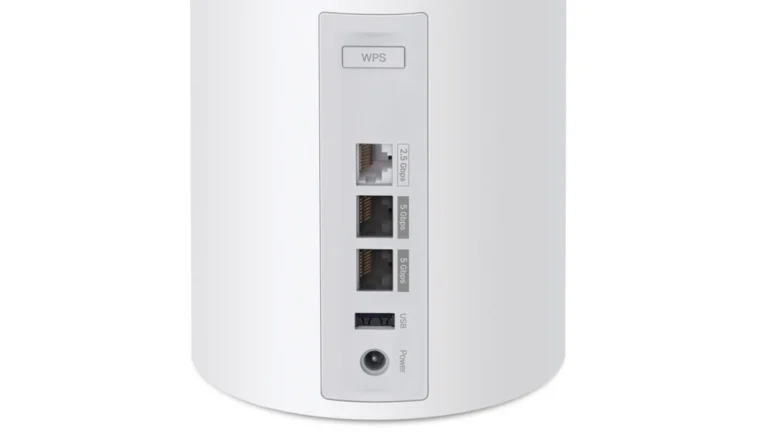
Rear panel of a white Deco BE65 Pro node with a WPS button, a 2.5 Gbps port, two 5 Gbps ports, a USB port and the power input
The back of one node, top to bottom: WPS, the 2.5 Gbps port, two 5 Gbps ports, USB and power, with the labels TP-Link prints beside them. TP-Link render, authentic crop

Each node has two 5 Gbps Ethernet ports and one 2.5 Gbps port. TP-Link's datasheet says any of them can act as the WAN port, one at a time. That covers a fiber plan of up to 5 Gbps, or a cable modem with a multi-gig port. There is no built-in modem.

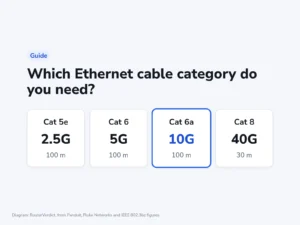
Between nodes, TP-Link says a unit can run a wired and a wireless backhaul at the same time. A cable from the main node to the second one takes the mesh traffic off the radios and leaves the airtime to phones and laptops. Plan each 5 Gbps run on Cat 6 cable, the category rated for that speed.

On the main node, a 5 Gbps internet feed and a 5 Gbps cable to the next node take both fast sockets. That leaves the slower port for a NAS or a desktop, so a busy wired room by the router still needs a switch.

A satellite fed by one cable keeps one fast socket and the slower one free, so a desktop and a NAS in a far room can both plug in at multi-gig speed with no switch.

The USB port takes a storage drive, according to TP-Link's guide.

What BE11000 means for one phone or laptop

6.8/10Fair
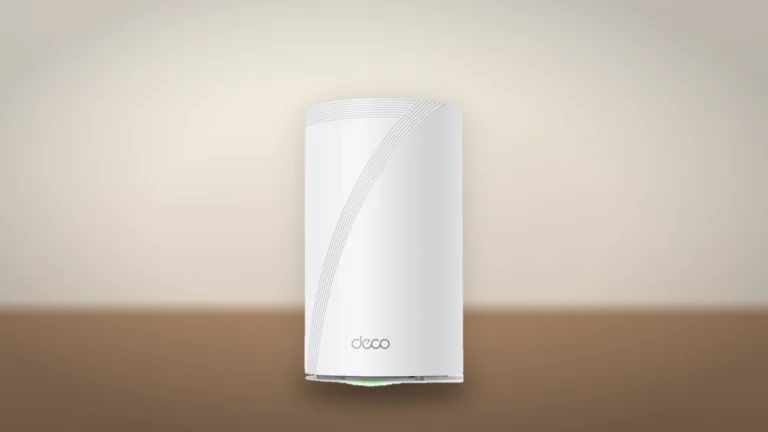
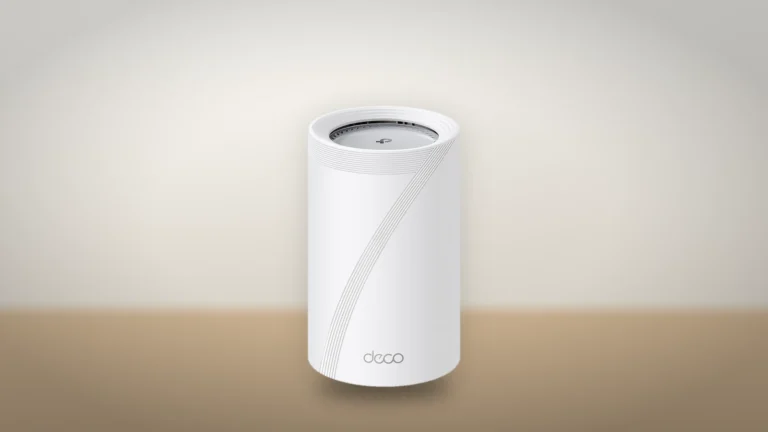
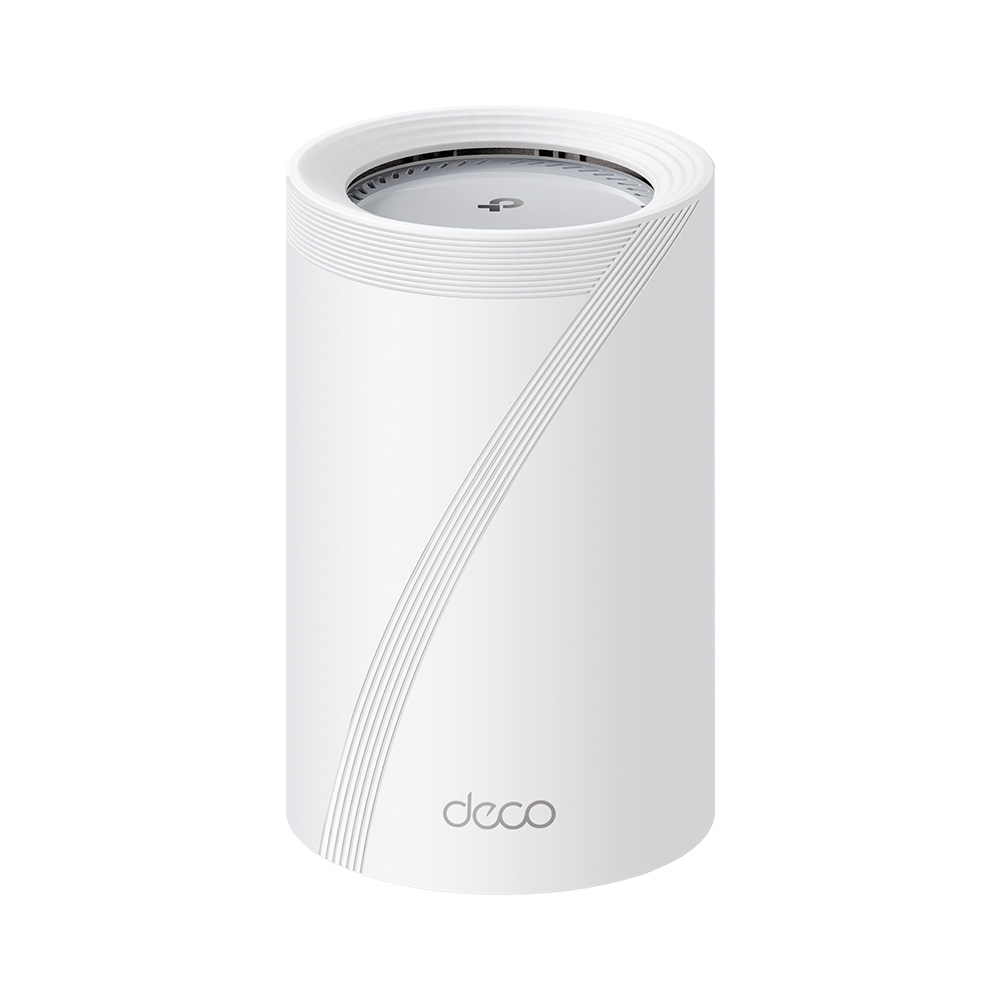
A white cylindrical Deco BE65 Pro node seen from the side, with a curved line of grooves and the deco logo, on a wooden shelf
A Deco BE65 Pro node from the side, with its status light at the base. Product illustration based on a TP-Link render, on a generated backdrop. Product illustration based on manufacturer imagery (TP-Link render)

BE11000 is TP-Link's three band ratings added together. Every radio runs two streams:

  • 6 GHz: 5,765 Mbps on a 320 MHz channel
  • 5 GHz: 4,324 Mbps on a 240 MHz channel
  • 2.4 GHz: 688 Mbps

A device links on one band at a time, so the sum never reaches a single client, and the client has to support those channel widths too. A two-stream laptop held to 160 MHz links at about 2,882 Mbps on the top band, by our arithmetic.

TP-Link's up to 10 Gbps figure needs a client with Multi-Link Operation that joins the two upper bands at once. A Wi-Fi 6 laptop or an older phone uses one band, as it would on any router.

Two streams per band also cap what one node can share out when many busy devices sit near it. TP-Link's Deco BE67 has a faster top-band radio for that case.

Firmware since 2024 and the one named flaw

6.2/10Fair
Top view of a white Deco BE65 Pro node showing the round vent grille and the TP-Link logo, on a dark blue background
The Deco BE65 Pro seen from above, with its vent grille around the TP-Link logo. Product illustration based on a TP-Link render, on a generated backdrop. Product illustration based on manufacturer imagery (TP-Link render)

TP-Link's US download page lists nine firmware builds for hardware version 1.6. The first came out in April 2024 and the newest, 1.3.1, on May 27, 2026. Only two of the nine arrived in the past 12 months. The newest added Internet Backup, encrypted DNS and per-device speed limits, and it can't be rolled back. Setup asks you to pick an automatic update time, so a node left on that setting installs new builds by itself.

The National Vulnerability Database lists one flaw under this model's name, CVE-2025-32107. It is an OS command injection that someone who can already sign in to the mesh could use to run commands on it. JPCERT/CC rated it High, and CISA's coordinator recorded no known exploitation. NVD lists builds before the Japanese 1.1.2 of January 23, 2025 as affected. The US 1.1.2 build carries the same date, and its notes say only that it improved stability and security.

Alternatives worth considering

eero Pro 7

eero Pro 7

Has the same pair of 5 Gbps ports and two-stream radios, adds a Thread, Zigbee and Matter hub, and keeps its security tools in eero Plus. Take it if the router should run the smart home too, with one Ethernet port fewer per node.

TP-Link Deco BE67

TP-Link Deco BE67

Swaps the two 5 Gbps ports for a single 10 Gbps one and has a faster top-band radio. Take it for a plan or a NAS faster than 5 Gbps.

Where to buy

We have no current price for the TP-Link Deco BE65 Pro (BE11000 tri-band Wi-Fi 7 mesh, US hardware version 1.6): no retailer listing is on record for this exact model at the moment, so check the maker’s site or a retailer directly.

Prices and availability come from retailer feeds and change without notice; the retailer’s page is authoritative. We may earn a commission if you buy through these links.

Final verdict

TP-Link Deco BE65 Pro (BE11000 tri-band Wi-Fi 7 mesh, US hardware version 1.6)
7.0/10Editorial ratingGood

Score breakdown

Scores run from 1.0 to 10.0: 9+ exceptional, 8–8.9 excellent, 7–7.9 good, 6–6.9 fair, 5–5.9 mediocre, below 5 poor. The overall score is the weighted average of the rated sections. Unrated sections do not count.

Pros

  • Three multi-gig Ethernet ports on every node, each able to take the internet line
  • Wired and wireless backhaul at the same time
  • A 6 GHz radio rated for 320 MHz channels
  • WireGuard and OpenVPN servers built in

Cons

  • Two streams on every band
  • Only two firmware builds in the past 12 months
  • Advanced HomeShield features need the paid Pro plan
  • Setup needs a TP-Link ID
  • On a main node with a 5 Gbps feed and wired backhaul, only the slowest port is left free

Conclusion

The BE65 Pro is at its best as a wired mesh. Three multi-gig ports per node, and backhaul that can run over a cable and the air together, give a house with Ethernet in the walls more than its radios would on their own. Without that cable, each node's two-stream radios carry both the link to the next node and every device in the room.

The security record so far is one named flaw, fixed in early 2025. The update pace is the open question, because TP-Link's last US build is now almost five months old.

Andreea-Viviana Jitaru’s take

Two 5 Gbps sockets on a satellite let a wired node feed a NAS at multi-gig speed in a room far from the router. That's the part of this mesh I'd pay for. I'd still want to see a new firmware build from TP-Link before the end of 2026.

Best for
  • Homes with Ethernet between the rooms where the nodes will sit
  • Subscribers to fiber plans of 2 to 5 Gbps
Consider an alternative if
  • You can't run a cable to a second node and expect top Wi-Fi 7 speed in every room
  • You pay for an internet plan faster than 5 Gbps

Questions readers ask

Which port on the Deco BE65 Pro is the WAN port?

TP-Link says each of the three ports works as WAN or LAN, one WAN at a time. Firmware 1.3.1 added an option to fix a specific port as the WAN.

Does the Deco BE65 Pro need a subscription?

Routing, Wi-Fi and HomeShield's Basic plan come with no fee. TP-Link's advanced HomeShield features, including the fuller parental controls, need the paid Pro plan.

Is CVE-2025-32107 fixed on the Deco BE65 Pro?

The National Vulnerability Database lists builds before 1.1.2 of January 23, 2025 as affected. Every later US build, including the current 1.3.1, comes after that point.

About the reviewer

Editor

Andreea reads the site’s articles, guides and reviews before they are published.

This is a research-based assessment: the reviewer compiled it from published specifications, documentation and independent measurements rather than from testing the unit.

Profile and other work →

Sources

  • TP-Link: Deco BE65 Pro (US) V1.6 downloads, with the datasheet, user guide and firmware release notestp-link.com
  • National Vulnerability Database: CVE-2025-32107 (Deco BE65 Pro OS command injection)nvd.nist.gov

← Back to the blog