
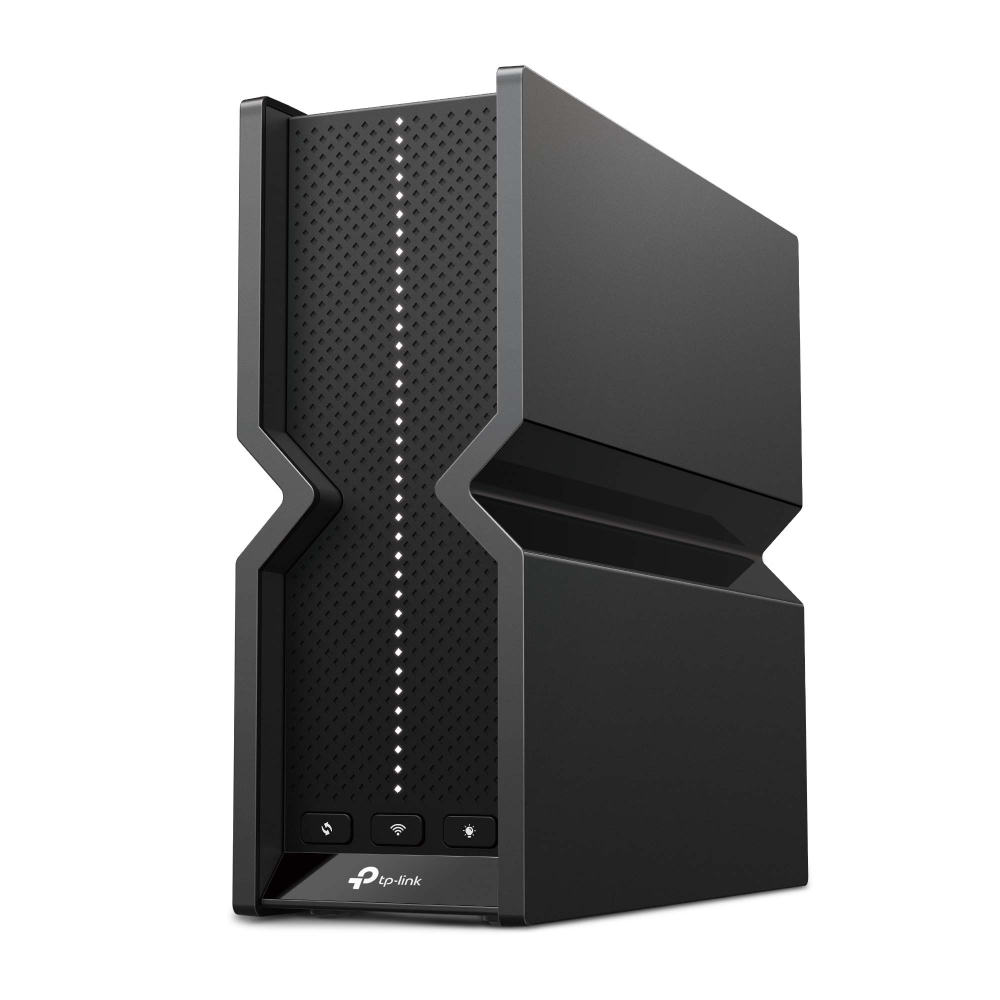
TP-Link Archer BE550: Specs, Price, Pros & Cons
This review measures the TP-Link Archer BE550 against the full 28-spec sheet we track for Wi-Fi Routers, comparing it like for like with the 3 other models in our database. It earns a VS Score of 45 out of 100 — the weighted result of every verified specification measured against the class average.
On the spec sheet it is strongest in features & security and weakest in ports & wired. Street prices currently start at $ 199.99 for the TP-Link Archer BE550. A transparency note: this spec sheet is 75% complete. Anything unverified shows as Unknown and is left out of the score — we never estimate a missing value.
Category strengths
Where the TP-Link Archer BE550 trails the average
- A much lower WAN port speed ?2.5 Gbps vs 8.13 Gbps (avg)
- A lower max wireless speed ?9,214 Mbps vs 11,952.2 Mbps (avg)
- Fewer frequency bands ?3 vs 3.2 (avg)
- Fewer LAN ports ?4 vs 4.25 (avg)
- Fewer antennas ?6 vs 7.33 (avg)
Editor’s note
The Archer BE550 is the router I'd point most people at when they ask whether Wi-Fi 7 is worth it yet, because it's the cheapest way to get the whole thing rather than a badge. Plenty of budget "BE" routers quietly drop the 6 GHz band; this one keeps it, along with 320 MHz channels and MLO, which is where Wi-Fi 7's real-world gains actually live.
The port layout is the other reason it stands out. Every Ethernet port — one WAN, four LAN — runs at 2.5 Gbps, so there's no juggling over which device deserves the single fast port. That's a genuinely useful arrangement for a house with a NAS or a couple of wired desks. The ceiling is also exactly there: no 10 Gbps port anywhere, so if your ISP sells a 3 Gbps or faster plan, this is the wrong box.
Two compromises are easy to miss on the spec sheet. The radios are 2×2, so a single phone or laptop won't hit the numbers a 4×4 flagship posts, even though the total capacity is fine for a normal household. And HomeShield, TP-Link's security suite, is free only at the basic tier — real-time IoT protection and intrusion prevention sit behind the Pro subscription. The VPN server also speaks OpenVPN, PPTP and L2TP but not WireGuard, which TP-Link reserves for its dearer models.
TP-Link doesn't publish a square-footage rating or CPU details for this model, so treat coverage claims you see elsewhere with suspicion; for a large or multi-floor home, a mesh system is the safer buy anyway.
At its frequent street price near $150-200 it's very good value. Paying full $299 list narrows the gap to better-equipped routers enough that I'd shop around first.
Specifications
Quality bars are generated automatically against 3 other wi-fi routers.
Wireless
The Wi-Fi generation supported; later is faster and handles more devices.
The combined theoretical throughput across all bands.
How many radio bands the router broadcasts (dual-band = 2, tri-band = 3, quad-band = 4).
A 6 GHz radio offers uncongested airspace for Wi-Fi 6E/7 devices.
The home size the router is rated to cover.
Serves multiple devices simultaneously instead of in turn.
Splits channels between devices for lower latency in busy homes.
Focuses the signal towards connected devices for better range.
How many devices the router is rated to handle at once.
Ports & wired
The internet-facing port speed; a multi-gig WAN futureproofs fast plans.
The number of wired Ethernet ports for devices.
At least one LAN port faster than 1 Gbps (2.5G/5G/10G).
Combines two ports into one faster connection.
USB ports for shared drives or printers.
Hardware
More CPU cores keep speeds up with many devices and features enabled.
The clock speed of the router's CPU.
More memory handles more simultaneous connections smoothly.
The number of antennas (internal or external).
Features & security
The latest Wi-Fi security standard.
Can join a whole-home mesh with compatible units (e.g. AiMesh, EasyMesh, OneMesh).
A separate network keeps visitors off your main devices.
Filter content and set time limits per device.
Prioritises gaming or video traffic over background downloads.
Host a VPN to reach your home network securely from anywhere.
Set up and manage the router from a phone app.
Network-level threat protection (e.g. ASUS AiProtection, TP-Link HomeShield).
Design
A lighter router is easier to place or wall-mount.
Can be mounted on a wall to save shelf space.
How the VS Score works — and what it can’t tell you
Every measurable spec is scored against the average of all the Wi-Fi Routers we track: matching the class average scores 50, clearly beating it climbs towards 100, and each spec counts according to an editorial weight that reflects real-world impact — a battery-capacity gap moves the score far more than a colour-options list. The quality bars on the spec cards above show where this model sits inside the full range for its class, and the overall VS Score rolls every weighted result into one number.
Unknown values are never estimated. A spec this product doesn’t report simply drops out of its scoring — it isn’t penalised with a guess — but a thinner spec sheet does mean a score built on fewer data points, which is why completeness is disclosed under About this data.
Most importantly: a spec-sheet lead is not the same as a better product. Megapixels, gigahertz and benchmark points describe capacity, not experience — image processing, software optimisation, thermals, haptics and ergonomics decide how a device actually feels, and no table captures reliability or long-term support quality. Treat the VS Score as a structured summary of what can be measured, not a substitute for your own priorities.
About this data
- Specifications are compiled from each manufacturer’s official spec sheet, cross-checked against trusted specification databases, and normalised into one schema so identical things are compared identically.
- Specifications last verified August 20, 2026.
- Data completeness: 21 of the 28 specs in this category are verified (75%). Anything we could not verify is shown as Unknown — never estimated — and is excluded from the score.
- Prices and availability come from live retailer feeds via our shopping partners and refresh throughout the day; a missing price means no partner currently lists the product, not that it is discontinued.
- Want the full picture? Our editorial guidelines explain how we research products, weight the scores and stay independent.
- Spotted an error in a spec? Tell us and we will correct the sheet.
Where to buy
Prices and availability may change. Check the retailer before buying. We may earn a commission on purchases.
Price history
Wi-Fi Routers with similar specs to the TP-Link Archer BE550

Ratings & reviews
No reviews yet. Be the first to share your experience.
The bottom line
The TP-Link Archer BE550 earns a VS Score of 45, a solid mid-pack result among the 4 wi-fi routers we compare here.
- Who it’s for
- Households on 1-2.5 Gbps internet plans that want real Wi-Fi 7 — 6 GHz, MLO, 320 MHz — plus several wired devices, without paying flagship money. The five 2.5G ports suit a NAS or a couple of wired desks out of the box.
- Who should look elsewhere
- Anyone on a 3 Gbps+ plan (there's no 10G port to receive it), large multi-floor homes better served by mesh, and buyers who expect the advertised security features without a HomeShield Pro subscription.
- The trade-off that matters
- You get the full Wi-Fi 7 feature set but on 2×2 radios with no 10G port — total household capacity is great, single-device peak speeds and headroom for faster plans are where it saves its money.
- The main alternative
- TP-Link Archer BE900 — if you actually have a multi-gig plan and wired rooms, its dual 10G ports and WireGuard support justify the jump; otherwise keep the difference.
The VS Score is generated automatically from the weighted specifications above, measured against all other wi-fi routers in our database. Treat it as a shortlisting guide — not a substitute for your own priorities.