No current price: no retailer we track lists it right now.
34 facts in comparison
GL.iNet Mudi 7 (GL-E5800) vs Teltonika RUT956 vs ASUS RT-BE58 Go
Three boxes that all get called travel routers, and the distances between them are not degrees of the same thing. One is a 5G hotspot with a screen and a battery, one is an industrial gateway built for a cabinet nobody visits, and one is a mains-powered Wi-Fi 7 router that happens to be small.
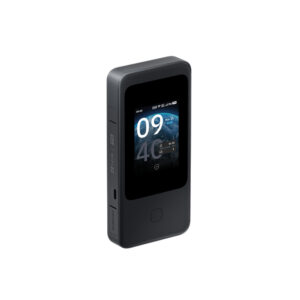
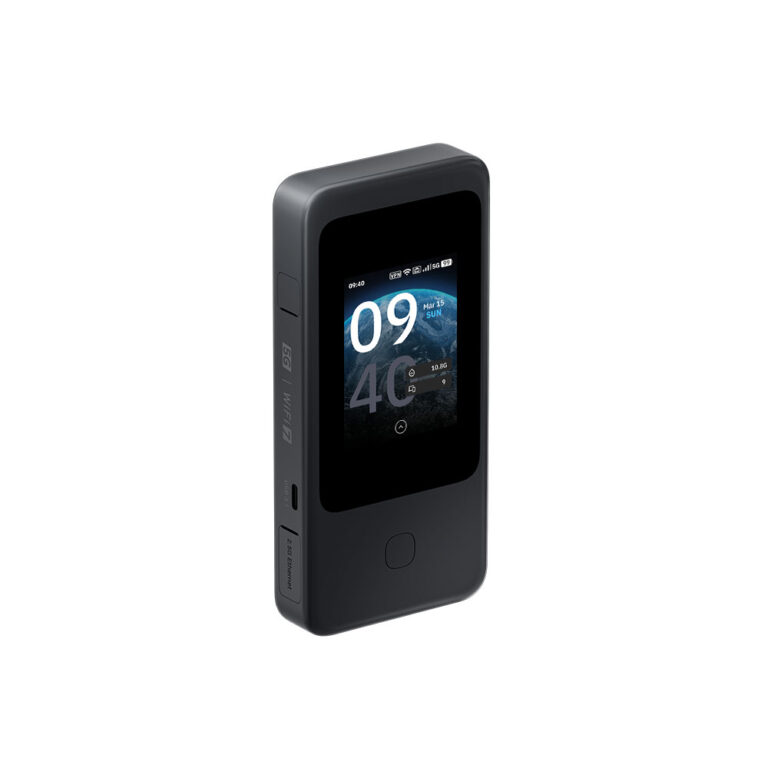
The Mudi 7 is the only one that goes anywhere on its own. It carries a 5G modem, an eSIM plus two physical SIM slots, TS-9 sockets for external antennas and a 5,380 mAh battery rated at 13.5 hours, all under a 2.8-inch touchscreen. Read its Wi-Fi claim carefully, though: it supports 2.4, 5 and 6 GHz but runs only two of them at a time, and six of its eight antennas serve the modem rather than the Wi-Fi.
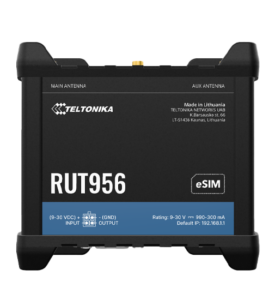
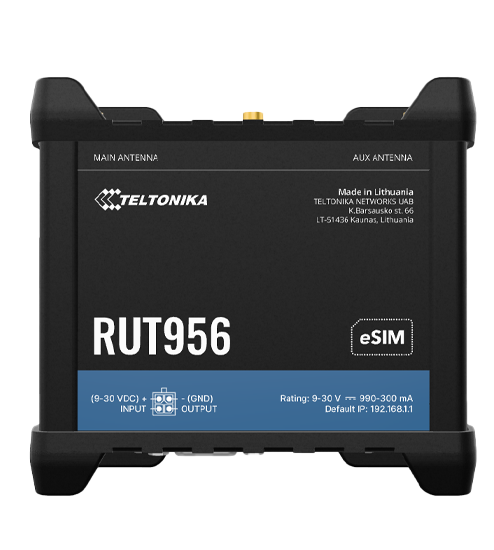
The RUT956 is not a consumer product at all. Its modem is LTE Cat 4, capped at 150 Mbps; its Wi-Fi is 2.4 GHz 802.11n; its three Ethernet ports run at 10/100; there is no WPA3. What the money buys instead is dual-SIM failover, RS232 and RS485 serial ports, and a device rated to keep working for years in an unheated cabinet.
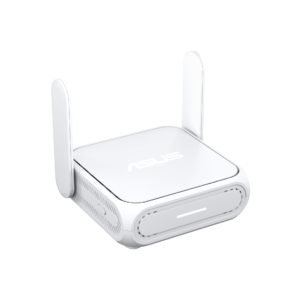
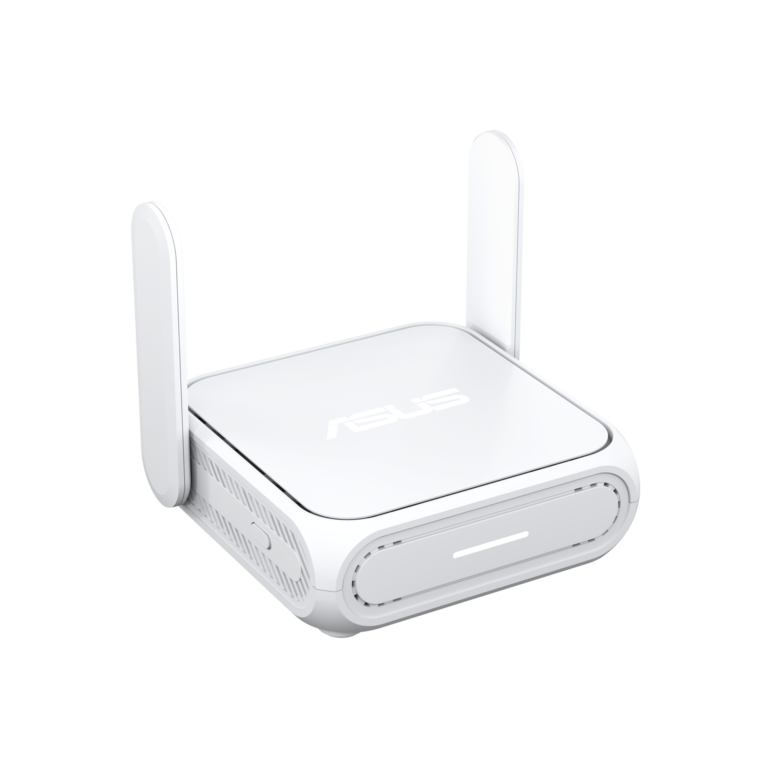
The RT-BE58 Go has the fastest wireless of the three at 3,570 Mbps, and the most processing behind it: a 2.0 GHz quad-core with a gigabyte of RAM, enough that a WireGuard tunnel is not the bottleneck. It also has no SIM slot and no battery, so it needs a wall socket and somebody else's internet.
Pick the Mudi 7 when the connection has to come out of the air and run off a battery, the RUT956 when the router will live somewhere you cannot easily reach, and the RT-BE58 Go for hotel rooms and rented flats that have power and a wired line you simply do not trust.
Editor’s note
The Mudi 7 is the most complete of the three and the one most likely to be bought for the wrong reason. Its cellular side is genuinely well specified, with two physical card slots alongside the embedded one, sockets for external antennas, and a touchscreen that handles the jobs that would otherwise mean opening an admin page in a hotel lobby. Its wireless side is the compromise that paid for all of that, and the tri-band claim needs reading as two bands at a time before it stops disappointing.
The RUT956 is honest equipment aimed at somebody who is not shopping. Automatic switching between carriers on signal loss, serial interfaces and a tolerance for unheated enclosures are worth real money when a site visit is expensive. Everything else about it is deliberately old. Bought for a house, it delivers ruggedness nobody will ever use in exchange for a slow modem, ageing Wi-Fi and wired ports from another decade.
The RT-BE58 Go is the best pure router of the three and the least self-sufficient. Desktop-class silicon means an encrypted tunnel actually performs rather than becoming the bottleneck, and the fast wired socket means a good rental line is not wasted.
Walk past all three if the plan is simply tethering from a phone in hotel rooms. A plain pocket router does that, and none of this hardware is aimed at it.
Category strengths
- GL.iNet Mudi 7 (GL-E5800)
- Teltonika RUT956
- ASUS RT-BE58 Go
Spec wins (head-to-head)
- GL.iNet Mudi 7 (GL-E5800) 12
- Teltonika RUT956 1
- ASUS RT-BE58 Go 1
Why GL.iNet Mudi 7 (GL-E5800)?
- 5G Cellular generation ?5G vs 4G LTE
- Has eSIM ?
- A much higher max cellular download ?4,670 Mbps vs 150 Mbps
- A much higher max wireless speed ?6,453 Mbps vs 3,570 Mbps
- More frequency bands ?3 vs 2
- Has 6 GHz band ?
Why Teltonika RUT956?
- More LAN ports ?3 vs 1
Why ASUS RT-BE58 Go?
- A lighter build ?232 g vs 287 g
Key real-world differences
The spec sheet pulls in both directions. These are the gaps big enough to shape the decision — with the actual figures, and what each one means in real-world use.
- Cellular generationCellular5G vs 4G LTE vs None — advantage GL.iNet Mudi 7 (GL-E5800)
The fastest mobile network the modem supports.
- Max cellular downloadCellular4,670 Mbps vs 150 Mbps vs — — 31.1× more for the GL.iNet Mudi 7 (GL-E5800)
The modem's rated peak download speed.
- 6 GHz bandWirelessYes vs No vs No — only the GL.iNet Mudi 7 (GL-E5800) has it
A 6 GHz radio offers uncongested airspace for Wi-Fi 6E/7 devices.
- Max wireless speedWireless6,453 Mbps vs — vs 3,570 Mbps — 80.8% more for the GL.iNet Mudi 7 (GL-E5800)
The combined theoretical throughput across all bands.
- RAMHardware2,048 MB vs 128 MB vs 1,024 MB — 16× more for the GL.iNet Mudi 7 (GL-E5800)
More memory handles more simultaneous connections smoothly.
Which one should you buy?
There is no single answer — it depends on what you will actually use it for. Match your priority to the pick below.
- Best for wireless GL.iNet Mudi 7 (GL-E5800) takes the category 100 to 56 — driven by 6 GHz band (Yes vs No vs No).
- Best for cellular GL.iNet Mudi 7 (GL-E5800) takes the category 100 to 53 — driven by cellular generation (5G vs 4G LTE vs None).
- Best for features & security GL.iNet Mudi 7 (GL-E5800) takes the category 100 to 91 — driven by display (Yes vs No vs No).
- Best for ports & wired GL.iNet Mudi 7 (GL-E5800) takes the category 72 to 52 — driven by multi-gig LAN (Yes vs No vs No).
- Best for hardware GL.iNet Mudi 7 (GL-E5800) takes the category 100 to 61 — driven by RAM (2,048 MB vs 128 MB vs 1,024 MB).
- The safe all-rounder GL.iNet Mudi 7 (GL-E5800) wins 5 of 7 categories and tops the overall VS Score at 92.
Where each one falls short
GL.iNet Mudi 7 (GL-E5800)
- LAN ports: 1 vs 3 vs 1
- Weight: 300 g vs 287 g vs 232 g
- 1 spec is unreported (shown as Unknown) and excluded from its scores.
Teltonika RUT956
- Max cellular download: 4,670 Mbps vs 150 Mbps vs —
- eSIM: Yes vs No vs No
- 6 GHz band: Yes vs No vs No
- 10 specs are unreported (shown as Unknown) and excluded from its scores.
ASUS RT-BE58 Go
- Cellular generation: 5G vs 4G LTE vs None
- Max wireless speed: 6,453 Mbps vs — vs 3,570 Mbps
- 7 specs are unreported (shown as Unknown) and excluded from its scores.
What matters to you?
Drag the sliders to weight each category and re-rank the products to suit your priorities.
Score breakdown
Cellular
Wireless
Ports & wired
Battery
Hardware
Features & security
Design
Specs last verified October 11, 2026GL.iNet Mudi 7 (GL-E5800): 33 of 34 specs verified (97%)Teltonika RUT956: 24 of 34 specs verified (71%)ASUS RT-BE58 Go: 27 of 34 specs verified (79%)Unverified specs show as Unknown — never estimated, never scored
What reviewers say
The bottom line
The useful thing to establish here is which of the three is wrong for you, because two of them will be. A household shopping for a compact Wi-Fi 7 router has no business reading the Teltonika: its radio, its wired ports and its missing modern encryption are a generation behind on purpose, and what the premium buys is survival in a cabinet nobody visits. Anyone who needs a connection where no line exists should rule out the ASUS, which has neither modem nor battery and expects a wall socket. Anyone with fixed broadband at home should rule out the GL.iNet, whose radios were deliberately shrunk to make room for the cellular side.
Match the failure you are actually solving. Every one of these is excellent at a job the other two were never built for.