NETGEAR Nighthawk RAX30: Specs, Features, Pros & Cons
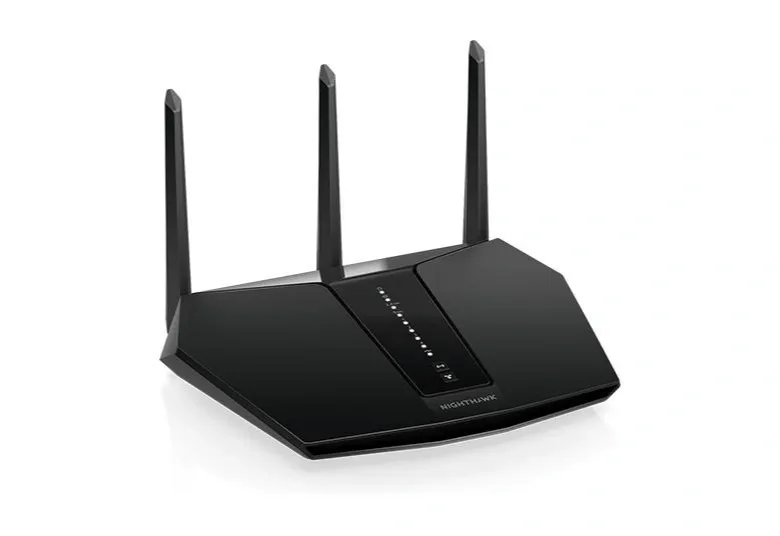
NETGEAR calls the RAX30 a five-stream router, and the streams are split unevenly: two on 2.4 GHz and three on 5 GHz. That third 5 GHz stream is how it earns its AX2400 rating of 574 Mbps plus 1,800 Mbps, because the data sheet stops the 5 GHz band at 80 MHz channels. Under the Wi-Fi 6 standard, a two-stream phone or laptop on that channel width links at no more than 1,201 Mbps, so only a client with a three-stream radio can use the full 5 GHz figure. The data sheet also lists OFDMA in both directions, which helps only once the clients are Wi-Fi 6 as well.
A 1.5 GHz triple-core processor runs the router, three external antennas handle the signal, and the whole unit weighs 465 g. The rear panel has five gigabit ports, one for the modem and four for wired devices, plus a USB 3.0 socket that shares a drive through NETGEAR's ReadySHARE. WPA3, a guest network and an OpenVPN server for reaching the home network from outside are part of the firmware, and setup runs through the Nighthawk app or a browser. Dynamic QoS prioritizes traffic using a database of popular applications and services that the router updates by itself.
Every port is gigabit, the internet port included, so a broadband plan faster than 1 Gbps is capped the moment it reaches the router. On a 2 Gbps plan, the RAX30 becomes the slowest link between the street and the devices, whatever its radios can do inside the house.
NETGEAR's US site now forwards the RAX30 product page to its support section, while the Canadian store still lists it at the foot of a Wi-Fi 6 ladder whose RAX35, RAX36 and RAX38 siblings are each rated at 3 Gbps.
Category strengths
Where the NETGEAR Nighthawk RAX30 beats the median
- A lighter build ?465 g vs 762.5 g (median)
Where the NETGEAR Nighthawk RAX30 trails the median
- A much lower max wireless speed ?2,374 Mbps vs 7,876 Mbps (median)
- No 6 GHz band ?
- A much lower WAN port speed ?1 Gbps vs 2.5 Gbps (median)
- No multi-gig LAN ?
- No built-in security suite ?
- Fewer max connected devices ?20 vs 189 (median)
- Fewer frequency bands ?2 vs 3 (median)
- Fewer processor cores ?3 vs 4 (median)
How this VS Score was computed
Score 24: each known spec is measured against the median of all wi-fi routers (26 products), then weighted; 50 means level with that median. In classes of six or more, a value beyond the class’s 10th–90th percentile range counts as that limit, so one extreme product cannot set the scale. 66% of the scoreable weight could be used; unknown values, features not applicable to this class and proxies (battery capacity where a rated life exists) add or remove nothing.
| Specification | This product | Cohort median | Score weight | Points moved |
|---|---|---|---|---|
| Wi-Fi standard | Wi-Fi 6 | Wi-Fi 7 | 2 | −96.0 |
| Max wireless speed | 2,374 | 7,876 | 2 | −70.0 |
| 6 GHz band | No | 52% of the class have it | 1 | −48.0 |
| WAN port speed | 1 | 2.5 | 1.5 | −45.0 |
| Multi-gig LAN | No | 69% of the class have it | 0.8 | −38.4 |
| Built-in security suite | No | 52% of the class have it | 0.5 | −24.0 |
| Max connected devices | 20 — capped at the class’s lower range (25) | 189 | 0.5 | −21.5 |
| Frequency bands | 2 | 3 | 1 | −17.0 |
| Weight | 465 | 762.5 | 0.2 | +6.4 |
| Processor cores | 3 | 4 | 0.5 | −6.0 |
| Coverage area | 2,000 | 2,000 | 1.5 | +0.0 |
| LAN ports | 4 | 4 | 1 | +0.0 |
| USB ports | 1 | 1 | 0.3 | +0.0 |
| Processor speed | 1.5 | 1.5 | 0.5 | +0.0 |
| Antennas | 3 — capped at the class’s lower range (4) | 4 | 0.3 | +0.0 |
Not scored: MU-MIMO (unknown: not scored); OFDMA (standard for the class (100% have it)); Beamforming (standard for the class (100% have it)); Link aggregation (unknown: not scored); RAM (unknown: not scored); WPA3 (standard for the class (100% have it)); Mesh support (unknown: not scored); Guest network (standard for the class (100% have it)); Parental controls (unknown: not scored); Quality of Service (QoS) (standard for the class (100% have it)); VPN server (standard for the class (100% have it)); App control (standard for the class (100% have it)); Wall-mountable (unknown: not scored).
Editor’s note
TP-Link's Archer AX55 shows the other way to build a Wi-Fi 6 router at this level. It keeps two streams on 5 GHz and adds 160 MHz channels, which takes its 5 GHz rating to 2,402 Mbps, a width an ordinary two-stream laptop can use. The same laptop connects to the RAX30 at half that rate, because NETGEAR put its extra speed into a third stream the laptop does not have.
The paperwork on Armor has drifted. The RAX30 data sheet promises a year of NETGEAR Armor in the box, and the Canadian product page now says only that a trial is included. Either way the Bitdefender service turns into a paid subscription afterward, so treat it as a running cost to plan for and no reason to choose this router.
For a house that already runs other Nighthawk gear, the shared app is the strongest argument for it, and NETGEAR is still shipping security firmware for the model.
Otherwise I would take the Archer AX55, since the TP-Link also has a USB 3.0 port and the wider channel. Neither router answers a plan that is about to pass a gigabit. TP-Link's Archer BE230 is the closest step past that ceiling, with a multi-gig internet port on a dual-band Wi-Fi 7 radio.
Specifications
Quality bars show where each figure sits between the lowest and highest of the 26 wi-fi routers this VS Score is measured against.
Wireless
Ports & wired
Hardware
Features & security
Design
Networking assessment
What the specification table does not say on its own: what this device needs to connect, what speeds are realistic, what costs extra, and where it falls short. Every statement below is read from the verified sheet or written by an editor — nothing is estimated.
Test environment
Research-based assessment: this brief is derived from the manufacturer’s published specifications for the NETGEAR Nighthawk RAX30 and the documents listed under Sources and verification. We have not run this unit on our own network, so nothing here is a measurement of ours.
Connection requirements
The WAN (internet) port is rated at 1 Gbps. An internet plan faster than that is capped at the router, and nothing on the network can download faster than this port regardless of the wireless figures.
There are 4 LAN ports, all Gigabit; a switch is needed for more wired devices.
Throughput expectations
The Wi-Fi 6 headline of 2,374 Mbps adds together the theoretical peak of every band. A single device connects to one band at a time, so no client ever sees the total, and real-world speeds run well below the link rate even in the same room.
There is no 6 GHz band, so the least congested spectrum available to new phones and laptops is not on offer here.
OFDMA and MU-MIMO help most when many devices are active at once; they do not make a single download faster.
Firmware and subscriptions
NETGEAR publishes each RAX30 release as a support article with a download link. The latest, version 1.0.15.110, went up on September 10, 2026 as a security fix. The manual says the Nighthawk app keeps the router on the newest firmware automatically, and the web interface can also check for and install new firmware by hand.
Set-up and management run through the manufacturer’s app; check whether a local web interface is offered as well.
VPN support is built in, which avoids a subscription to a third-party VPN router service for remote access.
Security support
WPA3 is supported, the current Wi-Fi encryption standard; devices that only speak WPA2 still connect in mixed mode.
A guest network is available for visitors and smart-home devices, keeping them off the network your computers use.
Security-update cadence is not something manufacturers publish as a specification; see Support and updates below.
Real-world household suitability
The manufacturer rates coverage at 2,000 sq ft. That figure assumes open space; brick, concrete and floors reduce it, and a large or multi-storey home is usually better served by a mesh system than by one router.
Rated for 20 connected devices — a marketing figure, but a useful indication of whether a home full of smart plugs, cameras and phones is within its design.
Known limitations
Not offered, according to the spec sheet: 6 GHz band, multi-gig LAN, built-in security suite.
6 specifications are not published by the manufacturer and are shown as Unknown rather than guessed.
Support and updates
The RAX30 data sheet, user manual and a quick start guide shared with the RAX29 sit on NETGEAR's download server, and the data sheet sends owners to the NETGEAR Community forum for peer help. NETGEAR Armor, the Bitdefender security service, comes with an introductory period and then becomes a paid subscription.
Sources and verification
Where the specifications come from
- Official product pagenetgear.com
- Datasheet or manualdownloads.netgear.com
- Support and firmware documentationkb.netgear.com
- Independent testingrtings.com
Verification
- First published
- Specifications last checked
- Sheet completeness
- 22 of 28 specifications verified; the rest show as Unknown and are never estimated or scored
- Page type
- Product specification page — Compiled from the manufacturer’s published specifications and the cited sources; this is not a hands-on test.
- Basis
- Research-based: specifications and editorial text were compiled from the documents listed here and the manufacturer’s published data. We have not tested this unit ourselves; where independent measurements are mentioned they belong to the linked publication.
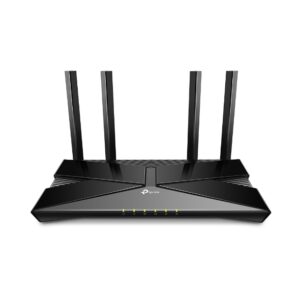
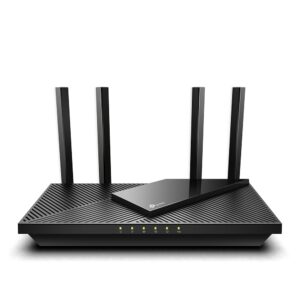
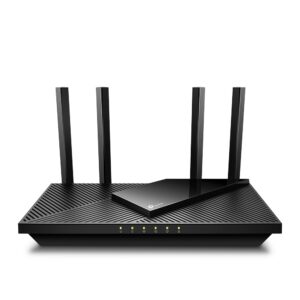
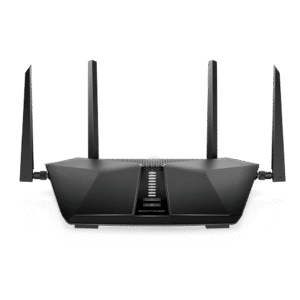
Wi-Fi Routers with similar specs to the NETGEAR Nighthawk RAX30
Ratings & reviews
No reviews yet. Be the first to share your experience.
The bottom line
The NETGEAR Nighthawk RAX30 earns a VS Score of 24, below the median of the 26 wi-fi routers it is measured against (a score of 50 is level with that median).
- Who it’s for
- A household on a plan of a gigabit or less that wants a Nighthawk with a USB port for a shared drive and enough wired sockets for a desk, a console and a TV.
- Who should look elsewhere
- Anyone already paying for faster-than-gigabit internet, since every port is gigabit, and anyone expecting Armor to stay free once the bundled period ends.
- The trade-off that matters
- NETGEAR spent the radio budget on a third 5 GHz stream instead of wider channels, which suits a three-stream desktop adapter and gives a two-stream phone or laptop nothing extra.
- The main alternative
- TP-Link Archer AX55: two streams on 5 GHz with wider channels that phones and laptops can use, plus a USB 3.0 port.
The VS Score is calculated from the weighted specifications above, each measured against the median of comparable wi-fi routers — a shortlisting guide, not a substitute for your own priorities. See how we score.