Most homes run a single box that does everything. It terminates the internet connection, routes traffic, runs a firewall, hands out addresses and broadcasts Wi-Fi. A wired gateway does all of that except the last item. There is no radio inside it at all. That sounds like a downgrade, yet it is the standard way serious networks get built, and the reasons are worth understanding before you spend money on either approach. This guide explains what a wired gateway does, what it forces you to buy alongside it, and the specific situations where the split pays off.
What a wired gateway actually is
A wired gateway sits between your incoming connection and the rest of the network. It performs routing between the internet and your local subnets, runs the firewall, handles network address translation, hands out addresses over DHCP, and usually terminates VPN tunnels. Many models add VLAN support, access control lists, content filtering and intrusion detection.
Wireless coverage then becomes a separate job. You add access points where the coverage is needed, which is rarely the cupboard where the fibre enters the building. That separation is the entire point.
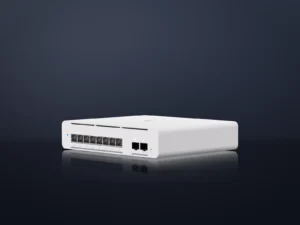
A modern example makes the shape clear. The Omada by TP-Link Fusion 2.5G is a fanless box of a little over half a kilogram with five 2.5 Gigabit ports, of which up to four can act as WAN. It carries a quad-core processor and 2 GB of memory, a built-in controller, and no Wi-Fi radio whatsoever. Anyone hoping to replace a home router with one purchase should stop and read that last clause twice.
Why the wireless comes out
Three practical reasons drive the split.
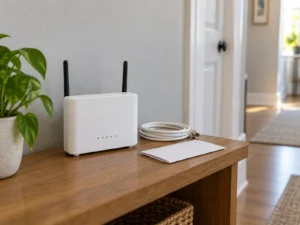
Placement comes first. Your incoming line arrives wherever the installer put it. Radio coverage wants to originate near the middle of the served area, ideally on a ceiling. Those two locations almost never coincide, and no amount of transmit power fixes a router stuck in a corner cupboard behind a boiler.
Scaling comes second. One radio serves one area. When a house needs three coverage zones, you want three access points on a wired backbone, not one loud router and two extenders halving the throughput.
Lifecycle comes third. Wi-Fi generations change every few years. Routing, firewalling and VPN work does not. Splitting the two lets you replace radios on their own schedule and keep the gateway for far longer.
Reading gateway throughput numbers honestly
Router marketing usually quotes raw routing throughput, measured with every security feature switched off. That number collapses the moment you enable the features you bought the device for.
Gateway data sheets are often more candid, and the Fusion 2.5G is a good example. TP-Link publishes 2,183 Mbps with intrusion prevention actually running, 1,023 Mbps over IPsec, and 223 Mbps over OpenVPN. Those are three different workloads and three very different ceilings.
Size against the figure that matches your use. If you terminate a site-to-site tunnel on the box, the IPsec number is your real limit. If your VPN client of choice is OpenVPN, that 223 Mbps ceiling is the one that will bite. A gigabit connection plus an OpenVPN tunnel is a mismatch on this class of hardware.
The controller question
Gateways nearly always come attached to a management platform, and the platform is half the purchase. Some vendors run the controller in the cloud, some run it as software on a computer you provide, and some embed it in the gateway itself.
The embedded approach removes a dependency, because the network keeps its configuration even when the internet drops. It also concentrates risk, since a failed gateway takes the controller with it.
Licensing matters more than most buyers expect. Several well-known prosumer gateways charge a recurring fee for the threat intelligence, content filtering or multi-site views that make them worth buying. Others include those features outright. Over five years that difference can exceed the hardware cost, so check it before comparing purchase prices.
Gateways are absorbing cameras next
The category is moving. On September 2, 2026, at CEDIA Expo in Denver, TP-Link's Omada brand announced an expansion of its Fusion Gateway family with a new Fusion Pro Series that folds its Guard video management software into the gateway alongside the existing networking stack. The stated aim is one platform for both network and surveillance infrastructure. Omada says Fusion Pro Series gateways are expected to become available in October 2026, with pricing and regional availability to follow.
Ubiquiti has offered a version of this idea for years. The Ubiquiti UniFi Dream Machine SE puts the router and firewall, an eight-port powered switch, the controller and a hard-drive bay for camera recording into one rack-mounted chassis. Its threat-protection throughput is quoted at 3,500 Mbps, and its default WAN ports are a 10 Gigabit SFP+ fibre socket and a 2.5 Gigabit copper port, with a second SFP+ socket on the LAN side.
Convergence brings a genuine benefit and a genuine cost. One appliance is cheaper and simpler than four. One appliance also means a single failure takes down routing, wireless management and your camera recordings together. Anyone relying on those cameras should think about that before consolidating.
What you still have to buy
A gateway is never the whole shopping list. Budget for the rest before you commit.
- Access points, one per coverage zone, plus the cabling to reach them.
- A switch, because a five-port gateway fills up fast once access points and a network video recorder arrive.
- Power over Ethernet, either from the switch or from injectors. The Fusion 2.5G supplies none.
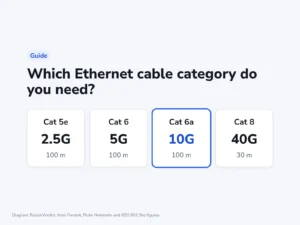
- Structured cabling. A wired backbone is the assumption the whole design rests on.
Rack-mounted gateways add two more considerations. They are heavy, and they are not silent. A unit designed for a cabinet in a plant room is a poor neighbour in a home office.
Who should actually buy one
Buy a wired gateway if you already have Ethernet in the walls, you want real network segmentation for cameras and smart-home devices, you terminate a VPN at home, or you run two internet connections with failover. Buy one, too, if your building needs three or more access points, because at that point the gateway is the cheapest part of the design.
Skip it if your home is served well by one router in a sensible spot. The management features are genuinely useful, but they demand configuration time, and a poorly configured segmented network is worse than a simple flat one that works.
The honest test is the cabling. Without Ethernet reaching the places your radios need to sit, a wired gateway solves a problem you do not have and creates several you did not want.