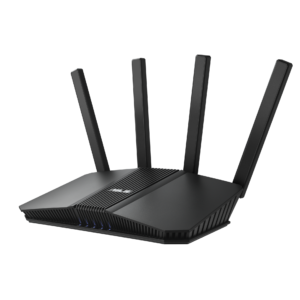
Check for firmware updates on your ASUS router and each AiMesh node. ASUS disclosed two flaws on November 24, 2026, that can interrupt service on affected routers. The records cover three firmware branches. Use the update ASUS offers for each device’s exact model.
Which ASUS firmware branches are listed?
ASUS’s registered notices for CVE-2026-93457 and CVE-2026-75776 both list the 3.0.0.4.386, 3.0.0.4.388 and 3.0.0.6.102 series. Use those numbers to recognize a firmware family. A family name alone cannot tell you whether your particular build includes the fix. The November 10 advisory was a separate update notice.
Update each unit and check the version afterward
- Run the firmware check in the ASUS Router app or open “Administration” and then “Firmware Upgrade” in the router’s web interface.
- Install the release offered for the main router. On an AiMesh system, check the firmware entry for each node as well.
- After the units reconnect, return to the firmware page. Confirm that each one is listed and has the intended version. If a node is missing, restore its connection and check it again.
If the built-in check leaves you unsure, look up the model on ASUS Support and read the firmware release notes for that exact unit. A node can use a different build from the router. If ASUS has ended support for your model, plan to move to a model that still receives security updates.
Reduce exposure while you wait to update
Keep administration from the internet turned off when you do not use it. Put visitors on a guest Wi-Fi network with access to the home network disabled.