Review · Modems

The ARRIS SURFboard S33 and Xfinity’s 35 Mbps upload list

Check Xfinity’s upload tier before you buy an ARRIS SURFboard S33. Xfinity groups the S33 variants under its standard compatible-modem list, which covers uploads up to 35 Mbps. Its enhanced-speed list includes the ARRIS S34 for eligible plans.

The S33 has a 2.5 Gbps Ethernet port and needs a separate Wi-Fi router. ARRIS’s hardware documentation describes that port, and the provider lists show the plans for which each operator approves the modem.
By Published Research-based assessment

Affiliate disclosure: the price links on this page may earn us a commission at no extra cost to you. Retailers cannot pay for placement or influence the score. How we stay independent

Quick verdict

ARRIS SURFboard S33 DOCSIS 3.1 cable modem (hardware versions S33, S33v2, S33v3)
ARRIS SURFboard S33 specifications
RecommendationConsider if your provider lists the exact modem version for your plan and you already have a routerEvidence: maker figures, some of them conflicting · Specification score on the product page

The S33 is worth considering if your cable provider approves it for your exact plan and you already have a router. Xfinity's enhanced-upload plans require a model on the separate enhanced-speeds list.

Strengths

  • 2.5 GE port for a router with a matching WAN port
  • Listed in specific Xfinity and Spectrum tiers in all three hardware versions
  • Two-year limited warranty

Weaknesses

  • On Xfinity's list only for plans that upload up to 35 Mbps
  • Spectrum approves it only for non-symmetrical tiers up to 1G
  • Spectrum Home Phone doesn't work with it

Key specifications

Type
Cable modem only, no Wi-Fi, no router
DOCSIS
3.1, backward compatible with 3.0
Channels (ARRIS)
32 x 8 DOCSIS 3.0 bonded, 2 x 2 OFDM DOCSIS 3.1
Ethernet
One 2.5 GE, one 1 GE (second port needs a second IP address)
Link aggregation
Not supported
Rated plans (ARRIS)
Up to 2.5 Gbps
Xfinity list
Plans uploading up to 35 Mbps, wired download up to 2.33 Gbps
Spectrum list
Non-symmetrical tiers up to 1G, no Home Phone
Voice
None
Firmware updates
Pushed by the cable provider
In the box
Power supply, license and regulatory card, quick start guide
Warranty
2-year limited

Full specification sheet and comparisons →

How we reviewed it

Basis
Research-based: assessed from the manufacturer’s published specifications, documentation and the independent sources listed at the end. We have not tested this unit ourselves; any measurement quoted belongs to the cited source.
Method

Xfinity and Spectrum publish the lists used here for plan eligibility. The ARRIS US specification gives the port speeds and the modem's own rating. Its Ethernet documentation explains when the second port can be used.

Evidence

Xfinity groups the three S33 versions under its standard upload tier. Spectrum lists them under its non-symmetrical tiers up to 1G.

Limitations

The compatibility lists can change and depend on the operator and plan. Xfinity's wired speed figure is its listing, and the review has no independent throughput measurement.

Find your plan on the provider's list

Not rated · Evidence: conflicting sources
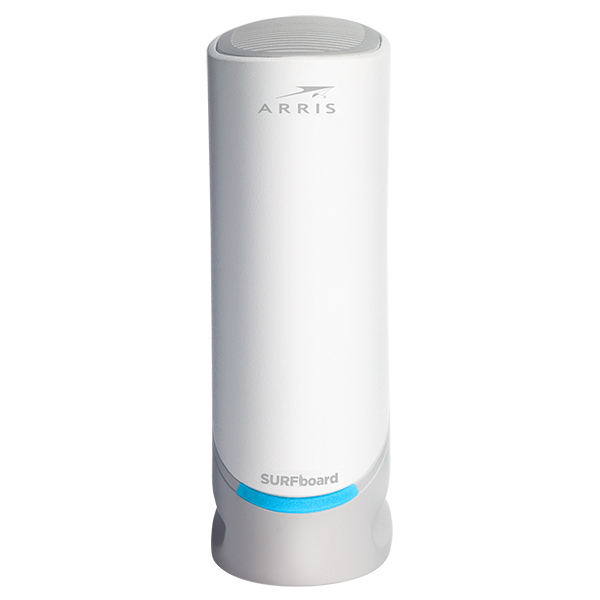
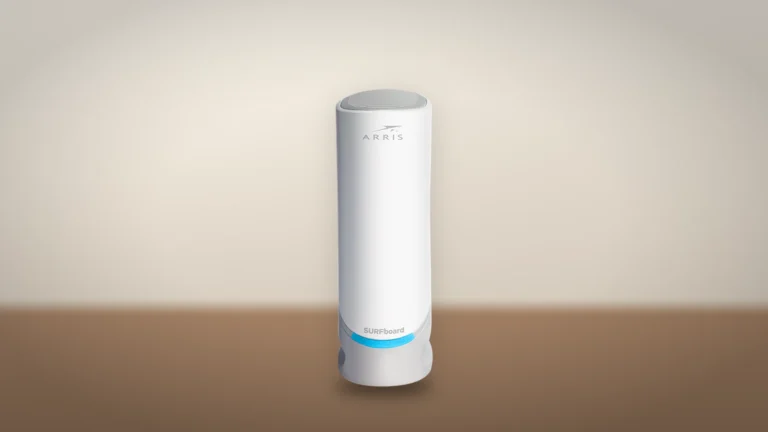
White ARRIS SURFboard S33 cable modem standing on a wooden shelf, front view with its blue status light lit
The S33 from the front, with its single status light near the base. Product illustration based on manufacturer imagery: ARRIS render on a generated backdrop

Xfinity lists the S33, S33v2 and S33v3 under its standard compatible modems for uploads up to 35 Mbps. Its separate list for enhanced upload speeds includes the S34 in eligible markets. Before buying either, enter your address and check the upload speed of the plan you want.

Spectrum lists those three S33 versions for non-symmetrical tiers up to 1G. It requires a Spectrum modem for symmetrical plans, and its Home Phone service requires provider equipment. Spectrum includes a compliant modem at no extra charge, so weigh that before buying your own modem for Spectrum.

Use the faster Ethernet port for the router

Not rated · Evidence: maker figures only
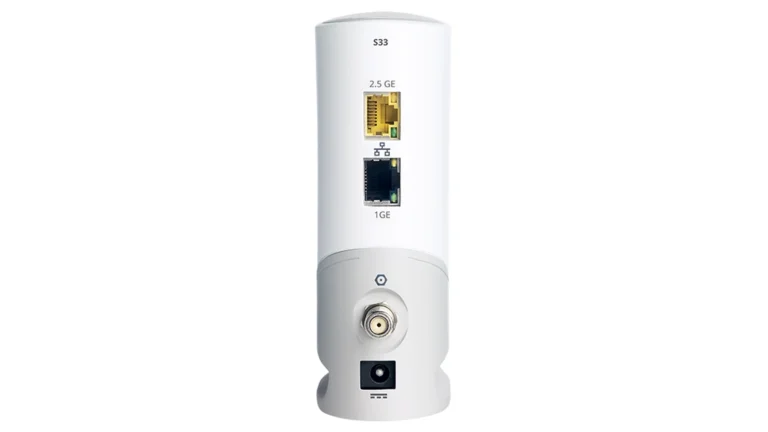
Back of the ARRIS SURFboard S33 with a yellow 2.5 GE Ethernet port, a 1 GE Ethernet port, a coax connector and a power socket
The S33's back panel: the yellow 2.5 GE port, the 1 GE port, the cable connector and the power socket. Image: ARRIS rear render

Connect your router to the S33's 2.5 GE port. The modem has no built-in Wi-Fi. To use a plan above a gigabit, check that the port labeled WAN or Internet on the router can also run at 2.5 Gbps.

The 1 GE port can connect another device when the provider assigns a second public IP address. ARRIS says the two ports don't support link aggregation. Use the faster port for your router and leave the second port free unless your plan provides that extra address.

The cable provider handles firmware updates

Not rated · Evidence: maker figures only
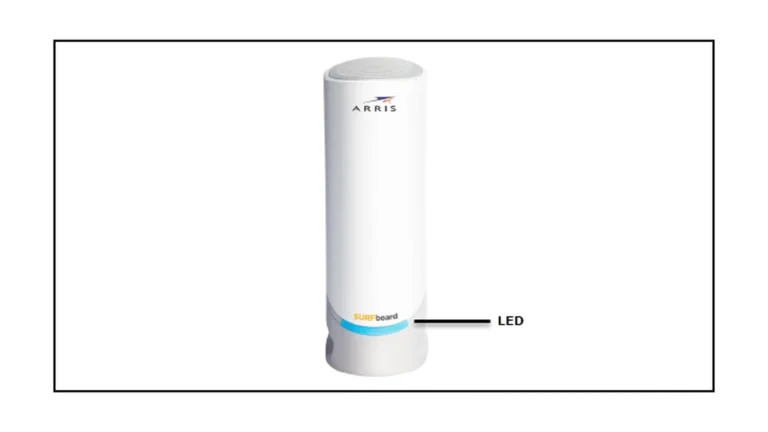
ARRIS help center figure of the SURFboard S33 front with its status light labeled LED
ARRIS's figure marking the front status light on the S33. Figure: ARRIS help center, S33/S34 LED Light Status

ARRIS supplies the firmware to the cable company, which tests it and sends it to the modem. That puts the modem's security updates on the provider's schedule.

When you install it, use the front light to confirm the connection. ARRIS shows solid blue for an online DOCSIS 3.1 connection and solid green for online DOCSIS 3.0. If you expected a different mode after activation, ask the provider to check what it provisioned.

Alternatives worth considering

ARRIS SURFboard G54

Check the G54 if you need an approved enhanced-upload modem with Wi-Fi built in. Xfinity lists it for enhanced speeds, subject to the plan available at your address.

ARRIS SURFboard G20

The G20 also appears in Xfinity's enhanced-speeds category and includes Wi-Fi 6. Check its separate wired download limit against the plan you want.

Where to buy

In-stock offers for this exact model, sorted by item price in USD. Shipping is not included unless a retailer supplies it. Not every retailer is listed. Prices last checked 9 hours ago.

Retailer prices for the ARRIS SURFboard S33 DOCSIS 3.1 cable modem (hardware versions S33, S33v2, S33v3)
RetailerItem priceShippingAvailabilityCheckedLink
Amazon.com$219See retailerIn stockCheck price at Amazon.com

Prices and availability come from retailer feeds and change without notice; the retailer’s page is authoritative. We may earn a commission if you buy through these links.

Final verdict

ARRIS SURFboard S33 DOCSIS 3.1 cable modem (hardware versions S33, S33v2, S33v3)
RecommendationConsider if your provider lists the exact modem version for your plan and you already have a router

This review gives no score out of 10, because no section rests on a measurement by an independent body. The recommendation and the written verdict stand on their own.

Pros

  • 2.5 GE port for a router with a matching WAN port
  • Listed in specific Xfinity and Spectrum tiers in all three hardware versions
  • Two-year limited warranty

Cons

  • On Xfinity's list only for plans that upload up to 35 Mbps
  • Spectrum approves it only for non-symmetrical tiers up to 1G
  • Spectrum Home Phone doesn't work with it
  • The 1 GE port needs a second IP address from the provider
  • Provider-controlled firmware

Conclusion

Look up your exact plan before placing an order. Then check the WAN port on your router. A gigabit WAN port can limit a plan with downloads above 1 Gbps even though the S33 has a faster port.

Our take

Keep the S33 on your list when your upload tier qualifies and you already have a router. Anyone planning to move to Xfinity's enhanced upload service should start with its approved list for that tier.

Best for
  • Xfinity customers on plans that upload 35 Mbps or less
  • Owners of a separate Wi-Fi router or mesh system
Consider an alternative if
  • Your Xfinity plan uploads more than 35 Mbps
  • You use Spectrum Home Phone or a symmetrical Spectrum tier
  • You want built-in Wi-Fi

Questions readers ask

Does the ARRIS SURFboard S33 work with Xfinity?

Xfinity lists the S33, S33v2 and S33v3 for plans uploading up to 35 Mbps. Check its enhanced-speeds list if your plan calls for faster upload.

Can the S33's two Ethernet ports be combined for more speed?

ARRIS says the S33 doesn't support link aggregation. The second port works only with a second IP address from your provider.

Does the S33 work with Spectrum Home Phone?

Spectrum says its Home Phone service isn't compatible with customer-owned modems, and ARRIS lists no voice capability for the S33.

How do I update the firmware on an ARRIS S33?

The cable provider tests and pushes firmware that ARRIS supplies. Ask the provider about a pending update for your modem.

About the reviewer

Founder & Editor

Ciprian founded RouterVerdict and takes editorial responsibility for it. He sets the rules its AI tools work to: specifications come from makers’ documentation, the VS Score follows a published weighting, and no commercial relationship touches a ranking. He checks each new product and comparison page before it goes live, decides which articles are published and handles corrections. Based in Bucharest.

This is a research-based assessment: the reviewer compiled it from published specifications, documentation and independent measurements rather than from testing the unit.

Profile and other work →

Sources

This review was created with the help of AI. How we work

← Back to the blog