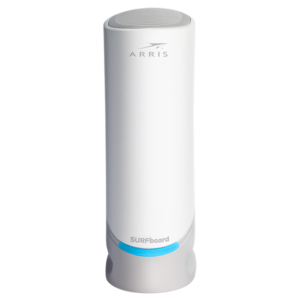
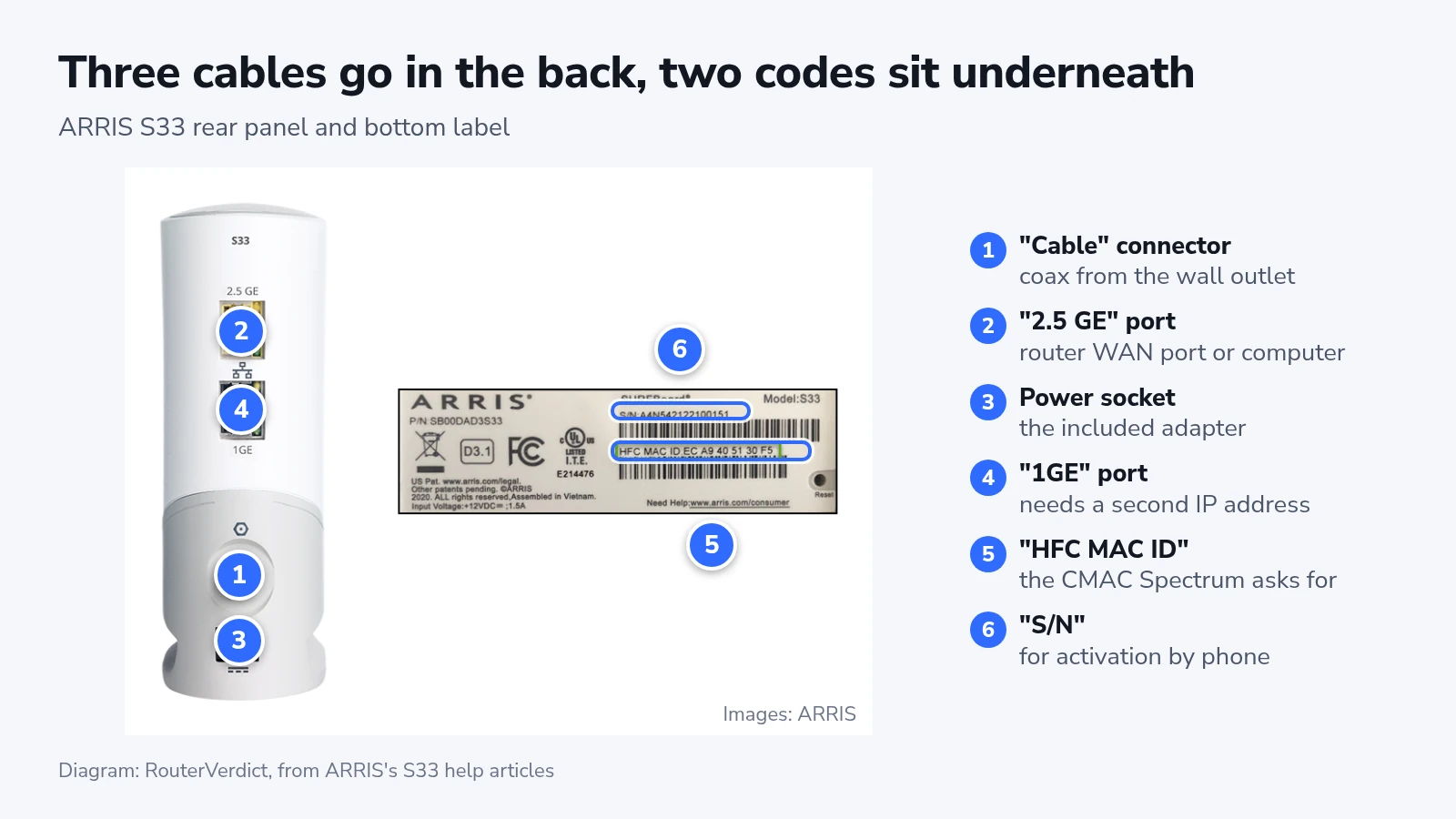
Activate the ARRIS SURFboard S33 through your cable provider after connecting it. Have the HFC MAC ID and serial number from the bottom label ready. Xfinity uses its mobile app and Spectrum offers self-installation for approved equipment.
Confirm that the modem matches your plan
Compare your exact hardware version and internet plan with your provider’s device list. On Xfinity, check the upload tier as well as the download speed. If a faster-upload plan requires an approved model from its enhanced-speeds list, check a listed alternative such as the ARRIS SURFboard G54 if you want a modem and Wi-Fi router in one box.
Connect the S33 and find its label
- Hand-tighten the coax cable between an active wall outlet and the modem’s Cable connector.
- Run an Ethernet cable from the 2.5 GE port to your router’s WAN or Internet port. You can also connect a computer directly when checking activation.
- Plug the included power supply into the modem and a working outlet. The front light can take a few seconds to turn on.
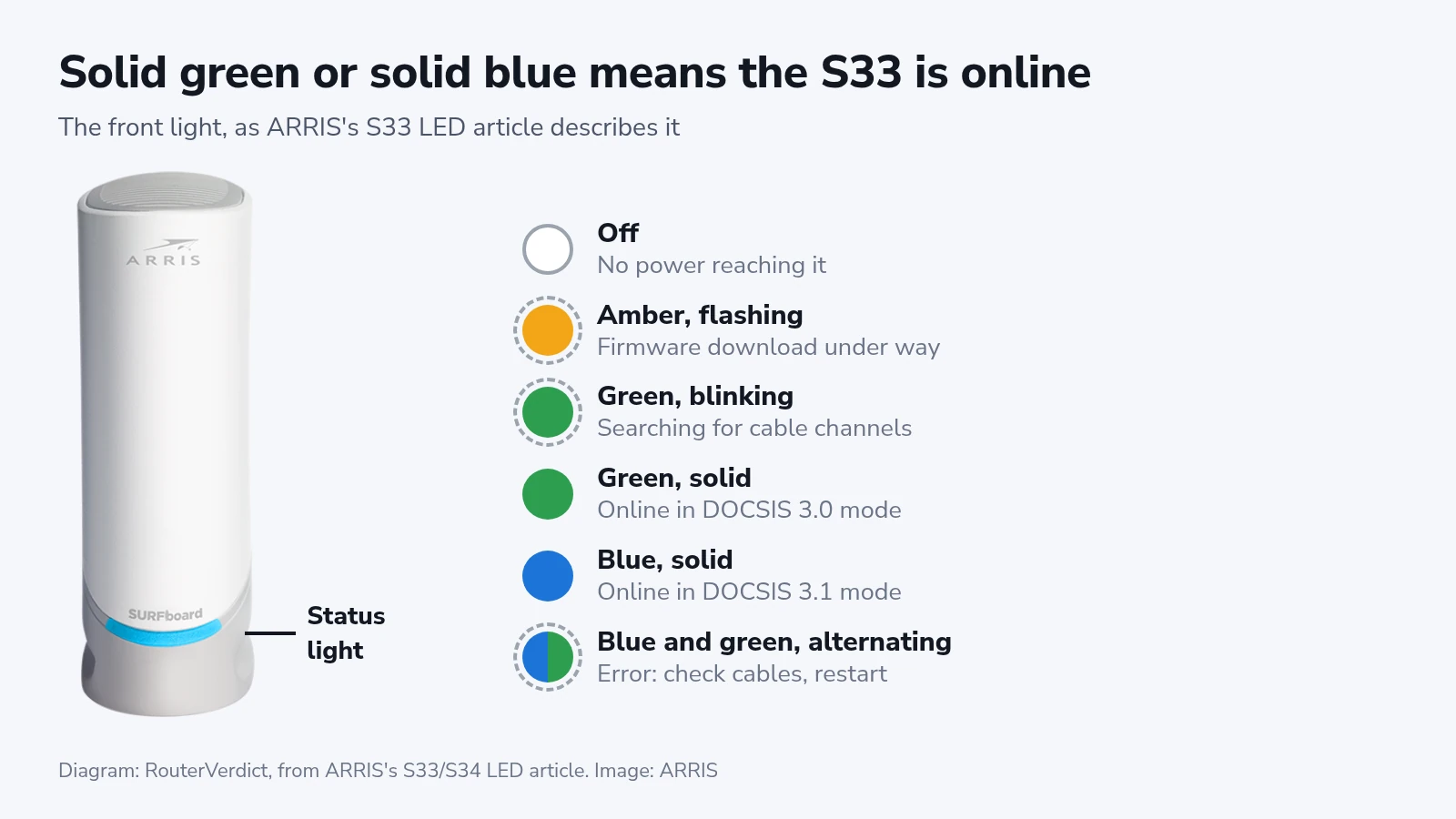
Arrange the cables so you can see the front light. ARRIS uses solid blue for an online DOCSIS 3.1 connection and solid green for an online DOCSIS 3.0 connection. A blinking green light indicates a channel search. Leave the modem powered if the light indicates a firmware download.
Start activation with your provider
In the Xfinity app, sign in as the Primary user or a Manager. Tap “Account” and look for “Set up equipment or devices.” Choose “Xfinity Gateway or Modem” and follow the prompts for this approved modem. Use the S33’s status light to check its connection, since the app also describes lights on Xfinity’s own gateways.
On Spectrum, open the operator’s self-install page and follow the prompts to activate a modem. If it asks for the cable MAC address, use the HFC MAC ID on the ARRIS label. Read any notice about whether your equipment supports the speed tier before accepting it.
Check the connection before packing the old modem away
Wait for your provider to confirm activation, then open a website on a device connected through the modem. If the modem keeps searching, check both ends of the coax and ask your provider to check the line and registration. Have the HFC MAC ID and serial number handy.
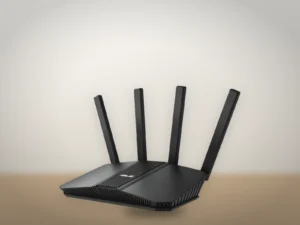
Once browsing works, check the link between the modem’s 2.5 GE port and the router. An ASUS RT-BE82U is an example of a router with a port that can link above 1 Gbps. A router with a gigabit WAN port will negotiate a slower Ethernet link even if the cable plan is faster.