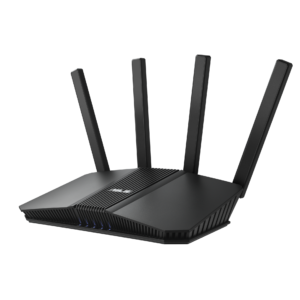
Install the latest firmware for your exact ASUS router model. If you cannot update immediately, ASUS recommends disabling AiCloud until the update is applied. Its November 4 advisory describes a flaw that can let an attacker on an adjacent network run code on the router. A September or October build date alone does not establish that your model has the fix.
Two flaws, both rated High
The AiCloud flaw is CVE-2026-84730. ASUS’s CVE record describes a crafted device name overflowing a memory buffer and allowing commands with root privileges, the account with full control. The attacker needs no router login. ASUS rates it High, with a CVSS 4.0 score of 8.7.
The second flaw, CVE-2026-84729, affects a network service. A crafted packet can write beyond a buffer and potentially cause a denial of service, making the router unavailable. Its High rating is 7.2. The advisory recommends disabling unused USB-sharing and printer-sharing features while you cannot update.
Both records describe adjacent-network attacks. Keep untrusted devices off the local network and restrict router administration to trusted local connections. A strong password is useful, but it does not replace patching a flaw that requires no router login.
A firmware branch is not a fixed-build number
The CVE records identify these affected ASUSWRT series:
- 3.0.0.4_386
- 3.0.0.4_388
- 3.0.0.6_102
The bulletins direct owners to the newest firmware on each model’s support page. They do not identify exact fixed build numbers. A release note that mentions AiCloud hardening is not enough to map that build to this CVE without ASUS confirming the connection.
The October ASUS advisories are separate notices. Check the current support page for the model and hardware revision printed on your router, rather than copying a build number from another model.
Update and reduce exposure
- Open the support page for your router’s exact model and hardware revision, then check its latest firmware and installation instructions.
- Install the update using those instructions and reboot afterward.
- If you cannot update immediately, disable AiCloud and any USB-sharing or printer-sharing features you do not use.
- Disable administration from the internet. Keep router management available only from trusted local networks.
- Use strong, unique router-admin and Wi-Fi passwords, and keep untrusted devices off the network.
For an unclear model-specific release note, ask ASUS whether the installed build addresses both CVEs. Keep the temporary restrictions in place while that remains unresolved.