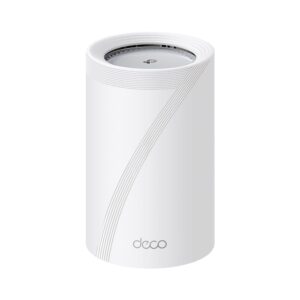
A Deco BE63 that has installed any firmware since August 4 already has the fix for the flaw TP-Link disclosed on October 21. Only hardware version 2 is named. Its fix, build 1.3.3, reached US units 78 days before the advisory. It still deserves a check, because the password it exposes is your TP-Link ID, the one account behind the Deco, Tapo and Kasa apps.
What the flaw gives away
The bug sits in the BE63’s cloud-client daemon, the background program that connects the mesh to TP-Link’s cloud. It lets an attacker read the TP-Link ID password in plain text. The advisory rates it 6.8 out of 10, Medium.
The attacker has to be on your network and already have high-level access to the Deco, according to the details behind that score. A stranger on the internet can’t reach it, and neither can a guest who only knows the Wi-Fi password.
Someone with the password could take over the cloud account and act as you, the advisory warns. TP-Link’s account guide says one TP-Link ID works across the Tapo, Kasa, Deco and Tether apps, so the same password may open your cameras and smart plugs.
Which BE63 units are affected
The advisory names only hardware version V2.0. Its fixed firmware is 1.3.3 Build 26071612. A US unit’s label reads V2.6, and TP-Link’s download page explains that the two names mean the same hardware. The flaw’s entry in NVD, the US government’s vulnerability database, lists the same hardware version and the same fixed build.
The US Deco BE63 has two other hardware versions, V1.6 and V3.6. Neither is named in the advisory. Both got updates in mid-August that TP-Link describes as security and stability fixes, without linking them to this flaw.
For V2.6 units, the history on TP-Link’s download page runs like this:
- Build 1.3.3, the fix, was published on August 4, 2026.
- Build 1.3.5 followed on August 31 and is the newest one listed.
Checking yours in the Deco app
- Turn one Deco over and read the label for the hardware version, printed as “Ver:” followed by a number.
- In the Deco app, tap More, then System, then Update Deco.
- If the app offers an update, install it and give the system about five minutes to reboot. A solid green or white light means it worked.
A V2.6 system on either August build needs nothing more for this flaw. Changing the TP-Link ID password and turning on two-step verification is our suggestion, not TP-Link’s. It makes sense if anyone outside your household has ever had admin access to the network, since the update stops the leak but can’t undo one.
Archer C6 V2 owners got their fix two days earlier
TP-Link’s advisory for the Archer C6 carries the same October 21 date. Hardware version 2 uses one encryption key shared by every unit. Anyone who gets hold of a saved configuration file can decrypt it and read the credentials inside, admin login included. It is rated 5.9, Medium.
The fix is 1.2.1 Build 260902, published for US units on October 19. It is the first Archer C6 V2 update since September 10, 2025, and its notes mention a reworked profile import and export.
By our reading, the update can’t change a backup file you saved before it. If you ever emailed one, uploaded it or left it on a shared computer, delete those copies and change the router’s admin password after updating.
Sixteen range extenders, and a one-way update
A week earlier, on October 14, TP-Link listed 16 extender models and hardware versions with a login flaw. On these, the web login uses a reversible scrambling scheme over plain HTTP. Someone on the same network who captures a real admin login can work out a value that also gets them in as admin. This one is also rated 5.9, Medium.
The affected models:
- RE190 V5, RE200 V5, RE205 V4, RE215 V1 and RE220 V3
- RE230 V2, RE300 V2, RE305 V4, RE315 V1 and RE330 V1
- RE335 V1, RE365 V2, RE365 V3 and RE750C V4
- RE450 V4 and RE550 V1, whose fixed builds end in 260915
The other 14 have fixed builds ending in 260904. Each hardware version has its own firmware file, so read the extender’s label before you download. The version is printed after “Ver:”, next to the model number.
For the RE315 V1, the fix is firmware 1.1.10, posted on October 10. Its notes warn that it can’t be downgraded to any 1.0 version.