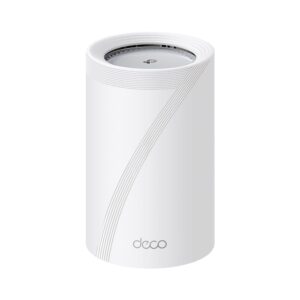
TP-Link published a security advisory on 10 September 2026 for a Deco mesh model, and the flaw sits in a component most owners have never heard of. The advisory names the TDDP module. TDDP stands for TP-Link Device Debug Protocol, a service that listens on UDP port 1040 on the local network side of a great many TP-Link devices. It has produced serious bugs since at least 2016, and the fix TP-Link usually ships is to switch the service off rather than repair it. This piece explains what TDDP is, what the latest advisory covers, what an adjacent network attacker can and cannot reach, and the one command that tells you whether your own router is listening.
What TP-Link published, and on what date
The advisory, first published on 10 September 2026 and revised on 1 October, covers CVE-2026-17176 and is rated 7.7 High on CVSS version 4.0. TP-Link describes it as "an OS command injection vulnerability in the TDDP module of Deco BE11000 and Deco M9 Plus" that "allows an adjacent network attacker to execute arbitrary commands with root privileges by sending a crafted UDP packet."
The scope lines matter as much as the score. The affected table lists hardware version 2 of the Deco BE11000, fixed in firmware 1.3.5 Build 26071712, and, since a 1 October revision, the Deco M9 Plus version 2, fixed in 1.9.2 Build 20260818. TP-Link says successful exploitation may lead to complete device compromise, including unauthorised command execution and changes to device settings.
A second advisory carries the same date. It covers the Archer MR600 and the TL-MR6400 version 8, with CVE-2026-76652 for an authenticated directory traversal in file upload handling and CVE-2026-76653 for missing authentication in VPN configuration management. Both score in the medium range. Both also carry an adjacent-network attack vector, so the pattern across the batch is consistent.
A debug protocol you never enabled
TDDP is not a user feature. It is a factory and support protocol, and it exists so that TP-Link tooling can talk to a device during manufacturing and troubleshooting. Nothing in the router's web interface advertises it, and on most models nothing in the interface turns it off either.
The service listens on UDP port 1040 on the LAN interface. Port scanners often label 1040 as "netarx", which is why the open port rarely means anything to the person who finds it. The protocol is implemented across a wide range of TP-Link hardware, and not only routers. Access points, cameras and smart plugs have shipped with the same component.
The same port, for ten years
This is not a new surface. Core Security published advisory CORE-2016-0007 in November 2016, describing multiple TDDP vulnerabilities on TP-Link devices where the protocol was active by default. That advisory listed missing authentication for a critical function and a classic buffer overflow, with remote code execution and credential disclosure as the consequences.
A decade later the component is still shipping, still listening on the same port, and still generating advisories. That continuity is the most useful thing an owner can take from the September notice. The specific model in the table changes. The underlying exposure does not.
The January 2026 bypass shows the shape of the problem
The clearest recent example is CVE-2026-0834, published in January 2026 by researcher Matt G. It is an authentication bypass rather than command injection, and the mechanism is almost comically simple.
When the service parses a TDDP version 2 packet, a declared packet length of zero causes the DES decryption routine to be skipped because of short-circuit evaluation in the parsing code. Data sent after the 28-byte header then lands in the buffer where decrypted payload is expected, and the service reads it as valid command data. No credentials are needed. The documented impact includes triggering a factory reset and rebooting the device on demand.
A factory reset is worse than it sounds. It wipes the configuration and lets whoever is on the network set new administrator credentials before the owner notices. Repeated reboots give a straightforward denial of service. It was first scored 7.2 High, and TP-Link's advisory now rates it 5.3 Medium, again with an adjacent-network vector.
What "adjacent network" actually means
Every TDDP advisory so far uses the adjacent-network vector, written as AV:A in a CVSS string. That is genuinely reassuring and genuinely limited at the same time.
It is reassuring because the attack does not arrive from the open internet. Someone scanning address ranges from another country cannot reach UDP 1040 on your router, because the service binds to the LAN side and your WAN interface does not forward it.
It is limited because "adjacent" covers more of your house than people expect. Anyone with your Wi-Fi password is adjacent, including guests and former flatmates. A compromised laptop is adjacent. So is a cheap smart bulb running unpatched firmware, a games console with a malicious app, or any device on the same subnet that an attacker already controls. The bug does not open the front door. It hands the keys to anyone who is already inside.
Checking your own hardware
The test takes one command from a computer on the same network, replacing the address with your router's LAN address:
nmap -sU -p 1040 192.168.0.1
If the port comes back open, TDDP is running. On a modern mesh system, run the check against each node rather than only the unit holding the internet connection, because satellites run the same firmware image and expose the same services. A current tri-band system such as the TP-Link Deco BE65 Pro ships as a single unit and is usually expanded later, so the nodes in a house can end up on different firmware builds if one of them missed an update.
UDP scanning is slower and less definitive than TCP scanning, so allow the scan time to finish before treating a filtered result as a clean one.
What the vendor fix actually does
On the models covered by the January advisory, TP-Link's remedy was to disable the TDDP service through firmware rather than rewrite the parser. The researcher who reported it stated plainly that the underlying flaw remains present in the binary and that the mitigation simply stops the service from running.
That is a reasonable engineering call, because a debug protocol has no business listening on a consumer device in the first place. It also means the value of the update depends entirely on whether your exact model and region received it. TP-Link's advisory lists the Archer C20 versions 5 and 6, the Archer AX53 version 1 and the TL-WR841N version 13, with fixed builds that differ by model and region rather than one global release.
What to do this week
Install the current firmware for every TP-Link device on the network, nodes included, and note the build string rather than trusting the version number alone. Re-run the port check afterwards, because a successful update is the only evidence that matters. If the port is still open after updating, block UDP 1040 between network segments where you can, and keep untrusted devices on a separate guest network or VLAN so that "adjacent" stops meaning "everything in the house".
Finally, treat an old TP-Link device that no longer receives firmware as a device with a permanent open debug port. That is the honest reading of a ten-year advisory history, and it should weigh on any decision about whether to keep the hardware in service.