MikroTik hAP be lite: Specs, Price, Pros & Cons
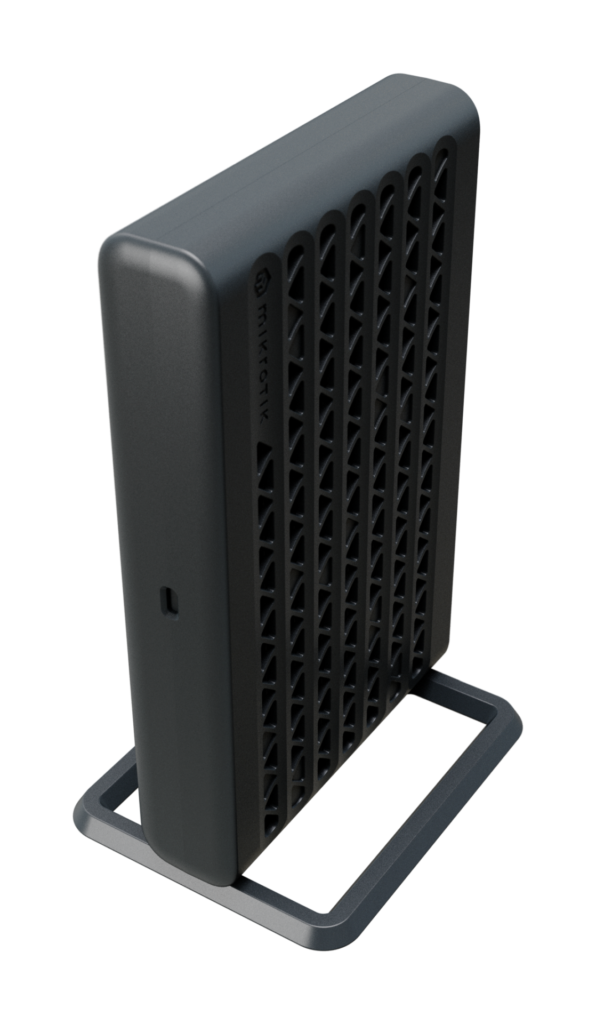
The hAP be lite runs RouterOS v7, the same operating system as MikroTik's rack-mounted routers, in a small passively cooled case powered from a USB-C socket. MikroTik includes a 5 V, 2.4 A adapter and puts maximum consumption at 12 W. It was tested from -40 to 122 degrees Fahrenheit, and MikroTik rates it at about 100,000 hours between failures at 77 degrees. The case stands upright on a base plate or lies flat, and MikroTik publishes a wall-mounting drawing for it.
Inside is an AN7563PT dual-core ARM chip at 950 MHz with 512 MB of RAM and 128 MB of NAND storage. The wired side has one 2.5 Gigabit port, numbered first on MikroTik's block diagram, and three gigabit ports. There is no USB port for storage or a cellular modem.
The radio is dual-band Wi-Fi 7 with Multi-Link Operation, which lets a compatible phone or laptop hold links on 2.4 and 5 GHz at the same time. With no 6 GHz radio, the widest channels the standard allows are out of reach. MikroTik's product page calls the upper band triple-chain, but its brochure lists two spatial streams. The third chain adds an antenna path, and the link rates stay at two-stream figures.
RouterOS brings VLANs, VPNs, traffic shaping, detailed firewall rules and scripting, with no subscription and no feature tiers, plus CAPsMAN for managing other MikroTik access points from this unit. The same software assumes its owner knows what a bridge, a firewall chain and a DHCP server are. RouterOS leaves the network design to whoever sets it up.
Category strengths
Where the MikroTik hAP be lite trails the median
- A lower max wireless speed ?3,570 Mbps vs 6,452 Mbps (median)
- No multi-gig LAN ?
- Much less RAM ?512 MB vs 1,024 MB (median)
- Fewer USB ports ?0 vs 1 (median)
- Fewer LAN ports ?3 vs 4 (median)
- Fewer processor cores ?2 vs 4 (median)
- No security suite, no subscription ?
How this VS Score was computed
Score 32: each known spec is measured against the median of all wi-fi routers (28 products), then weighted. 58% of the scoreable weight could be used. See how we score
| Specification | This product | Cohort median | Score weight | Points moved |
|---|---|---|---|---|
| 6 GHz band | No | 48% of the class have it | 1 | −48.0 |
| Max wireless speed | 3,570 | 6,452 | 2 | −44.0 |
| Multi-gig LAN | No | 64% of the class have it | 0.8 | −38.4 |
| Security suite, no subscription | No | 50% of the class have it | 0.5 | −24.0 |
| RAM | 512 | 1,024 | 0.7 | −17.5 |
| USB ports | 0 | 1 | 0.3 | −14.4 |
| Processor cores | 2 | 4 | 0.5 | −12.5 |
| LAN ports | 3 | 4 | 1 | −12.0 |
| Wi-Fi standard | Wi-Fi 7 | Wi-Fi 7 | 2 | +0.0 |
| Frequency bands | 2 | 2 | 1 | +0.0 |
| WAN port speed | 2.5 | 2.5 | 1.5 | +0.0 |
| Processor speed | 0.95 — capped at the class’s lower range (1.5) | 1.5 | 0.5 | +0.0 |
Not scored: Coverage area (unknown: not scored); MU-MIMO (unknown: not scored); OFDMA (unknown: not scored); Beamforming (unknown: not scored); Max connected devices (unknown: not scored); Link aggregation (standard for the class (80% have it)); WPA3 (standard for the class (100% have it)); Mesh support (unknown: not scored); Guest network (unknown: not scored); Parental controls (unknown: not scored); Quality of Service (QoS) (standard for the class (100% have it)); VPN server (standard for the class (100% have it)); App control (standard for the class (100% have it)); Weight (unknown: not scored); Wall-mountable (standard for the class (100% have it)).
Editor’s note
MikroTik publishes its own RFC 2544 throughput tests for this router, and they answer the question its spec sheet leaves open. Routing on the fast path reaches about 3.6 Gbps across all ports with full-size packets. Add 25 firewall filter rules and the figure falls to about 1.4 Gbps. A single IPsec tunnel using AES-128 with SHA1 manages roughly 350 Mbps.
A gigabit line behind a sensible firewall leaves the dual-core chip room to spare. The 2.5G port is worth having for a NAS or a faster uplink, as long as the rule list stays short. A site-to-site IPsec link is where the dual-core chip reaches its limit first, so a small office joining two locations should plan around that tunnel figure. I would not put this router in front of a multi-gig fiber line with a long list of rules.
The Wi-Fi is entry-level Wi-Fi 7, two streams per band and no third radio. A home with Wi-Fi 7 laptops that can use the newest band will get more from a tri-band unit, whatever software it runs.
Its best use is as a second or third MikroTik box. As a CAPsMAN-managed access point that can also route, it's MikroTik's cheapest way to add Wi-Fi 7 to an existing RouterOS network. It fits on a shelf or a wall where a larger router wouldn't.
Specifications
Wireless
Ports & wired
Hardware
Features & security
Design
Networking assessment
Connection requirements
The WAN (internet) port is rated at 2.5 Gbps. An internet plan faster than that is capped at the router, and nothing on the network can download faster than this port regardless of the wireless figures.
There are 3 LAN ports, all Gigabit; a switch is needed for more wired devices.
Throughput expectations
The Wi-Fi 7 headline of 3,570 Mbps adds together the theoretical peak of every band. A single device connects to one band at a time, so no client ever sees the total, and real-world speeds run well below the link rate even in the same room.
There is no 6 GHz band, so the least congested spectrum available to new phones and laptops is not on offer here.
Firmware and subscriptions
The hAP be lite runs RouterOS v7. MikroTik's upgrade server gives 7.25.2, published November 20, 2026, as the newest stable release, with 7.24.7 of November 19 on the long-term channel. RouterOS is released in long-term, stable, testing and development channels. MikroTik promises free software updates for the life of the product or at least five years from the date of purchase, with no subscriptions or locked features.
Set-up and management run through the manufacturer’s app; check whether a local web interface is offered as well.
VPN support is built in, which avoids a subscription to a third-party VPN router service for remote access.
Security support
WPA3 is supported, the current Wi-Fi encryption standard; devices that only speak WPA2 still connect in mixed mode.
Security-update cadence is not something manufacturers publish as a specification; see Support and updates below.
Known limitations
Not offered, according to the spec sheet: 6 GHz band, multi-gig LAN, security suite, no subscription.
10 specifications are not published by the manufacturer and are shown as Unknown rather than guessed.
Support and updates
Documentation lives on MikroTik's help portal, which covers RouterOS configuration in depth, and the router has its own quick guide and a wall-mounting drawing on its product page. Beyond that, MikroTik points owners to its public forum and to a directory of certified consultants.
Sources and verification
Where the specifications come from
- Official product pagemikrotik.com
Verification
- First published
- Specifications last checked
- Sheet completeness
- 18 of 28 specifications verified; the rest show as Unknown and are never estimated or scored
- Page type
- Product specification page — Compiled from the manufacturer’s published specifications and the cited sources; this is not a hands-on test.
- Basis
- Research-based: specifications and editorial text were compiled from the documents listed here and the manufacturer’s published data. We have not tested this unit ourselves; where independent measurements are mentioned they belong to the linked publication.
Where to buy
Prices and availability may change. Check the retailer before buying. We may earn a commission on purchases.
Price history
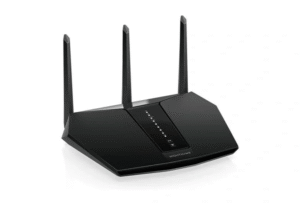
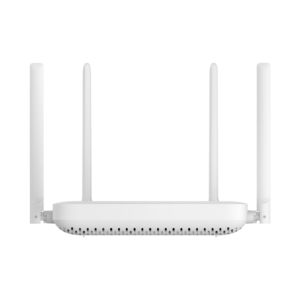
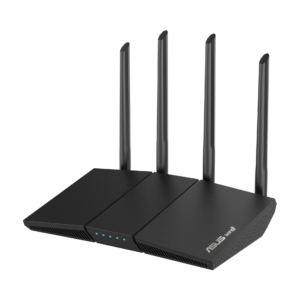
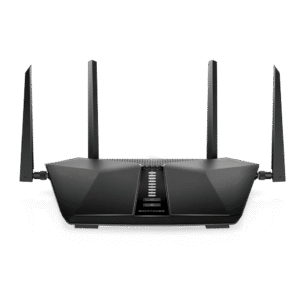
Wi-Fi Routers with similar specs to the MikroTik hAP be lite
Ratings & reviews
No reviews yet. Write the first one
The bottom line
The MikroTik hAP be lite earns a VS Score of 32, below the median of the 28 wi-fi routers it is measured against (a score of 50 is level with that median).
- Who it’s for
- Someone already running MikroTik gear, or keen to learn RouterOS, who wants VLANs, scripting and CAPsMAN in a small box and has an internet line of about a gigabit.
- Who should look elsewhere
- Anyone who wants a router set up from a phone in a few taps and then forgotten. RouterOS rewards owners who read its documentation, and this dual-band unit also leaves out the newest band.
- The trade-off that matters
- RouterOS will do almost anything, and the dual-core chip and two-stream radios decide how much of it runs at full speed.
- The main alternative
- TP-Link Archer BE230: the same dual-band Wi-Fi 7 class with a 2.5G WAN and a 2.5G LAN port and TP-Link's app-led setup, for a home that does not want to learn RouterOS.
This page was created with the help of AI. How we work
Latest Wi-Fi Routers