An access point with insufficient PoE may fail to start, restart, or use a reduced-power mode. Those symptoms can also have other causes. Check the power standard, per-port limit and total switch budget before treating a lit status LED as proof that power is adequate.
What to have open
- The access point’s spec page or data sheet, scrolled to its power lines.
- The switch’s spec page, plus a list of everything else it powers, cameras and desk phones included.
- A note of how the switch itself gets power, if it’s a compact model that can run from PoE.
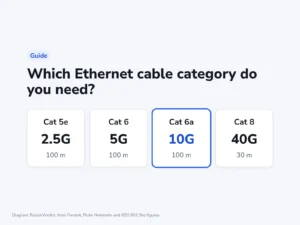
- A Cat 5e or better cable for each run. Ruckus asks for Cat 6a or better on the R770.
Four lines to read on the two spec pages
Ubiquiti, Ruckus and NETGEAR all publish these figures, though each lays them out differently. The steps use Ubiquiti’s labels, the plainest of the three.
- Find the PoE standard and class the access point needs. PoE usually denotes 802.3af, PoE+ denotes 802.3at, and 802.3bt includes higher-power Type 3 and Type 4. Names such as PoE++ vary between vendors, so read the IEEE type/class and the actual wattage.
- Note the most the access point draws. On Ubiquiti’s pages the line is “Max. Power Consumption”.
- On the switch’s page, read the total budget. Ubiquiti calls it “Total PoE Availability”, and Zyxel says “Total PoE budget”.
- Check what one port can supply under “Max. PoE Wattage per Port by PSE”. It has to cover the type from step 1.
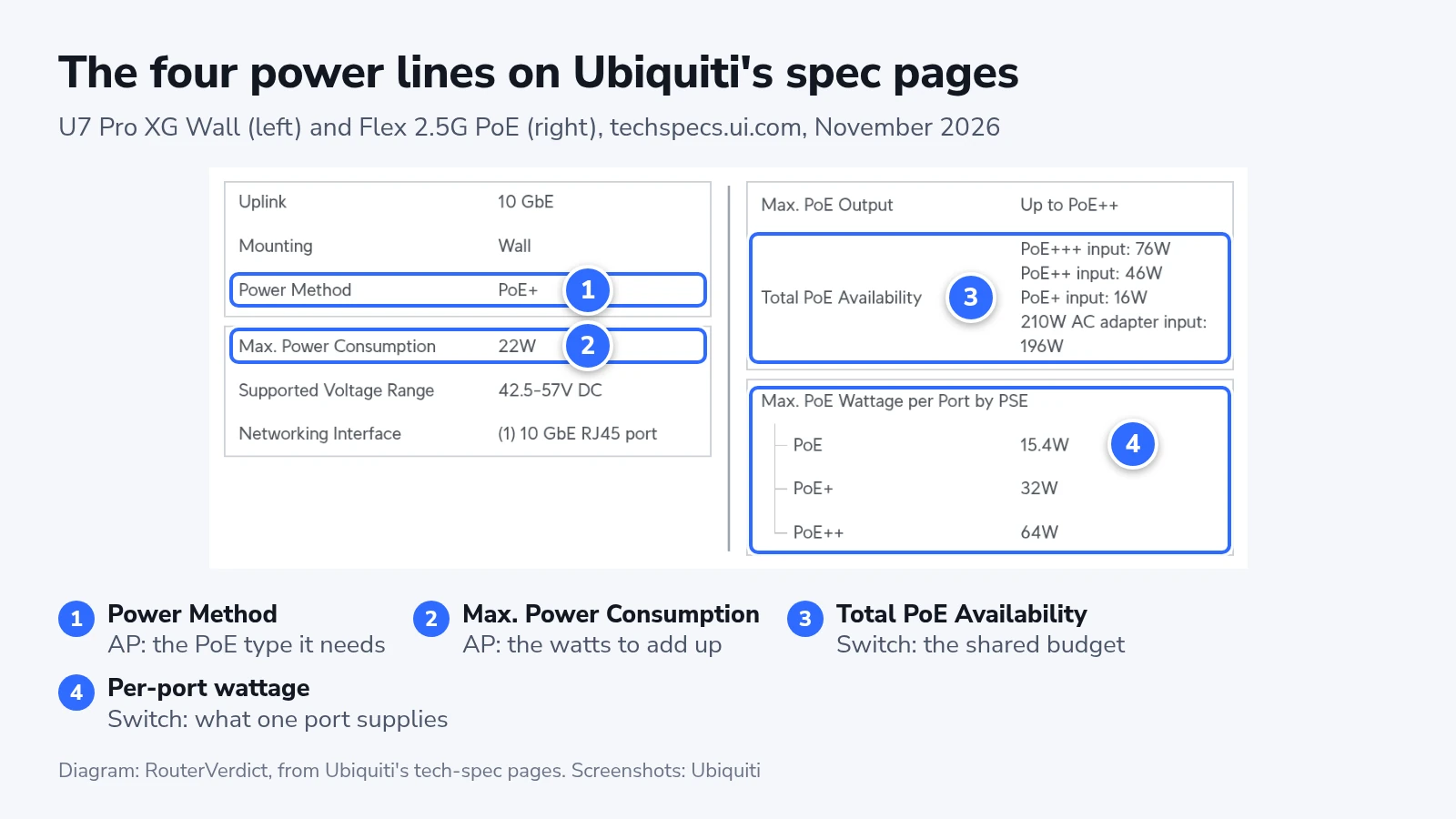
Ruckus and NETGEAR also say what their access points give up on a lower PoE type:
| Access point | PoE type it needs | Most it draws | On a lower PoE type |
|---|---|---|---|
| Ubiquiti U7 Pro XG Wall | PoE+ (802.3at) | 22 W | Not listed |
| Ruckus R550 | 802.3at | 18.71 W | On 802.3af, the second Ethernet port, IoT radio and USB switch off |
| Ruckus R770 | 802.3bt (verify the required class) | 40 W peak | On 802.3at, the second Ethernet port and USB switch off and every radio transmits 6 to 7 dB lower |
| NETGEAR WBE700 | 802.3at | Needs a port that supplies 30 W | On 802.3af, both radios transmit at lower power |
The two limits on the switch side
Zyxel’s GS1100-16EPS has 16 PoE+ ports and a 135 W budget to share between them. Full PoE+ power on every port would take 480 W.
The per-port figure is counted at the switch, and the access point gets less after the cable. Ubiquiti’s own PoE table has a PoE+ port putting out 30 W and the device receiving 25.5 W. NETGEAR states the WBE700’s need on the switch side, as a full PoE+ port.
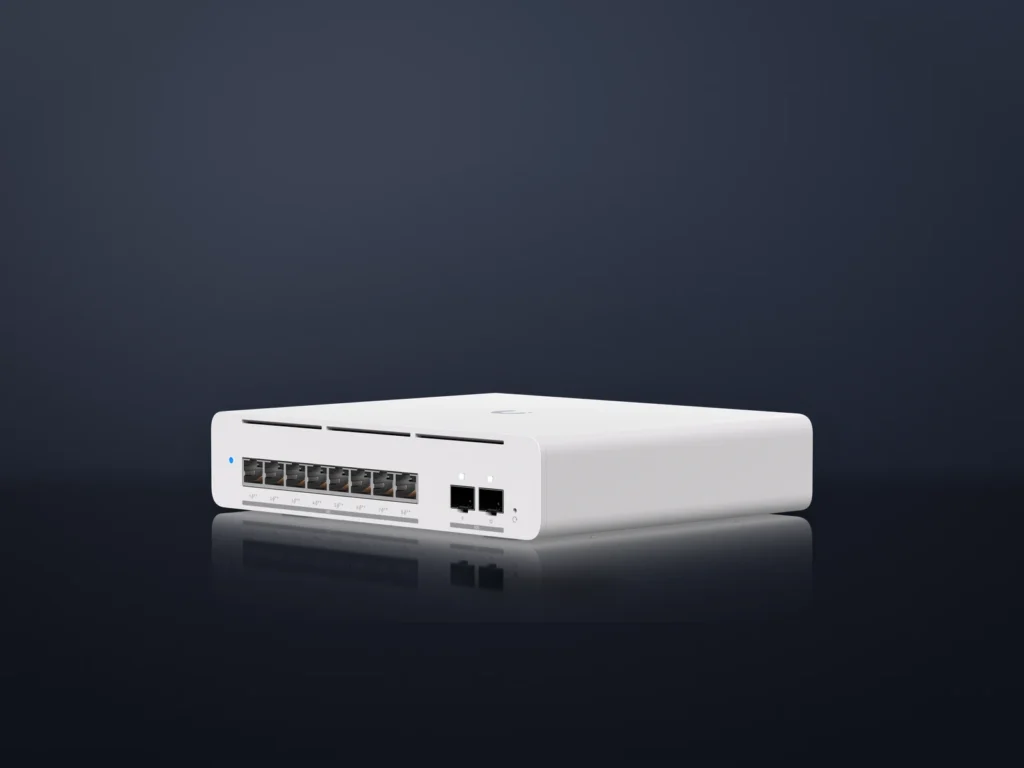
On the UniFi Switch Pro 24 PoE, only eight ports are PoE++ and the other 16 are PoE+. An R770 has to go on one of the eight.
When the switch runs on PoE itself
The USW Flex 2.5G 8 PoE can take its own power from an upstream switch, and its budget depends on what feeds it. Ubiquiti lists four cases:
- 210 W AC adapter, which isn’t in the box: 196 W
- PoE+++ into its 10G port: 76 W
- PoE++ into that port: 46 W
- PoE+ into that port: 16 W
On the 46 W feed, two access points rated at 22 W add up to 44 W at the device side. That leaves only 2 W before cable loss or allocation allowances, so this sum alone does not prove that configuration has enough power. Use the manufacturer’s power-budget method and input requirements before adding devices.
Adding up the watts
Add the requirements of every powered device using consistent measurement points. A switch’s budget is power available at its ports, while a device’s consumption may be measured after cable losses. Check the manufacturer’s class allocation and cable-loss allowances as well as the sum.
For an illustration on a USW Pro XG 8 PoE, four 22 W U7 Pro XG Walls add up to 88 W of device demand. One R770 at its stated 40 W peak brings that to 128 W. A second brings it to 168 W, already above a 155 W switch budget even before any additional allowances. The lower total is not a guarantee that every port/class allocation will fit.
When a maker gives only the PoE type, count the port figure. For a NETGEAR WBE700, that means the full 30 W of a PoE+ port.
Leave part of the budget free, since some of each port’s output never reaches the access point. A device you add next year draws from the same total.
Plugging in and checking the power
- Connect each access point to a port of the type it needs. On the Pro 24 PoE, an R770 goes on a PoE++ port.
- On a UniFi switch, open “UniFi Devices” > “Switches” in the Network app and select the switch.
- Read “Power Utilization” on its “Overview” tab, and check that it leaves room under the switch’s budget.
- If an access point gets no power at all, open “Devices” > the switch > “Ports” > “Port Manager” and check that the port’s “PoE” setting is on.
- On a NETGEAR WBE700, wait for the LED to go solid green or solid blue, the sign that startup has finished.
Ruckus lists the functions reduced under each power mode. Check the negotiated power mode or class in the management interface against that table. A working USB or second Ethernet port is not, by itself, proof of the exact negotiated PoE class.
If an access point reboots or runs weaker
Random restarts or an access point dropping offline can be symptoms of insufficient PoE, but they do not identify the cause by themselves. Check the reported power mode, switch budget, port settings and cabling. Moving a device to an appropriate injector can help isolate a budget problem.
NETGEAR’s manual reads a WBE700 LED that keeps blinking green as missing PoE+ power. Unplug the cable at both ends and reconnect it. If the blinking continues, the switch’s budget is most likely oversubscribed, so disconnect another PoE device.
Reduced radio power or a disabled port may indicate a documented lower-power mode. Compare the actual negotiated mode with the access point’s power table before changing equipment. IEEE 802.3bt power demotion can grant a lower class when the requested power is unavailable.
On a managed PoE+ switch, a PoE+ access point stuck in that limited mode may be waiting on LLDP. The same overview explains that the 802.3at standard let a switch grant full PoE+ power through LLDP messages, after the access point has booted. Check that LLDP is on in the switch’s settings. On the WBE700 it’s on by default, and turning it off on a PoE-powered unit can cut its power.
Keep the WBE700’s power “Mode” on “Automatic”, its default, under “Management” > “Configuration” > “System” > “Advanced” > “Power Settings”. NETGEAR warns that a mode the PoE source can’t meet may damage equipment.
Passive injectors
The BrosTrend XA2 ships with a passive injector, and it also runs from an 802.3at or 802.3bt switch. A passive injector skips the check a PoE switch makes before it sends power. Ubiquiti says its own adapters always output voltage without negotiation, and warns against connecting their output port to a computer or printer. Treat the XA2’s injector the same way.
After you add a device
Redo the sum whenever another powered device joins the switch, a camera or a desk phone included. Newer access points can need a higher PoE type than the models they replace: the R770 needs 802.3bt for full function, and Ruckus’s older R550 runs fully on 802.3at. If the total keeps landing within a few watts of the budget, buy a bigger switch instead of another injector.