The ASUS RT-BE82U Spends Its Wi-Fi 7 Budget on Ports
Every Ethernet port on the ASUS RT-BE82U runs at 2.5 Gbps, one for the internet line and four for the house. Its Wi-Fi 7 stays on the 2.4 and 5 GHz bands with no 6 GHz radio, so the case for it rests on the wires.
This review is an analysis of ASUS's specifications, manual, firmware notes and security advisories. TP-Link's Archer BE400 carries the same BE6500 rating with fewer multi-gig ports.
ASUS's newest firmware for it is dated September 22, 2026, and the vulnerability advisories ASUS published in October name no fixed build.
This review was generated with the assistance of artificial intelligence. How we work
Affiliate disclosure: the price links on this page may earn us a commission at no extra cost to you. Retailers cannot pay for placement or influence the score. How we stay independent
Editorial ratingNot ratedNo section carries a score yet, so no overall rating is claimed.
Five 2.5G Ethernet ports and a security suite with no fee make it the router to buy for a house that runs on cables. Its Wi-Fi 7 stays on two bands, so it adds nothing for 6 GHz phones and laptops.
Strengths
All five Ethernet ports at 2.5 Gbps
Phone tethering and Dual WAN through the USB port, for a backup line without a second box
AiProtection, VPN servers and parental controls with no subscription
Weaknesses
No 6 GHz band
No 10G port for plans above 2.5 Gbps
ASUS hasn't said which build fixes the October flaws
Research-based: assessed from the manufacturer’s published specifications, documentation and the independent sources listed at the end. We have not tested this unit ourselves; any measurement quoted belongs to the cited source.
Method
ASUS's spec sheet and the rear-panel table in its manual set out the ports for the wired section. ASUS's per-band ratings and its product page carry the Wi-Fi section, which is not scored because it rests on ASUS's ratings alone. Eight builds and their release notes on ASUS's support page, ASUS's October 2026 advisories and the CVE records behind them supply the firmware section. USB features, including the note on Time Machine in macOS 26, come from ASUS's spec sheet.
Evidence
ASUS's specifications, manual, firmware notes and advisories, and the CVE records that list the affected firmware branches.
Limitations
The Wi-Fi section rests on ASUS's own ratings for speed and coverage. ASUS's October advisories name no models and no fixed builds. Nobody has published a test of phone-tethering failover on this model.
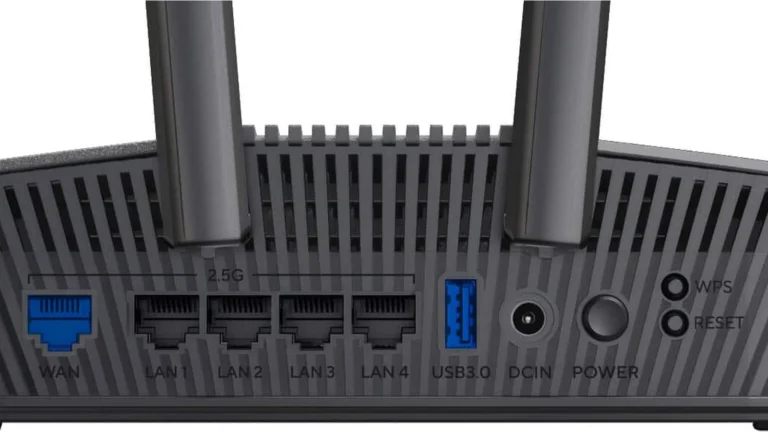
The RT-BE82U's rear panel with its printed labels: WAN, LAN 1 to 4, USB, power input, power button, WPS and reset. ASUS render (Best Buy gallery), authentic crop
ASUS gives the RT-BE82U one 2.5G WAN port and four 2.5G LAN ports, per its spec sheet, and the manual lists them in rear-panel order: WAN, LAN 1 to 4, the USB 3.2 Gen 1 port, power input, power button, reset and WPS. There is no built-in modem, so it sits behind a fiber terminal or a cable modem.
A fiber or cable plan faster than a gigabit reaches the router through the WAN port at up to 2.5 Gbps. Inside the house, a NAS, a desktop with a 2.5G adapter and a second ASUS router for AiMesh can each take their own multi-gig socket, with no switch in between.
Five multi-gig sockets in one box is the point of this router. ASUS's own RT-BE92U goes further with a 10G WAN port, which a plan above 2.5 Gbps would need.
Wi-Fi 7 without the 6 GHz band
Unrated
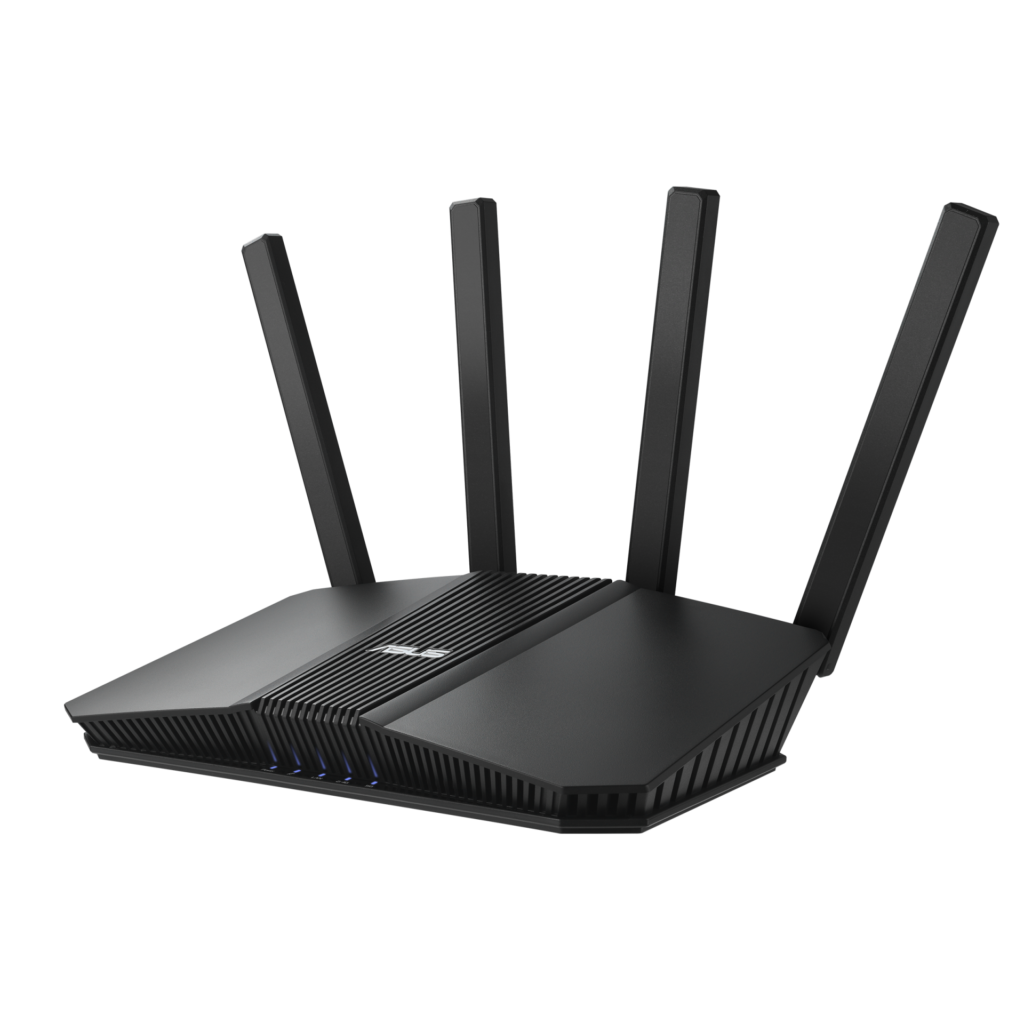
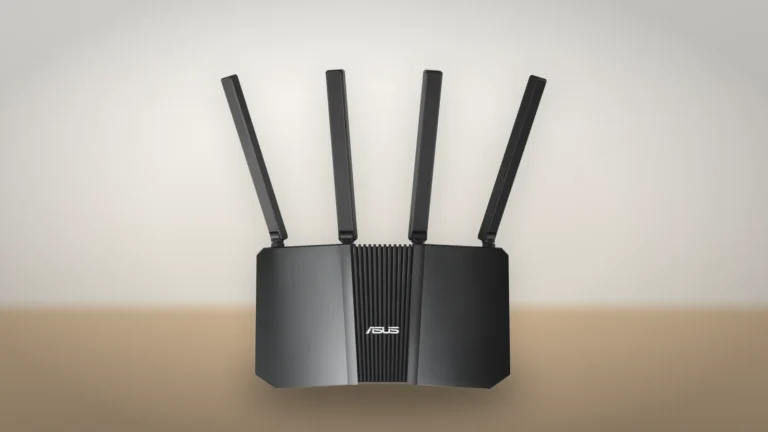
The RT-BE82U from the front, with its four external antennas. Product illustration based on an ASUS render, on a generated backdrop. Product illustration based on manufacturer imagery: ASUS render on a generated backdrop
ASUS rates the 5 GHz radio at up to 5,764 Mbps and the 2.4 GHz radio at 688 Mbps, and the BE6500 name is the two added together. The 5 GHz figure needs four streams on a 160 MHz channel. Two-stream laptop and phone cards top out at half of it, so the extra streams pay off when several devices share the radio at once.
Without a 6 GHz radio there are no 320 MHz channels, which Wi-Fi 7 allows only in that band. ASUS lists dual-band Multi-Link Operation, which it describes as combining and switching between the 2.4 and 5 GHz bands.
A large or multi-level home may need a second AiMesh router, since one dual-band unit has to reach every floor on its own.
Firmware, October's flaws and the free security tools
7.6/10Good
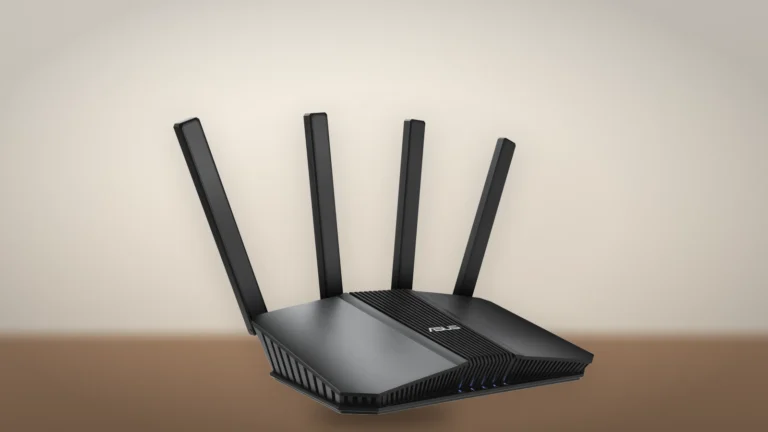
The RT-BE82U at an angle. Product illustration based on an ASUS render, on a generated backdrop. Product illustration based on manufacturer imagery: ASUS render on a generated backdrop
ASUS has published eight firmware builds for the RT-BE82U since March 2025, five of them in the last 12 months, according to its support page. The newest, 3.0.0.6.102_39446, is dated September 22, 2026, and its notes list a long run of security fixes, from the web interface to AiCloud and AiMesh.
Advisories dated October 1 and October 7 then disclosed six router vulnerabilities whose records cover the 3.0.0.6.102 branch this router runs. ASUS has not said which build fixes which flaw, and CISA recorded no known exploitation. Four of the six need someone already signed in as the administrator, so a strong admin password and remote web access left off close most of the gap.
The spec sheet lists AiProtection (malicious site blocking, two-way intrusion prevention, infected-device blocking), parental controls and WireGuard, OpenVPN and IPsec VPN servers. ASUS's material on the Best Buy listing says they come with no trial or subscription.
The USB port as a backup line
7.4/10Good
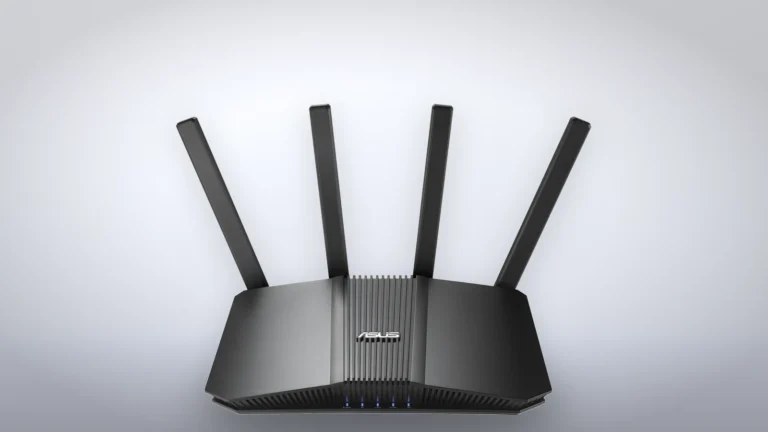
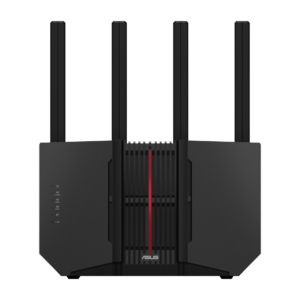
The RT-BE82U head-on, showing the ribbed center panel and the four antennas. Product illustration based on an ASUS render, on a generated backdrop. Product illustration based on manufacturer imagery: ASUS render on a generated backdrop
ASUS lists Dual WAN and automatic 4G or 5G tethering through the USB port, so a phone plugged into the router can take over as a failover line when the fixed connection drops.
The same port shares a drive over Samba or FTP and runs a media server. Time Machine is on the feature list too, but ASUS's spec page warns that from macOS 26 on, Time Machine can't create new backups on USB storage. Drives already set up for it keep working.
Take this Wi-Fi 6 router if the wired devices in the house are all gigabit, because every port on it stops there.
Specifications
Where to buy
In-stock offers for this exact model, sorted by item price in USD. Shipping is not included unless a retailer supplies it. Not every retailer is listed. Prices last checked 7 hours ago.
Retailer prices for the ASUS RT-BE82U (BE6500 dual-band Wi-Fi 7 router, black)
Prices and availability come from retailer feeds and change without notice; the retailer’s page is authoritative. We may earn a commission if you buy through these links.
✓
Final verdict
ASUS RT-BE82U (BE6500 dual-band Wi-Fi 7 router, black)
Scores run from 1.0 to 10.0: 9+ exceptional, 8–8.9 excellent, 7–7.9 good, 6–6.9 fair, 5–5.9 mediocre, below 5 poor. The overall score is the weighted average of the rated sections. Unrated sections do not count.
Pros
All five Ethernet ports at 2.5 Gbps
Phone tethering and Dual WAN through the USB port, for a backup line without a second box
AiProtection, VPN servers and parental controls with no subscription
Regular firmware builds, the latest in September 2026
Cons
No 6 GHz band
No 10G port for plans above 2.5 Gbps
ASUS hasn't said which build fixes the October flaws
Time Machine can't start new backups on its USB drive from macOS 26
Conclusion
The RT-BE82U is a strong wired router with ordinary Wi-Fi 7. Its five multi-gig ports, the USB backup line and a security suite with no fee are the reasons to pick it, and the missing 6 GHz band is the reason to look at ASUS's RT-BE92U instead.
After setup, install the newest firmware and switch on Auto Firmware Upgrade, which sits on the same Administration page.
Andreea-Viviana Jitaru’s take
Five 2.5G sockets let a NAS, a desktop and an AiMesh node each have a fast port without a switch in between. I'd buy it for that and add a 6 GHz router later, once the house has the phones and laptops to use one.
Best for
Homes with a NAS, a gaming PC or a second AiMesh router on Ethernet
Subscribers to 2 Gbps fiber or cable plans
Remote workers who want a phone as backup internet
Consider an alternative if
You bought a Wi-Fi 7 phone or laptop for its 6 GHz speed
Your fiber plan runs faster than 2.5 Gbps
You need one box to cover a large, multi-level house with no Ethernet between floors
No. It is a dual-band Wi-Fi 7 router on 2.4 and 5 GHz, so it has no 320 MHz channels.
Which ports run at 2.5 Gbps?
All five Ethernet ports: the WAN port and the four LAN ports. There is no 10G port.
Do AiProtection and the VPN need a subscription?
ASUS lists AiProtection, parental controls and the VPN servers on the spec sheet, and its material on the Best Buy listing says they come with no trial or subscription.
Is the RT-BE82U affected by the October 2026 ASUS advisories?
The advisories cover the firmware branch it runs. Install the newest firmware and keep remote web access switched off.
Andreea reads the site’s articles, guides and reviews before they are published.
This is a research-based assessment: the reviewer compiled it from published specifications, documentation and independent measurements rather than from testing the unit.
Not ratedASUS RT-BE82U (BE6500 dual-band Wi-Fi 7 router, black)Compare prices
Cookies on RouterVerdict
We keep cookies to a minimum. Without your consent, this site sets only the ones it needs to work: remembering your answer here and keeping the site secure. If you allow analytics cookies, Google Analytics counts visits and shows us which pages people read. If you allow functional cookies, two optional features can use them: Google sign-in for posting a review, and remembering embedded videos you choose to always show. The site is also set up for Google AdSense ads; the cookie policy explains how Google uses cookies once ads run. Cookie policy
Customise consent preferences
Each category below lists the exact cookies behind it, what they do and how long they last. Strictly necessary cookies cannot be switched off because the site would stop working without them. Anything else is yours to decline.
NecessaryAlways active
Strictly necessary cookies keep the site working and secure: they remember your choice here, help the security layer stop attacks and keep site accounts signed in to the admin area. The site cannot run without them.
Show the cookies in this category (8)
cmp_consent
RouterVerdict · 1 year
Remembers your consent choice for each cookie category, so the banner does not ask again on every page.
cmp_visitor
RouterVerdict · Session (until you close the browser)
Marks your browser as a real visitor, so a comparison page is built when someone actually opens one rather than when a crawler passes through. It holds the value 1 and nothing else: no identifier, no history.
wp-settings-(id), wp-settings-time-(id)
WordPress · 1 year
Remembers layout preferences inside the WordPress admin screens. Set only for accounts that sign in to run the site, never for ordinary visitors.
WordPress · Session, or 14 days if “Remember me” is ticked
Keeps a site account signed in to the WordPress admin, and checks that the browser accepts cookies at login. Set only for accounts that sign in to run the site, never for ordinary visitors.
wfwaf-authcookie-(hash)
Wordfence (Defiant, Inc.) · 12 hours
Lets the Wordfence firewall check a signed-in user’s access level before WordPress loads, so administrators are not blocked by firewall rules. Set only when you log in to the site.
wf_loginalerted_(hash)
Wordfence (Defiant, Inc.) · Persistent
Records that the administrator has already been alerted about a sign-in from this device. Only used if login alerts are enabled, and set only when you log in to the site.
wfCBLBypass
Wordfence (Defiant, Inc.) · Only if enabled
Allows a visitor who knows a hidden bypass address to pass country blocking. It is only used if country blocking is enabled, and we do not currently use it.
wfls-remembered-(hash)
Wordfence (Defiant, Inc.) · Up to 30 days
Remembers a trusted browser for two-factor login when a signed-in user chooses “remember this device”. Set only for site accounts that use two-factor authentication.
Functional
Functional cookies are set only when you use a feature that needs them: signing in with Google to post a review, or ticking “Always display content from …” on an embedded video or post. Decline and the rest of the site works exactly as before: Google sign-in stays off, and embedded videos still load one at a time when you click them.
Show the cookies in this category (2)
g_state (and Google’s own sign-in cookies)
Google · Set by Google
Set only if you use the Google sign-in button to post a review. It remembers the state of that prompt so it is not shown again. Governed by Google’s own policy.
embed-privacy
RouterVerdict · 1 year
Remembers the providers whose embedded content you chose to always display (for example YouTube), so their videos and posts load without a click. Set only when you tick “Always display content from …”, a box that appears only once functional cookies are allowed.
Analytics
Analytics cookies let Google Analytics count visits and show us which pages people read and how they found them, so we know what to improve. Google Analytics loads only after you switch this on. Google signals and ad personalization are turned off, and Google Analytics does not log or store IP addresses. Decline and the site works exactly the same.
Show the cookies in this category (2)
_ga
Google (Google Analytics) · 13 months
Gives your browser a random ID so Google Analytics can tell new visitors from returning ones. It holds no name, email address or account. Set only after you allow analytics cookies.
_ga_RN49SKFH8E
Google (Google Analytics) · 13 months
Keeps track of the current visit for this site’s Google Analytics property, such as when it started and how many pages it covered. Set only after you allow analytics cookies.
Advertising (Google AdSense)
This site is set up for Google AdSense. No ads are shown until Google approves the site. In the EEA, the UK and Switzerland, Google asks for your consent in its own message before it uses advertising cookies, and that message also decides Google Analytics there. Elsewhere, you can turn off personalized ads in Google’s ad settings.
Show the cookies in this category (2)
FCCDCF, FCNEC
Google (consent message) · Up to 13 months
Stores the choices you make in Google’s consent message, which visitors in the EEA, the UK and Switzerland see, so the message does not appear on every page.
__gads, __gpi, __eoi
Google (AdSense) · Up to 13 months
Used by Google AdSense to show ads, limit how often you see the same ad and detect fraud. Set only on pages that show an ad; no ads are shown until Google approves the site.
Set by other sites
These are set by another company, not by this site: a retailer, after you click through to its website, or a video or social-media provider, after you click to load its content here. That company’s own policy governs them, not this banner.
Show the cookies in this category (2)
Embedded video and social-media cookies
YouTube, Vimeo, TikTok, Instagram, Spotify, X, Reddit · Set by the provider
Articles can embed a video or post. Nothing loads from the provider until you click its placeholder; when you do, the provider may set or read its own cookies under its own policy. YouTube videos load in YouTube’s privacy-enhanced mode (youtube-nocookie.com).
Retailer / affiliate cookies
Amazon & affiliate networks · Set by the retailer
Set on the retailer’s own website after you click a “View deal” or “Check price” link, to attribute a purchase. We do not set or read these.