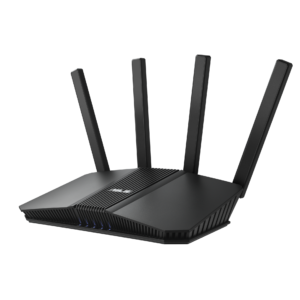
Consider the ASUS RT-BE92U if you already have a laptop with a 6 GHz radio. A device that supports Wi-Fi 6E can join that band. For ASUS’s widest channel, check for 320 MHz support on a Wi-Fi 7 adapter. The dual-band RT-BE82U is still an option if your equipment stays on 5 GHz.
One Ethernet port can run at 10 Gbps. Check whether your modem or a wired device needs that port before you buy.
Affiliate disclosure: the price links on this page may earn us a commission at no extra cost to you. Retailers cannot pay for placement or influence the score. How we stay independent
RecommendationConsider if your laptop can use the 6 GHz band or you need one 10G Ethernet connectionEvidence: maker figures only · Specification score on the product page
The RT-BE92U adds a 6 GHz band and one 10G port. Choose it for a compatible laptop or a single connection faster than the other Ethernet ports can carry.
Strengths
Tri-band Wi-Fi with 320 MHz support on 6 GHz
One 10G port that can be assigned to internet or wired devices
A second port that can take the internet connection
Weaknesses
One Ethernet port above 2.5 Gbps
Two spatial streams on each of the higher bands
The security notes leave some model-specific fix details unresolved
Research-based: assessed from the manufacturer’s published specifications, documentation and the independent sources listed at the end. We have not tested this unit ourselves; any measurement quoted belongs to the cited source.
Method
ASUS’s US spec sheet supplies the band rates and port layout. Intel explains which devices can join 6 GHz. The firmware check used the RT-BE92U’s US support page and ASUS security advisories.
Evidence
ASUS documents the bandwidth and port roles. The Wi-Fi figures are rated link speeds. No independent throughput or coverage measurements for this unit were available to this assessment.
Limitations
The connection rate depends on your adapter, signal, channel width and settings. The November advisories and the model’s release notes do not establish which fixes are included in the installed build.
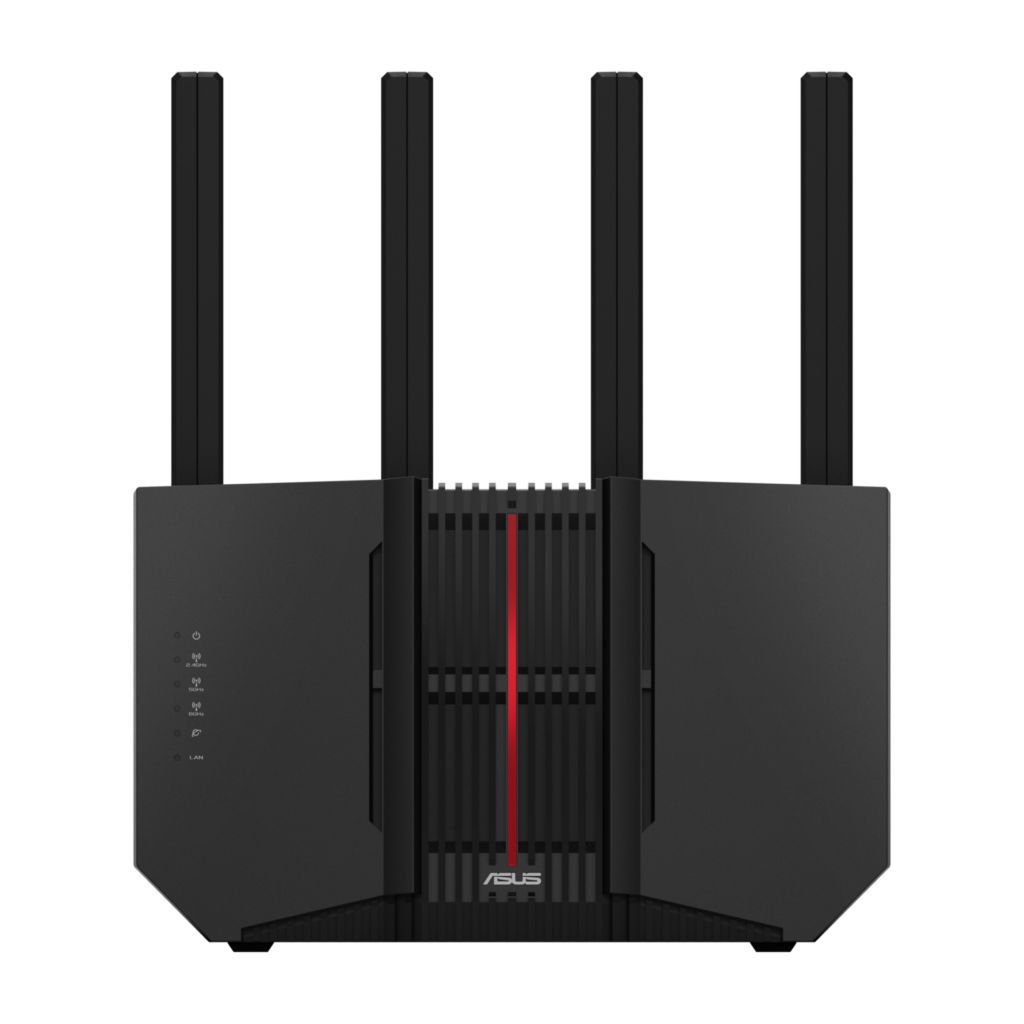
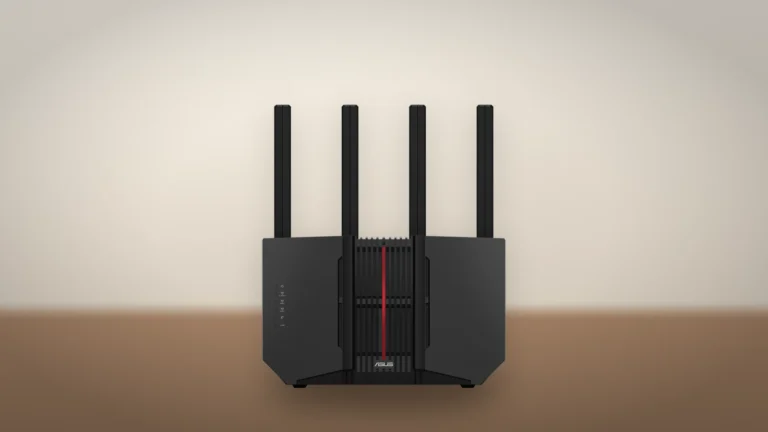
The RT-BE92U from the front, with its band lights for 2.4, 5 and 6 GHz on the left panel. Product illustration based on manufacturer imagery: ASUS render on a generated backdrop
ASUS lists up to 5,764 Mbps on 6 GHz and up to 2,882 Mbps on 5 GHz for the RT-BE92U. These are link rates. File transfers run below them, and walls or interference can pull the rate down.
A Wi-Fi 6E or 6 GHz-capable Wi-Fi 7 adapter can join the third band. The 320 MHz channel behind the highest rating needs a compatible Wi-Fi 7 adapter. Check your computer’s wireless specifications for both the frequency and channel width.
The RT-BE82U’s 5 GHz radio has four spatial streams. A two-stream client can use two of them, so its maximum under the same channel width and modulation is about half the router’s aggregate rate on that band. The RT-BE92U adds the wider channel option on the third band.
Which connection gets the 10G port
Not rated · Evidence: maker figures only
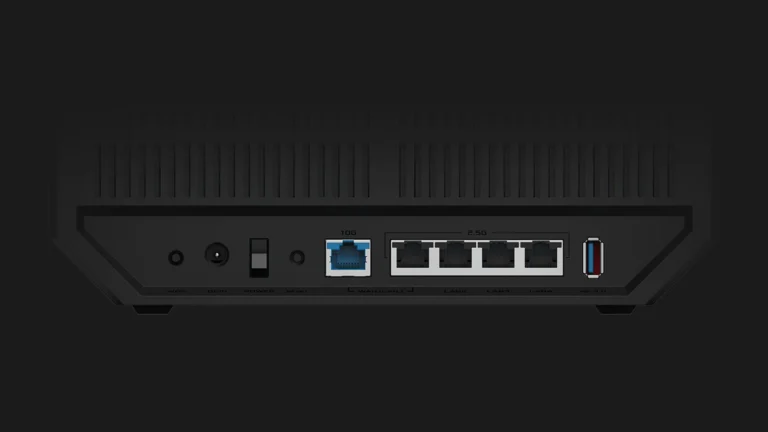
The back panel: power and reset at left, the blue 10G port, four 2.5G ports and the USB port. Image: ASUS rear render
The 10 Gbps port can take the internet connection or drive a wired device. One 2.5 Gbps port can also be assigned to the internet connection. The other three are for wired devices on your local network.
On a plan above 2.5 Gbps, put the fiber box’s multigig Ethernet handoff on the 10G port. If your modem and plan fit the slower port, keep the 10G socket for a desktop or network-attached storage. There’s only one socket at that speed, so pick the device that needs it.
ASUS lists Dual WAN and USB mobile tethering for backup. Check that your modem or phone supports the connection you want to use.
Check the firmware for this model
Not rated · Evidence: maker figures only
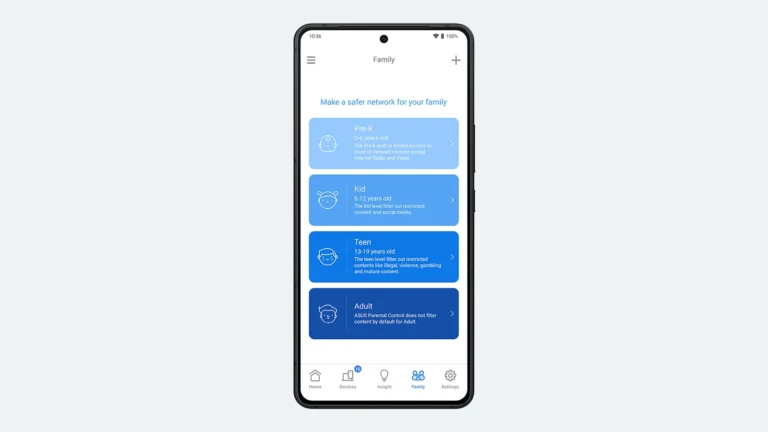
The Family screen in the ASUS Router app, with its four age profiles. Screenshot: ASUS Router app, published by ASUS
On November 27, the US support page listed 3.0.0.6.102_40497 as the newest RT-BE92U firmware. Its release notes include security changes. The later family advisories do not give a model-specific build mapping for every issue.
Install the current release for the RT-BE92U through its ASUS support page. Keep remote administration and unused file sharing off. If your setup needs AiCloud, check ASUS’s current advice for this model before enabling it.
In-stock offers for this exact model, sorted by item price in USD. Shipping is not included unless a retailer supplies it. Not every retailer is listed. Prices last checked 16 hours ago.
Retailer prices for the ASUS RT-BE92U BE9700 tri-band Wi-Fi 7 router (US model)
Prices and availability come from retailer feeds and change without notice; the retailer’s page is authoritative. We may earn a commission if you buy through these links.
✓
Final verdict
ASUS RT-BE92U BE9700 tri-band Wi-Fi 7 router (US model)
RecommendationConsider if your laptop can use the 6 GHz band or you need one 10G Ethernet connection
This review gives no score out of 10, because no section rests on a measurement by an independent body. The recommendation and the written verdict stand on their own.
Pros
Tri-band Wi-Fi with 320 MHz support on 6 GHz
One 10G port that can be assigned to internet or wired devices
A second port that can take the internet connection
Cons
One Ethernet port above 2.5 Gbps
Two spatial streams on each of the higher bands
The security notes leave some model-specific fix details unresolved
Conclusion
Identify which connection needs the 10G port. Then check your laptop’s current adapter and whether it supports the extra band. Update the router from its model support page and leave unused remote access features off.
Our take
Check the laptop’s radio first if you’re buying for the extra band. A desktop and a storage server that both need fast wired links need a different port layout or a separate switch.
Best for
People with a Wi-Fi 6E or 6 GHz-capable Wi-Fi 7 laptop
A house with one wired device or internet link rated above 2.5 Gbps
Consider an alternative if
You need a separate 10G port for both the modem and a local server
You depend on remote sharing and need to verify its current fixes before enabling it
Andreea reads RouterVerdict’s articles, guides and reviews before they are published. When she has also checked a piece against its sources, the note at the end of it says so, with her name and the date.
This is a research-based assessment: the reviewer compiled it from published specifications, documentation and independent measurements rather than from testing the unit.
We keep cookies to a minimum. Without your consent, this site sets only the ones it needs to work: remembering your answer here and keeping the site secure. If you allow analytics cookies, Google Analytics counts visits and shows us which pages people read. If you allow functional cookies, two optional features can use them: Google sign-in for posting a review, and remembering embedded videos you choose to always show. The site is also set up for Google AdSense ads; the cookie policy explains how Google uses cookies once ads run. Cookie policy
Customise consent preferences
Each category below lists the exact cookies behind it, what they do and how long they last. Strictly necessary cookies cannot be switched off because the site would stop working without them. Anything else is yours to decline.
NecessaryAlways active
Strictly necessary cookies keep the site working and secure: they remember your choice here, help the security layer stop attacks and keep site accounts signed in to the admin area. The site cannot run without them.
Show the cookies in this category (8)
cmp_consent
RouterVerdict · 1 year
Remembers your consent choice for each cookie category, so the banner does not ask again on every page.
cmp_visitor
RouterVerdict · Session (until you close the browser)
Marks your browser as a real visitor, so a comparison page is built when someone actually opens one rather than when a crawler passes through. It holds the value 1 and nothing else: no identifier, no history.
wp-settings-(id), wp-settings-time-(id)
WordPress · 1 year
Remembers layout preferences inside the WordPress admin screens. Set only for accounts that sign in to run the site, never for ordinary visitors.
WordPress · Session, or 14 days if “Remember me” is ticked
Keeps a site account signed in to the WordPress admin, and checks that the browser accepts cookies at login. Set only for accounts that sign in to run the site, never for ordinary visitors.
wfwaf-authcookie-(hash)
Wordfence (Defiant, Inc.) · 12 hours
Lets the Wordfence firewall check a signed-in user’s access level before WordPress loads, so administrators are not blocked by firewall rules. Set only when you log in to the site.
wf_loginalerted_(hash)
Wordfence (Defiant, Inc.) · Persistent
Records that the administrator has already been alerted about a sign-in from this device. Only used if login alerts are enabled, and set only when you log in to the site.
wfCBLBypass
Wordfence (Defiant, Inc.) · Only if enabled
Allows a visitor who knows a hidden bypass address to pass country blocking. It is only used if country blocking is enabled, and we do not currently use it.
wfls-remembered-(hash)
Wordfence (Defiant, Inc.) · Up to 30 days
Remembers a trusted browser for two-factor login when a signed-in user chooses “remember this device”. Set only for site accounts that use two-factor authentication.
Functional
Functional cookies are set only when you use a feature that needs them: signing in with Google to post a review, or ticking “Always display content from …” on an embedded video or post. Decline and the rest of the site works exactly as before: Google sign-in stays off, and embedded videos still load one at a time when you click them.
Show the cookies in this category (2)
g_state (and Google’s own sign-in cookies)
Google · Set by Google
Set only if you use the Google sign-in button to post a review. It remembers the state of that prompt so it is not shown again. Governed by Google’s own policy.
embed-privacy
RouterVerdict · 1 year
Remembers the providers whose embedded content you chose to always display (for example YouTube), so their videos and posts load without a click. Set only when you tick “Always display content from …”, a box that appears only once functional cookies are allowed.
Analytics
Analytics cookies let Google Analytics count visits and show us which pages people read and how they found them, so we know what to improve. Google Analytics loads only after you switch this on. Google signals and ad personalization are turned off, and Google Analytics does not log or store IP addresses. Decline and the site works exactly the same.
Show the cookies in this category (2)
_ga
Google (Google Analytics) · 13 months
Gives your browser a random ID so Google Analytics can tell new visitors from returning ones. It holds no name, email address or account. Set only after you allow analytics cookies.
_ga_RN49SKFH8E
Google (Google Analytics) · 13 months
Keeps track of the current visit for this site’s Google Analytics property, such as when it started and how many pages it covered. Set only after you allow analytics cookies.
Advertising (Google AdSense)
This site is set up for Google AdSense. No ads are shown until Google approves the site. In the EEA, the UK and Switzerland, Google asks for your consent in its own message before it uses advertising cookies, and that message also decides Google Analytics there. Elsewhere, you can turn off personalized ads in Google’s ad settings.
Show the cookies in this category (2)
FCCDCF, FCNEC
Google (consent message) · Up to 13 months
Stores the choices you make in Google’s consent message, which visitors in the EEA, the UK and Switzerland see, so the message does not appear on every page.
__gads, __gpi, __eoi
Google (AdSense) · Up to 13 months
Used by Google AdSense to show ads, limit how often you see the same ad and detect fraud. Set only on pages that show an ad; no ads are shown until Google approves the site.
Set by other sites
These are set by another company, not by this site: a retailer, after you click through to its website, or a video or social-media provider, after you click to load its content here. That company’s own policy governs them, not this banner.
Show the cookies in this category (2)
Embedded video and social-media cookies
YouTube, Vimeo, TikTok, Instagram, Spotify, X, Reddit · Set by the provider
Articles can embed a video or post. Nothing loads from the provider until you click its placeholder; when you do, the provider may set or read its own cookies under its own policy. YouTube videos load in YouTube’s privacy-enhanced mode (youtube-nocookie.com).
Retailer / affiliate cookies
Amazon & affiliate networks · Set by the retailer
Set on the retailer’s own website after you click a “View deal” or “Check price” link, to attribute a purchase. We do not set or read these.