Ruckus H350: Specs, Price, Pros & Cons
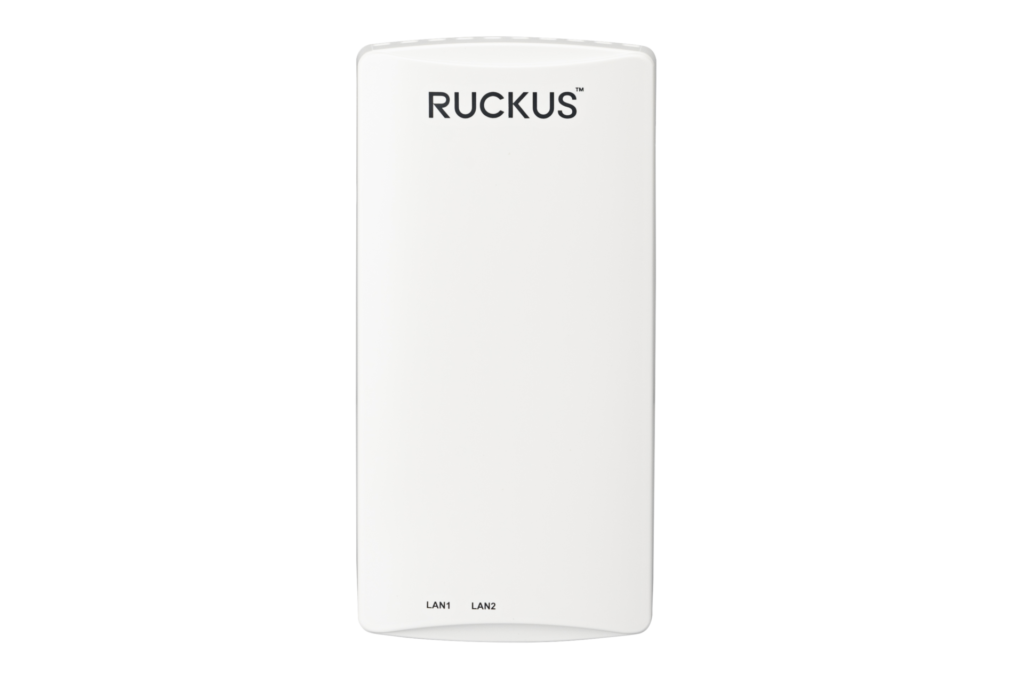
The Ruckus H350 replaces a wall jack. It installs over a standard US or EU single-gang electrical box. From one cable pull, a hotel room, dorm room or apartment gets Wi-Fi 6 and two wired Ethernet ports. An IPTV set-top box plugs into the wall plate, so it doesn't need its own cable run back to a switch.
The radio is dual-band Wi-Fi 6 with two streams on each band. Ruckus gives peak rates of 574 Mbps on 2.4 GHz and 1,200 Mbps on 5 GHz, and channels stop at 80 MHz. ChannelFly moves the radio to less congested channels on its own, which helps in a building with an access point in every room. The BeamFlex+ adaptive antennas have 16 patterns per band and up to 1 dBi of gain, which suits a single room more than an open floor. A built-in IoT radio covers door locks and sensors. It's one radio that switches between BLE and Zigbee, though, so a property picks one protocol per plate. Each radio carries up to eight SSIDs, enough to split guest, staff and IoT traffic.
The uplink port takes 802.3af PoE at Class 3. Ruckus lists 12.54 W with both LAN ports and the IoT radio switched on, so an existing PoE switch runs the whole plate. For rooms without PoE, Ruckus sells a 30 W power supply and a 24 W PoE injector as accessories.
Ruckus's product page lists a USB 2.0 port, but the H350 data sheet's interface list stops at three gigabit Ethernet jacks, one of them the PoE uplink. Ask the reseller before planning anything around USB.
Category strengths
Where the Ruckus H350 beats the median
- More max concurrent clients ?512 vs 300 (median)
- Has DC power option ?
- A much lighter build ?276 g vs 533.5 g (median)
Where the Ruckus H350 trails the median
- A much lower max wireless speed ?1,774 Mbps vs 4,988 Mbps (median)
- A much lower ethernet port speed ?1 Gbps vs 2.5 Gbps (median)
How this VS Score was computed
Score 33: each known spec is measured against the median of all access points (15 products), then weighted. 63% of the scoreable weight could be used. See how we score
| Specification | This product | Cohort median | Score weight | Points moved |
|---|---|---|---|---|
| Wi-Fi standard | Wi-Fi 6 | Wi-Fi 7 | 2 | −66.0 |
| Max wireless speed | 1,774 | 4,988 | 1.5 | −48.0 |
| 6 GHz band | No | 40% of the class have it | 0.8 | −38.4 |
| Max concurrent clients | 512 | 300 | 1 | +35.0 |
| Ethernet port speed | 1 | 2.5 | 1 | −30.0 |
| Standalone mode | Yes | 67% of the class have it | 0.5 | +25.0 |
| Ceiling mountable | No | 47% of the class have it | 0.3 | −14.4 |
| Outdoor rated | No | 40% of the class have it | 0.3 | −14.4 |
| DC power option | Yes | 46% of the class have it | 0.2 | +10.0 |
| Weight | 276 — capped at the class’s lower range (300) | 533.5 | 0.2 | +7.8 |
Not scored: Coverage area (unknown: not scored); MU-MIMO (standard for the class (100% have it)); PoE powered (standard for the class (100% have it)); Controller management (standard for the class (93% have it)); Seamless roaming (standard for the class (100% have it)); VLAN support (standard for the class (100% have it)); Guest network (standard for the class (100% have it)).
Editor’s note
On basic PoE power the H350 keeps everything on: both LAN ports, the IoT radio and full transmit power. The R550 data sheet switches off its second Ethernet port, IoT radio and USB port on the same class of power. For a hotel retrofit on existing PoE switches, the wall plate is the easier fit.
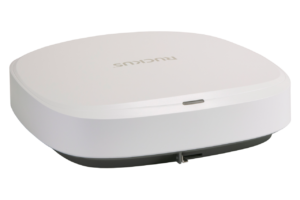
Peak transmit power is 19 and 22 dBm on the H350's two bands, while the ceiling-mounted R550 goes to 26 and 25 dBm. Ruckus lists guest rooms and residence halls as its venues, so a property plans one plate per room. Its 512-client figure is a platform rating that no single room will come close to.
Management runs through SmartZone, ZoneDirector, Ruckus Cloud or a controller-less mode, and the data sheet adds standalone operation. The support page carries standalone (Solo) release notes for the H350. Standalone is fine for a handful of rooms. A building full of plates needs central control of SSIDs, guest portals and per-room VLANs, which is the job of SmartZone or the cloud.
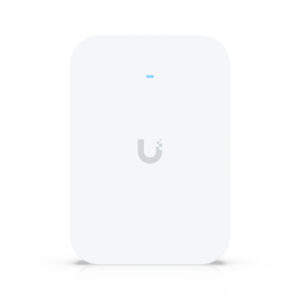
Ubiquiti's U7 Pro XG Wall already puts Wi-Fi 7 in a wall plate. The reasons to buy the H350 are the per-room jacks and Ruckus's management, because its radio is a generation older.
Specifications
Wireless
Ports & power
Management
Design
Networking assessment
Connection requirements
Powered over Ethernet (802.3af Class 3): the switch port or injector feeding it must supply that standard, or it will not start.
A DC power input is also available for locations without PoE.
It can run standalone without a controller, which suits a single-unit deployment.
The uplink is a 1 Gbps Ethernet port; the wired side of the network caps everything the access point can pass through.
Throughput expectations
The Wi-Fi 6 headline of 1,774 Mbps adds together the theoretical peak of every band. A single device connects to one band at a time, so no client ever sees the total, and real-world speeds run well below the link rate even in the same room.
There is no 6 GHz band, so the least congested spectrum available to new phones and laptops is not on offer here.
OFDMA and MU-MIMO help most when many devices are active at once; they do not make a single download faster.
Firmware and subscriptions
Ruckus's H350 support page lists the SmartZone 6.1.2 LT-GD Patch 6 train as the stability release and SmartZone 7.2.0 LT-GA, with the AP 7.2.0 Patch 1, as the technology release. It also carries standalone (Solo) release notes written for the H350 and the controller-less software versions that support it.
Security support
A guest network is available for visitors and smart-home devices, keeping them off the network your computers use.
VLAN support allows work, IoT and guest traffic to be separated on the wired side.
Security-update cadence is not something manufacturers publish as a specification; see Support and updates below.
Real-world household suitability
Rated for 512 connected devices — a marketing figure, but a useful indication of whether a home full of smart plugs, cameras and phones is within its design.
Known limitations
Not offered, according to the spec sheet: 6 GHz band, ceiling mountable, outdoor rated.
One specification is not published by the manufacturer and is shown as Unknown rather than guessed.
Support and updates
Quick setup guides in several languages, the data sheet and the release notes sit on that page, and Ruckus sells the H350 with a limited lifetime warranty through its partners.
Sources and verification
Where the specifications come from
- Official product pageruckusnetworks.com
- Datasheet or manualwebresources.vistancenetworks.com
- Support and firmware documentationsupport.ruckuswireless.com
Verification
- First published
- Specifications last checked
- Sheet completeness
- 17 of 18 specifications verified; the rest show as Unknown and are never estimated or scored
- Page type
- Product specification page — Compiled from the manufacturer’s published specifications and the cited sources; this is not a hands-on test.
- Basis
- Research-based: specifications and editorial text were compiled from the documents listed here and the manufacturer’s published data. We have not tested this unit ourselves; where independent measurements are mentioned they belong to the linked publication.
Where to buy
Prices and availability may change. Check the retailer before buying. We may earn a commission on purchases.
Price history
Access Points with similar specs to the Ruckus H350

Ratings & reviews
No reviews yet. Write the first one
The bottom line
The Ruckus H350 earns a VS Score of 33, below the median of the 15 access points it is measured against (a score of 50 is level with that median).
- Who it’s for
- Hotels, dorms and apartment buildings that want Wi-Fi and wired jacks for a TV set-top box in every room, from one PoE cable per room and existing PoE switches.
- Who should look elsewhere
- Open offices and large rooms, where its low-gain antennas and wall position cover less than a ceiling access point, and anyone wanting 6 GHz or Wi-Fi 7.
- The trade-off that matters
- The radio is sized for one room, so a corridor or lobby next to the rooms still needs a ceiling access point of its own.
- The main alternative
- Ruckus R550: a Wi-Fi 6 ceiling access point with stronger antennas, for shared spaces instead of single rooms.
This page was created with the help of AI. How we work