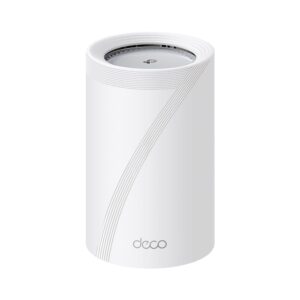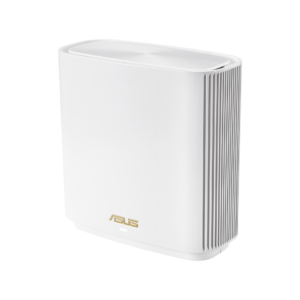
TP-Link Deco WM9000: Specs, Features, Pros & Cons
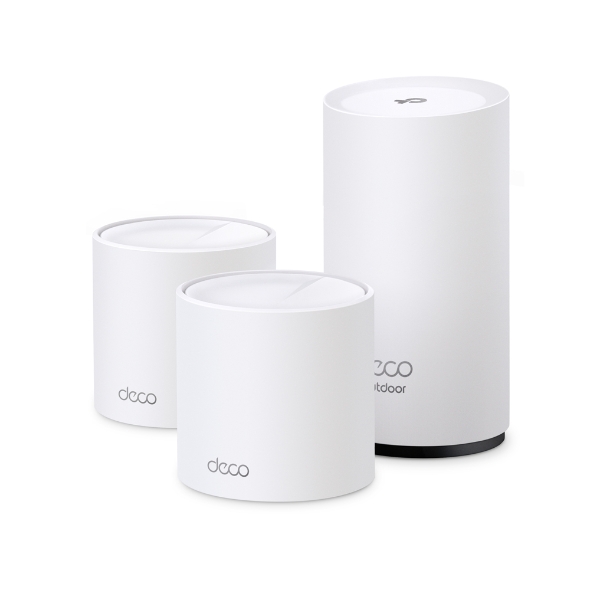
One of the three nodes in this kit is built to live outdoors. That is the whole reason the Deco WM9000 exists, and it changes what you should compare it against: not other mesh kits of similar speed, but the awkward business of getting usable Wi-Fi to a garden, a workshop or a detached garage.
The outdoor unit is properly specified for the job rather than merely weather-resistant. It carries an IP65 rating, operates across a wide temperature range, ships with pole, wall and tabletop mounts, and can be powered over Ethernet, so a single cable to a post at the end of the garden does both jobs. Two indoor units cover the house, the outdoor node extends the network past the walls, and the whole thing is managed as one network from the app.
Indoors, this is ordinary hardware and the specification says so plainly. It is dual-band Wi-Fi 6, not Wi-Fi 7, with no 6 GHz radio, gigabit ports throughout and no multi-gig socket anywhere. Peak speed is modest by current standards and a fast broadband connection will be capped by the ports.
Wired backhaul is supported, which is worth using for the outdoor node in particular, since a cable already has to reach it for power in most installations.
Judge it by the problem it solves. If garden coverage is the reason you are shopping, the alternatives are usually a weatherproof access point plus separate mounting hardware and a separate network to manage. If everything you need to cover is inside the house, this kit's indoor specification is unremarkable and an indoor-only mesh kit is the better buy.
Category strengths
Where the TP-Link Deco WM9000 beats the median
- A higher units included ?3 vs 2.5 (median)
- A slightly higher coverage area ?7,000 sq ft vs 6,500 sq ft (median)
Where the TP-Link Deco WM9000 trails the median
- No tri-band ?
- No 6 GHz band ?
- No multi-gig WAN ?
- A lower max wireless speed ?2,976 Mbps vs 5,360 Mbps (median)
- Fewer max connected devices ?150 vs 200 (median)
How this VS Score was computed
Score 26: each known spec is measured against the median of all mesh wi-fi systems (16 products), then weighted; 50 means level with that median. In classes of six or more, a value beyond the class’s 10th–90th percentile range counts as that limit, so one extreme product cannot set the scale. 69% of the scoreable weight could be used; unknown values, features not applicable to this class and proxies (battery capacity where a rated life exists) add or remove nothing.
| Specification | This product | Cohort median | Score weight | Points moved |
|---|---|---|---|---|
| Wi-Fi standard | Wi-Fi 6 | Wi-Fi 7 | 2 | −96.0 |
| Tri-band | No | 73% of the class have it | 1 | −48.0 |
| 6 GHz band | No | 69% of the class have it | 0.8 | −38.4 |
| Multi-gig WAN | No | 75% of the class have it | 0.8 | −38.4 |
| Built-in security suite | No | 44% of the class have it | 0.5 | −24.0 |
| Max wireless speed | 2,976 — capped at the class’s lower range (3,900) | 5,360 | 1.5 | −21.0 |
| USB port | No | 38% of the class have it | 0.2 | −9.6 |
| Coverage area | 7,000 | 6,500 | 2 | +8.0 |
| Units included | 3 | 2.5 | 0.8 | +8.0 |
| Max connected devices | 150 | 200 | 0.5 | −6.0 |
| Ethernet ports per unit | 3 | 3 | 1 | +0.0 |
Not scored: Dedicated wireless backhaul (unknown: not scored); Wired backhaul support (standard for the class (100% have it)); WPA3 (standard for the class (100% have it)); App control (standard for the class (100% have it)); Parental controls (standard for the class (100% have it)); Quality of Service (QoS) (standard for the class (92% have it)); Guest network (standard for the class (100% have it)); Smart home hub (unknown: not scored); Unit weight (unknown: not scored).
Editor’s note
The outdoor node takes power two ways, and the box covers only one of them. TP-Link lists IEEE 802.3at PoE or mains power for it, and the kit ships with an AC cord for that node but no PoE injector. A one-cable install on a fence post needs an 802.3at (PoE+) injector or switch bought separately, and since TP-Link specifies the at standard, an older 802.3af injector should not be assumed to work.
TP-Link splits its coverage claim into 4,500 sq ft indoors from the two indoor nodes and 2,500 sq ft outside from the outdoor one, and rates the hardware for operation from -22 to 140 degrees Fahrenheit. That covers a patio, a detached garage or a workshop at the end of a yard, the job this kit exists to do.
Inside, the indoor nodes are compact Decos with two internal antennas each. Every Deco works with every other, so the kit can later take a newer indoor node without replacing the outdoor one, which softens the Wi-Fi 6 starting point. In a house that needs no outdoor coverage, TP-Link's own Deco XE5300 is the tri-band Wi-Fi 6E alternative.
Specifications
Quality bars show where each figure sits between the lowest and highest of the 16 mesh wi-fi systems this VS Score is measured against.
Wireless
Ports & backhaul
Features & security
Design
Networking assessment
What the specification table does not say on its own: what this device needs to connect, what speeds are realistic, what costs extra, and where it falls short. Every statement below is read from the verified sheet or written by an editor — nothing is estimated.
Test environment
Research-based assessment: this brief is derived from the manufacturer’s published specifications for the TP-Link Deco WM9000 and the documents listed under Sources and verification. We have not run this unit on our own network, so nothing here is a measurement of ours.
Connection requirements
The pack contains 3 units; the main unit plugs into your modem or existing gateway and the rest are placed around the home.
Wired backhaul is supported: running Ethernet between the units gives every satellite the full speed of the main unit.
Throughput expectations
The Wi-Fi 6 headline of 2,976 Mbps adds together the theoretical peak of every band. A single device connects to one band at a time, so no client ever sees the total, and real-world speeds run well below the link rate even in the same room.
There is no 6 GHz band, so the least congested spectrum available to new phones and laptops is not on offer here.
Firmware and subscriptions
TP-Link's US firmware list for the WM9000 (hardware V1.6) runs to 1.8.4, published August 5, 2026, which added client traffic statistics, configuration backup and restore and a VPN kill switch. TP-Link notes that this release cannot be downgraded.
Set-up and management run through the manufacturer’s app; check whether a local web interface is offered as well.
Parental controls are listed; on several brands the scheduling and filtering tiers sit behind the same subscription as the security suite.
Security support
WPA3 is supported, the current Wi-Fi encryption standard; devices that only speak WPA2 still connect in mixed mode.
A guest network is available for visitors and smart-home devices, keeping them off the network your computers use.
Security-update cadence is not something manufacturers publish as a specification; see Support and updates below.
Real-world household suitability
The manufacturer rates coverage at 7,000 sq ft. That figure assumes open space; brick, concrete and floors reduce it, and a large or multi-storey home is usually better served by a mesh system than by one router.
Rated for 150 connected devices — a marketing figure, but a useful indication of whether a home full of smart plugs, cameras and phones is within its design.
Known limitations
Not offered, according to the spec sheet: tri-band, 6 GHz band, multi-gig WAN, built-in security suite.
3 specifications are not published by the manufacturer and are shown as Unknown rather than guessed.
Support and updates
The support page links the US datasheet, user guide and quick installation guide for the three-pack, Deco FAQs, the TP-Link Community forum and TP-Link's technical-support and warranty pages.
Sources and verification
Where the specifications come from
- Official product pagetp-link.com
- Datasheet or manualstatic.tp-link.com
- Support and firmware documentationtp-link.com
- Retailer listing (cross-check)amazon.com
Verification
- First published
- Specifications last checked
- Sheet completeness
- 18 of 21 specifications verified; the rest show as Unknown and are never estimated or scored
- Page type
- Product specification page — Compiled from the manufacturer’s published specifications and the cited sources; this is not a hands-on test.
- Basis
- Research-based: specifications and editorial text were compiled from the documents listed here and the manufacturer’s published data. We have not tested this unit ourselves; where independent measurements are mentioned they belong to the linked publication.
Mesh Wi-Fi Systems with similar specs to the TP-Link Deco WM9000
Ratings & reviews
No reviews yet. Be the first to share your experience.
The bottom line
The TP-Link Deco WM9000 earns a VS Score of 26, below the median of the 16 mesh wi-fi systems it is measured against (a score of 50 is level with that median).
- Who it’s for
- A house whose Wi-Fi has to reach a yard, a detached garage or a workshop, ideally with one Ethernet run to carry power and backhaul to the outdoor node.
- Who should look elsewhere
- Homes that only need indoor coverage or pay for a plan faster than a gigabit, since the indoor nodes are dual-band Wi-Fi 6 with gigabit sockets.
- The trade-off that matters
- A properly weatherproof outdoor node, paid for with indoor hardware a generation behind TP-Link's current Wi-Fi 7 Decos.
- The main alternative
- eero Outdoor 7: a weatherproof Wi-Fi 7 node powered over PoE+, the better route for a home already running eero indoors.
The VS Score is calculated from the weighted specifications above, each measured against the median of comparable mesh wi-fi systems — a shortlisting guide, not a substitute for your own priorities. See how we score.