Ruckus H350: Specs, Features, Pros & Cons
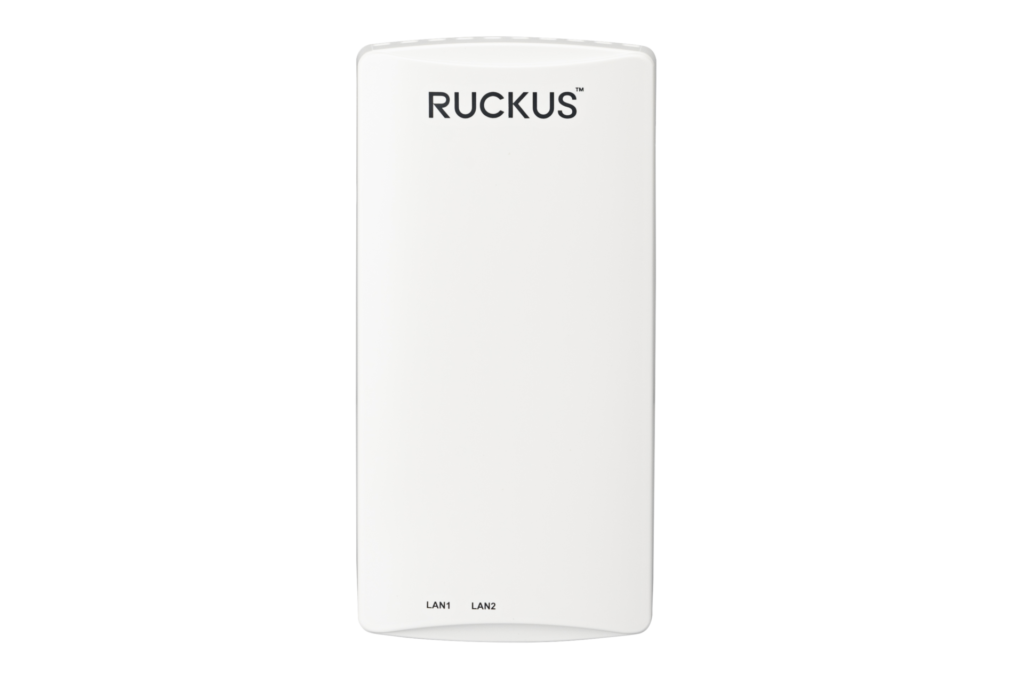
The Ruckus H350 replaces a wall jack. It installs over a standard US or EU single-gang electrical box and gives a hotel room, a dorm room or an apartment Wi-Fi 6 plus two wired Ethernet ports, all from one cable pull per room. The wired ports are the point: an IPTV set-top box plugs into the wall plate instead of needing its own run back to a switch.
The radio is dual-band Wi-Fi 6, two streams on 2.4 GHz and two on 5 GHz, with peak rates of 574 and 1,200 Mbps for a combined 1,774 Mbps. Channels stop at 80 MHz, and Ruckus's ChannelFly moves the radio to less congested channels automatically, which helps in a building with an access point in every room. Ruckus fits its BeamFlex+ adaptive antennas, here with 16 patterns per band and up to 1 dBi of gain, which suits a single room more than an open floor. A built-in IoT radio covers door locks, sensors and beacons, but it is one radio that switches between BLE and Zigbee, so a property picks one protocol per plate.
The uplink port takes 802.3af PoE at Class 3, and Ruckus lists 12.54 W with both LAN ports and the IoT radio switched on, so an existing PoE switch runs the whole plate. An optional power supply covers rooms without PoE.
It is 89.5 by 178.5 by 29.3 mm and weighs 276 g without its bracket, rated for indoor use up to 104 degrees Fahrenheit. Management runs through Ruckus's controllers or its cloud, and it carries a limited lifetime warranty.
Category strengths
Where the Ruckus H350 beats the median
- More max concurrent clients ?512 vs 300 (median)
- Has DC power option ?
- A much lighter build ?276 g vs 562 g (median)
Where the Ruckus H350 trails the median
- A much lower max wireless speed ?1,774 Mbps vs 4,988 Mbps (median)
- A much lower ethernet port speed ?1 Gbps vs 2.5 Gbps (median)
How this VS Score was computed
Score 33: each known spec is measured against the median of all access points (15 products), then weighted; 50 means level with that median. In classes of six or more, a value beyond the class’s 10th–90th percentile range counts as that limit, so one extreme product cannot set the scale. 63% of the scoreable weight could be used; unknown values, features not applicable to this class and proxies (battery capacity where a rated life exists) add or remove nothing.
| Specification | This product | Cohort median | Score weight | Points moved |
|---|---|---|---|---|
| Wi-Fi standard | Wi-Fi 6 | Wi-Fi 7 | 2 | −66.0 |
| Max wireless speed | 1,774 | 4,988 | 1.5 | −48.0 |
| 6 GHz band | No | 40% of the class have it | 0.8 | −38.4 |
| Max concurrent clients | 512 | 300 | 1 | +35.0 |
| Ethernet port speed | 1 | 2.5 | 1 | −30.0 |
| Standalone mode | Yes | 58% of the class have it | 0.5 | +25.0 |
| Ceiling mountable | No | 47% of the class have it | 0.3 | −14.4 |
| Outdoor rated | No | 40% of the class have it | 0.3 | −14.4 |
| DC power option | Yes | 46% of the class have it | 0.2 | +10.0 |
| Weight | 276 — capped at the class’s lower range (300) | 562 | 0.2 | +8.8 |
Not scored: Coverage area (unknown: not scored); MU-MIMO (standard for the class (100% have it)); PoE powered (standard for the class (100% have it)); Controller management (standard for the class (93% have it)); Seamless roaming (standard for the class (100% have it)); VLAN support (standard for the class (100% have it)); Guest network (standard for the class (100% have it)).
Editor’s note
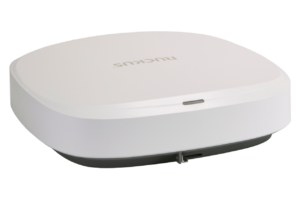
On basic PoE power the H350 keeps everything on: both LAN ports, the IoT radio and full transmit power. The R550 drops its second Ethernet port, its IoT radio and its USB port on the same class of power. For a hotel retrofit on existing PoE switches, the wall plate is the easier fit.
Ruckus rates the aggregate transmit power at 19 and 22 dBm on its two bands, well below what its ceiling access points put out, and the low-gain antennas sit behind a plate on the wall. Ruckus lists guest rooms and residence halls as its venues, which means planning by the room, not by the floor, and the client figure of 512 is a platform rating far beyond anything a room will see.
The product page lists SmartZone, ZoneDirector, cloud and controller-less management but not standalone, while the data sheet includes standalone and the support page carries standalone (Solo) release notes for the H350. Standalone suits a handful of rooms. A building full of them wants central control of SSIDs, guest portals and per-room VLANs, which is what SmartZone, the cloud and the controller-less mode provide.
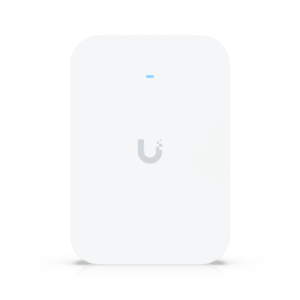
Its Wi-Fi 6 radio is a generation behind Wi-Fi 7 wall units such as Ubiquiti's U7 Pro XG Wall, so the H350's case is the per-room wiring and Ruckus's management stack, more than raw speed.
Specifications
Quality bars show where each figure sits between the lowest and highest of the 15 access points this VS Score is measured against.
Wireless
Ports & power
Management
Design
Networking assessment
What the specification table does not say on its own: what this device needs to connect, what speeds are realistic, what costs extra, and where it falls short. Every statement below is read from the verified sheet or written by an editor — nothing is estimated.
Test environment
Research-based assessment: this brief is derived from the manufacturer’s published specifications for the Ruckus H350 and the documents listed under Sources and verification. We have not run this unit on our own network, so nothing here is a measurement of ours.
Connection requirements
Powered over Ethernet (802.3af Class 3): the switch port or injector feeding it must supply that standard, or it will not start.
A DC power input is also available for locations without PoE.
It can run standalone without a controller, which suits a single-unit deployment.
The uplink is a 1 Gbps Ethernet port; the wired side of the network caps everything the access point can pass through.
Throughput expectations
The Wi-Fi 6 headline of 1,774 Mbps adds together the theoretical peak of every band. A single device connects to one band at a time, so no client ever sees the total, and real-world speeds run well below the link rate even in the same room.
There is no 6 GHz band, so the least congested spectrum available to new phones and laptops is not on offer here.
OFDMA and MU-MIMO help most when many devices are active at once; they do not make a single download faster.
Firmware and subscriptions
Ruckus's H350 support page lists the SmartZone 6.1.2 LT-GD Patch 6 train as the stability release and SmartZone 7.2.0 LT-GA, with the AP 7.2.0 Patch 1, as the technology release. It also carries standalone (Solo) release notes written for the H350 and the controller-less software versions that support it.
Security support
A guest network is available for visitors and smart-home devices, keeping them off the network your computers use.
VLAN support allows work, IoT and guest traffic to be separated on the wired side.
Security-update cadence is not something manufacturers publish as a specification; see Support and updates below.
Real-world household suitability
Rated for 512 connected devices — a marketing figure, but a useful indication of whether a home full of smart plugs, cameras and phones is within its design.
Known limitations
Not offered, according to the spec sheet: 6 GHz band, ceiling mountable, outdoor rated.
One specification is not published by the manufacturer and is shown as Unknown rather than guessed.
Support and updates
Quick setup guides in several languages, the data sheet and the release notes sit on that page, and Ruckus sells the H350 with a limited lifetime warranty through its partners.
Sources and verification
Where the specifications come from
- Official product pageruckusnetworks.com
- Datasheet or manualwebresources.vistancenetworks.com
Verification
- First published
- Specifications last checked
- Sheet completeness
- 17 of 18 specifications verified; the rest show as Unknown and are never estimated or scored
- Page type
- Product specification page — Compiled from the manufacturer’s published specifications and the cited sources; this is not a hands-on test.
- Basis
- Research-based: specifications and editorial text were compiled from the documents listed here and the manufacturer’s published data. We have not tested this unit ourselves; where independent measurements are mentioned they belong to the linked publication.
Access Points with similar specs to the Ruckus H350
Ratings & reviews
No reviews yet. Be the first to share your experience.
The bottom line
The Ruckus H350 earns a VS Score of 33, below the median of the 15 access points it is measured against (a score of 50 is level with that median).
- Who it’s for
- Hotels, dorms and apartment buildings that want Wi-Fi and wired jacks for a TV set-top box in every room, from one PoE cable per room and existing PoE switches.
- Who should look elsewhere
- Open offices and large rooms, where its low-gain antennas and wall position cover less than a ceiling access point, and anyone wanting 6 GHz or Wi-Fi 7.
- The trade-off that matters
- It does three jobs from one cable on low power, and pays for that with a small, room-sized radio.
- The main alternative
- Ruckus R550: the same class of Wi-Fi 6 radio on a ceiling mount with stronger antennas, for shared spaces instead of single rooms.
The VS Score is calculated from the weighted specifications above, each measured against the median of comparable access points — a shortlisting guide, not a substitute for your own priorities. See how we score.