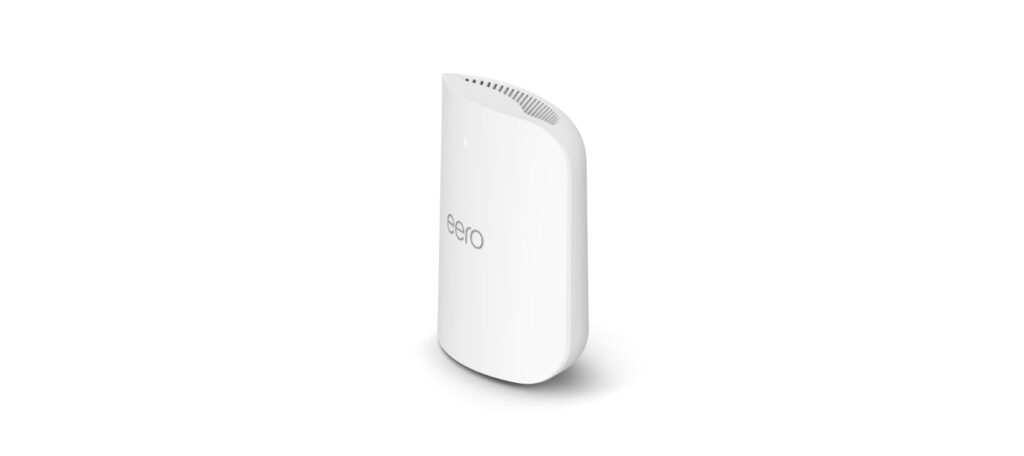
eero Pro 7: Specs, Features, Pros & Cons
This is sold as one unit, and it is rated to cover about two thousand square feet. Both halves of that sentence matter, because mesh pricing is usually quoted per node and a house that needs three of these is making a very different purchase from one that needs one. Work out the node count first, because everything else follows from it.
Two auto-sensing 5 GbE sockets on each node mean a unit can accept a multi-gig internet feed and still hand several gigabits to a wired desk or a NAS, and very little else in mesh goes beyond 2.5 Gbps at all. Each node is also a smart-home hub (a Thread border router, a Zigbee hub and a Matter controller), which removes a separate bridge from an Alexa household.
It is properly tri-band Wi-Fi 7 with the wide channels and multi-band linking the standard introduces, but every band is a 2×2 arrangement, so the peak figures are well below the four-stream systems above it. In practice that shows up as lower headroom for a single fast client rather than as a problem for a house full of ordinary devices.
Security features are not included in the box. They sit behind the eero Plus subscription, as they do across this brand.
In a smaller home or apartment on a fast connection, especially one already invested in Alexa and Zigbee accessories, the wired ports and the hub radios earn their keep. A large house multiplies the node count, and every extra node brings the same 2×2 radios.
Category strengths
Where the eero Pro 7 beats the median
- Has smart home hub ?
Where the eero Pro 7 trails the median
- A much lower coverage area ?2,000 sq ft vs 6,500 sq ft (median)
- A much lower units included ?1 vs 2.5 (median)
- A lower max wireless speed ?3,900 Mbps vs 5,360 Mbps (median)
- A lower ethernet ports per unit ?2 vs 3 (median)
How this VS Score was computed
Score 49: each known spec is measured against the median of all mesh wi-fi systems (16 products), then weighted; 50 means level with that median. In classes of six or more, a value beyond the class’s 10th–90th percentile range counts as that limit, so one extreme product cannot set the scale. 70% of the scoreable weight could be used; unknown values, features not applicable to this class and proxies (battery capacity where a rated life exists) add or remove nothing.
| Specification | This product | Cohort median | Score weight | Points moved |
|---|---|---|---|---|
| Coverage area | 2,000 — capped at the class’s lower range (2,600) | 6,500 | 2 | −60.0 |
| Tri-band | Yes | 73% of the class have it | 1 | +50.0 |
| 6 GHz band | Yes | 69% of the class have it | 0.8 | +40.0 |
| Multi-gig WAN | Yes | 75% of the class have it | 0.8 | +40.0 |
| Units included | 1 | 2.5 | 0.8 | −24.0 |
| Built-in security suite | No | 44% of the class have it | 0.5 | −24.0 |
| Max wireless speed | 3,900 | 5,360 | 1.5 | −21.0 |
| Ethernet ports per unit | 2 | 3 | 1 | −17.0 |
| Smart home hub | Yes | 40% of the class have it | 0.3 | +15.0 |
| USB port | No | 38% of the class have it | 0.2 | −9.6 |
| Wi-Fi standard | Wi-Fi 7 | Wi-Fi 7 | 2 | +0.0 |
| Max connected devices | 200 | 200 | 0.5 | +0.0 |
Not scored: Dedicated wireless backhaul (unknown: not scored); Wired backhaul support (standard for the class (100% have it)); WPA3 (standard for the class (100% have it)); App control (standard for the class (100% have it)); Parental controls (standard for the class (100% have it)); Quality of Service (QoS) (unknown: not scored); Guest network (standard for the class (100% have it)); Unit weight (unknown: not scored).
Editor’s note
eero rates wired throughput at up to 4.7 Gbps, which puts a number on the ports: a node fed by a multi-gig plan can pass most of that speed on to a NAS or a wired desk.
MLO and channels up to 320 MHz are on eero's list, and it describes the 2×2 radios as SU-MIMO, so the headline is 3.9 Gbps of wireless where a 4×4 flagship quotes five figures. Each unit covers 2,000 sq ft and 200-plus devices. In practice 2×2 matches what phones and laptops carry, so the gap shows less in daily use than the number suggests, but this is not a throughput champion.
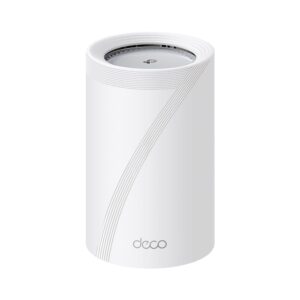
TP-Link's Deco BE65 Pro matches both multi-gig ports and adds a 2.5G one, without the smart-home hub. Advanced security, ad blocking and content filtering all sit behind eero Plus, and what you get free is device pausing, schedules, a guest network and silent automatic updates.
For me the case for the eero rests on the hub radios and an app that never asks you to think, because the Deco matches its wired side.
Specifications
Quality bars show where each figure sits between the lowest and highest of the 16 mesh wi-fi systems this VS Score is measured against.
Wireless
Ports & backhaul
Features & security
Design
Networking assessment
What the specification table does not say on its own: what this device needs to connect, what speeds are realistic, what costs extra, and where it falls short. Every statement below is read from the verified sheet or written by an editor — nothing is estimated.
Test environment
Research-based assessment: this brief is derived from the manufacturer’s published specifications for the eero Pro 7 and the documents listed under Sources and verification. We have not run this unit on our own network, so nothing here is a measurement of ours.
Connection requirements
The pack contains 1 units; the main unit plugs into your modem or existing gateway and the rest are placed around the home.
Wired backhaul is supported: running Ethernet between the units gives every satellite the full speed of the main unit.
Throughput expectations
The Wi-Fi 7 headline of 3,900 Mbps adds together the theoretical peak of every band. A single device connects to one band at a time, so no client ever sees the total, and real-world speeds run well below the link rate even in the same room.
The 6 GHz band is only usable by Wi-Fi 6E or Wi-Fi 7 clients and has noticeably shorter range through walls; older devices stay on the 5 GHz and 2.4 GHz bands.
Firmware and subscriptions
eero does not list firmware files on the eero Pro 7 support page; setup and network management run through the eero app for iOS and Android, and eero describes the hardware as getting continuous firmware updates. The Pro 7 can act as the main router or as an extender for an existing eero network, and eero notes that mixing it with older-generation eeros may reduce performance across the network.
Set-up and management run through the manufacturer’s app; check whether a local web interface is offered as well.
Parental controls are listed; on several brands the scheduling and filtering tiers sit behind the same subscription as the security suite.
Security support
WPA3 is supported, the current Wi-Fi encryption standard; devices that only speak WPA2 still connect in mixed mode.
A guest network is available for visitors and smart-home devices, keeping them off the network your computers use.
Security-update cadence is not something manufacturers publish as a specification; see Support and updates below.
Real-world household suitability
The manufacturer rates coverage at 2,000 sq ft. That figure assumes open space; brick, concrete and floors reduce it, and a large or multi-storey home is usually better served by a mesh system than by one router.
Rated for 200 connected devices — a marketing figure, but a useful indication of whether a home full of smart plugs, cameras and phones is within its design.
Known limitations
Not offered, according to the spec sheet: built-in security suite, uSB port.
4 specifications are not published by the manufacturer and are shown as Unknown rather than guessed.
Support and updates
The eero Pro 7 is backed by a limited 3-year warranty plus eero's phone and email support, and the support page publishes its hardware specifications, box contents (router, 27 W USB-C power adapter, Cat6a cable) and compatibility notes. It works with the paid eero Plus and eero Business subscriptions and with eero Built-In on select Amazon Echo devices.
Sources and verification
Where the specifications come from
- Official product pageeero.com
- Support and firmware documentationeero.com
- Independent testingrtings.com
Verification
- First published
- Specifications last checked
- Sheet completeness
- 17 of 21 specifications verified; the rest show as Unknown and are never estimated or scored
- Page type
- Product specification page — Compiled from the manufacturer’s published specifications and the cited sources; this is not a hands-on test.
- Basis
- Research-based: specifications and editorial text were compiled from the documents listed here and the manufacturer’s published data. We have not tested this unit ourselves; where independent measurements are mentioned they belong to the linked publication.
Mesh Wi-Fi Systems with similar specs to the eero Pro 7
Ratings & reviews
No reviews yet. Be the first to share your experience.
The bottom line
The eero Pro 7 earns a VS Score of 49, below the median of the 16 mesh wi-fi systems it is measured against (a score of 50 is level with that median).
- Who it’s for
- Households on a multi-gig plan that also run Thread, Matter or Zigbee devices with Alexa, where the two 5 GbE ports and the built-in hub remove boxes from the shelf.
- Who should look elsewhere
- Anyone who needs several nodes and no smart-home hub, since a Deco BE65 Pro matches the multi-gig ports. Also wrong if you want peak wireless throughput, because every band is 2×2 SU-MIMO, or if you object to a subscription for security features.
- The trade-off that matters
- The ports, the hub and the app are all excellent, but they come with radios that are only 2×2 on every band, so a single fast Wi-Fi 7 client gets less headroom than on four-stream systems.
- The main alternative
- TP-Link Deco BE65 Pro: the same two 5 Gbps ports plus a 2.5G one and tri-band Wi-Fi 7, if you can live without the smart-home hub and eero's app polish.
The VS Score is calculated from the weighted specifications above, each measured against the median of comparable mesh wi-fi systems — a shortlisting guide, not a substitute for your own priorities. See how we score.