Ubiquiti UniFi U7 Pro XGS: Specs, Features, Pros & Cons
Check what will power this before anything else. The U7 Pro XGS draws around twenty-nine watts and requires the higher power-over-Ethernet standard. The more common PoE+ tops out below that, so a great many switches already installed in homes and small offices cannot run it properly.
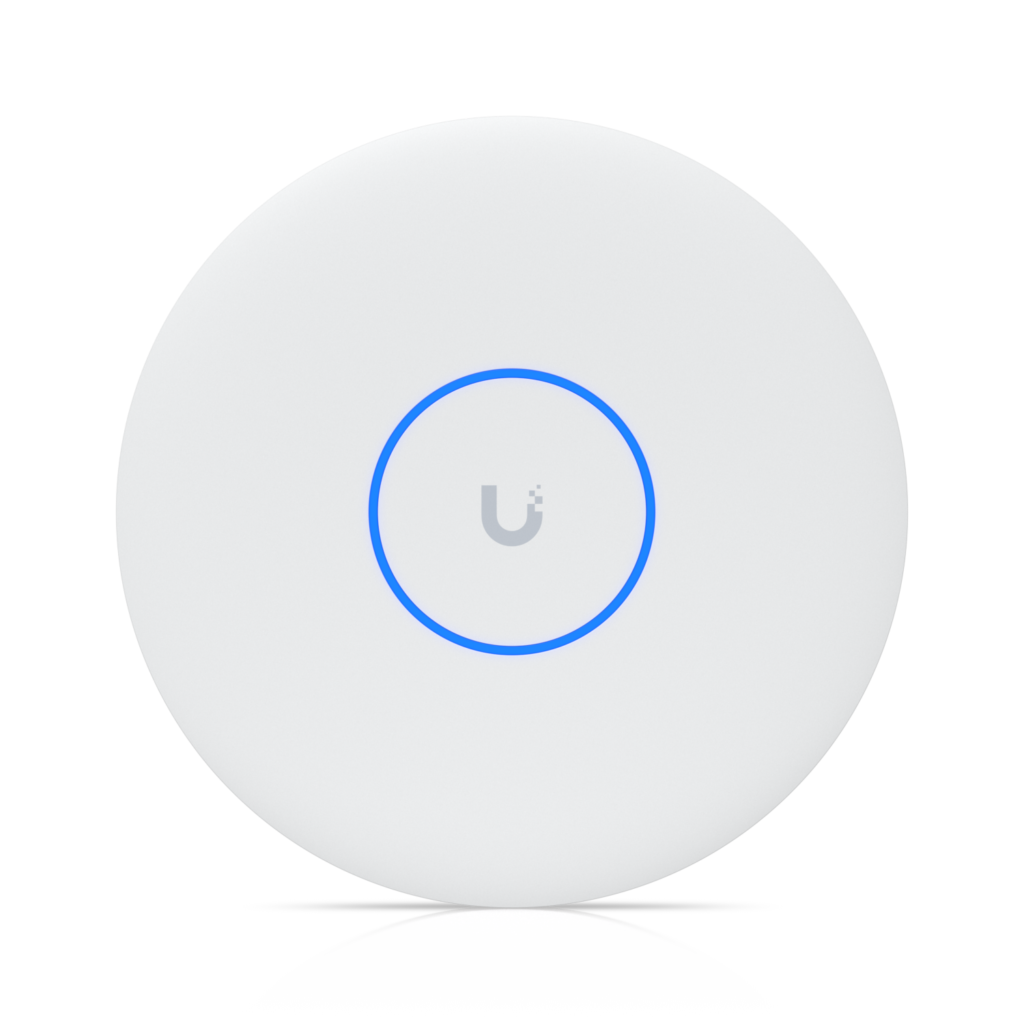
What the power buys is the strongest combination in the ceiling-mounted range: an eight-stream Wi-Fi 7 radio set rated for around five hundred simultaneous clients, paired with a 10 Gigabit uplink so the wired side is not the limiting factor. Most access points pair good radios with a 2.5 Gigabit port and quietly cap themselves. This one does not. All three bands are present including 6 GHz, so the devices that benefit most are recent phones and laptops rather than the older hardware that makes up much of a household.
It is a managed device by design, configured through a UniFi controller (hardware or software) and meant to sit among other UniFi equipment, with fast roaming between units, VLAN support and guest networking handled centrally.
The physical facts matter for installation: it is heavy for its class at around eight hundred grams, designed for ceiling mounting, and rated for indoor use only, so it is not an option for covering a yard or a porch.
Quoted coverage is about seventeen hundred and fifty square feet, a realistic figure for one unit rather than an optimistic one, and the expectation is that a larger property uses several rather than pushing one further than it should go.
Category strengths
Where the Ubiquiti UniFi U7 Pro XGS beats the median
- A much higher max wireless speed ?15,088 Mbps vs 4,988 Mbps (median)
- A much higher ethernet port speed ?10 Gbps vs 2.5 Gbps (median)
- Has 6 GHz band ?
- More max concurrent clients ?500 vs 300 (median)
- Has ceiling mountable ?
- A slightly higher coverage area ?1,750 sq ft vs 1,625 sq ft (median)
Where the Ubiquiti UniFi U7 Pro XGS trails the median
- No standalone mode ?
- A heavier build ?800 g vs 562 g (median)
How this VS Score was computed
Score 69: each known spec is measured against the median of all access points (15 products), then weighted; 50 means level with that median. In classes of six or more, a value beyond the class’s 10th–90th percentile range counts as that limit, so one extreme product cannot set the scale. 71% of the scoreable weight could be used; unknown values, features not applicable to this class and proxies (battery capacity where a rated life exists) add or remove nothing.
| Specification | This product | Cohort median | Score weight | Points moved |
|---|---|---|---|---|
| Max wireless speed | 15,088 — capped at the class’s upper range (12,219) | 4,988 | 1.5 | +75.0 |
| Ethernet port speed | 10 | 2.5 | 1 | +50.0 |
| 6 GHz band | Yes | 40% of the class have it | 0.8 | +40.0 |
| Max concurrent clients | 500 | 300 | 1 | +33.0 |
| Standalone mode | No | 58% of the class have it | 0.5 | −24.0 |
| Ceiling mountable | Yes | 47% of the class have it | 0.3 | +15.0 |
| Outdoor rated | No | 40% of the class have it | 0.3 | −14.4 |
| DC power option | No | 46% of the class have it | 0.2 | −9.6 |
| Coverage area | 1,750 | 1,625 | 1 | +4.0 |
| Weight | 800 | 562 | 0.2 | −3.0 |
| Wi-Fi standard | Wi-Fi 7 | Wi-Fi 7 | 2 | +0.0 |
Not scored: MU-MIMO (standard for the class (100% have it)); PoE powered (standard for the class (100% have it)); Controller management (standard for the class (93% have it)); Seamless roaming (standard for the class (100% have it)); VLAN support (standard for the class (100% have it)); Guest network (standard for the class (100% have it)).
Editor’s note
Most of what separates the XGS from the U7 Pro XG is radio hardware that never shows up as a speed figure. Ubiquiti gives it a dedicated spectral scanning radio, lists Zero-Wait DFS and real-time spectral analysis on its spec sheet, and runs 5 GHz as 4×4 where the XG has 2×2. The XG has none of the scanning hardware.
Zero-Wait DFS is the useful one in a busy office. When radar detection forces the access point off a DFS channel, it has already checked a clean one and moves there at once, where a standard DFS change means a minute of listening before the radio can transmit again.
The extra streams on that band serve groups of devices at once through MU-MIMO, which is the density case the XGS is built for. A single Wi-Fi 7 laptop sees the same radio as on the XG, two streams on a 320 MHz channel.
The single port negotiates 10, 5, 2.5 and 1 GbE, so the XGS will run from a multi-gig port slower than 10 GbE, at the cost of the uplink that sets it apart from the U7 Pro Max. The Pro Max has the same radio layout, the same scanning radio and Zero-Wait DFS, and the same rated area, on a 2.5 GbE port and ordinary PoE+.
Where the switch tops out at 2.5 GbE, the Pro Max is the same access point minus a port it could not use.
Specifications
Quality bars show where each figure sits between the lowest and highest of the 15 access points this VS Score is measured against.
Wireless
Ports & power
Management
Design
Networking assessment
What the specification table does not say on its own: what this device needs to connect, what speeds are realistic, what costs extra, and where it falls short. Every statement below is read from the verified sheet or written by an editor — nothing is estimated.
Test environment
Research-based assessment: this brief is derived from the manufacturer’s published specifications for the Ubiquiti UniFi U7 Pro XGS and the documents listed under Sources and verification. We have not run this unit on our own network, so nothing here is a measurement of ours.
Connection requirements
Powered over Ethernet (802.3bt): the switch port or injector feeding it must supply that standard, or it will not start.
It is managed through the manufacturer’s controller and does not run standalone, so budget for the controller (hardware or hosted) as part of the deployment.
The uplink is a 10 Gbps Ethernet port; the wired side of the network caps everything the access point can pass through.
Throughput expectations
The Wi-Fi 7 headline of 15,088 Mbps adds together the theoretical peak of every band. A single device connects to one band at a time, so no client ever sees the total, and real-world speeds run well below the link rate even in the same room.
The 6 GHz band is only usable by Wi-Fi 6E or Wi-Fi 7 clients and has noticeably shorter range through walls; older devices stay on the 5 GHz and 2.4 GHz bands.
OFDMA and MU-MIMO help most when many devices are active at once; they do not make a single download faster.
Firmware and subscriptions
The U7 Pro XGS gets the same access point firmware as the rest of the U7 Pro line: Ubiquiti's download center lists build 8.7.11, published August 31, 2026, for the XGS alongside the XG, XG Wall, Pro Max and Pro Outdoor. It is installed from the UniFi Network application, version 9.0.114 or later for the white XGS and 9.1.120 or later for the black one.
Security support
A guest network is available for visitors and smart-home devices, keeping them off the network your computers use.
VLAN support allows work, IoT and guest traffic to be separated on the wired side.
Security-update cadence is not something manufacturers publish as a specification; see Support and updates below.
Real-world household suitability
The manufacturer rates coverage at 1,750 sq ft. That figure assumes open space; brick, concrete and floors reduce it, and a large or multi-storey home is usually better served by a mesh system than by one router.
Rated for 500 connected devices — a marketing figure, but a useful indication of whether a home full of smart plugs, cameras and phones is within its design.
Known limitations
Not offered, according to the spec sheet: standalone mode, outdoor rated, dC power option.
Support and updates
Documentation is the web installation guide at dl.ui.com/qig/u7-pro-xgs and the tech-spec page, which also lists the power draw that decides which switch can run it. Warranty and RMA requests go through help.ui.com.
Sources and verification
Where the specifications come from
- Official product pagetechspecs.ui.com
- Datasheet or manualdl.ui.com
- Support and firmware documentationui.com
- Retailer listing (cross-check)amazon.com
Verification
- First published
- Specifications last checked
- Sheet completeness
- 18 of 18 specifications verified; the rest show as Unknown and are never estimated or scored
- Page type
- Product specification page — Compiled from the manufacturer’s published specifications and the cited sources; this is not a hands-on test.
- Basis
- Research-based: specifications and editorial text were compiled from the documents listed here and the manufacturer’s published data. We have not tested this unit ourselves; where independent measurements are mentioned they belong to the linked publication.
Access Points with similar specs to the Ubiquiti UniFi U7 Pro XGS
Ratings & reviews
No reviews yet. Be the first to share your experience.
The bottom line
The Ubiquiti UniFi U7 Pro XGS earns a VS Score of 69, above the median of the 15 access points it is measured against (a score of 50 is level with that median).
- Who it’s for
- Busy offices, clinics, schools and venues already on UniFi with 802.3bt PoE++ switching, where dozens of devices share a room and the internet feed is faster than an ordinary uplink.
- Who should look elsewhere
- Anyone without an 802.3bt port who does not want to buy the adapter or a new switch, since the U7 Pro Max gives the same radios and coverage on ordinary PoE+. It is also overkill on a switch with no multi-gig port.
- The trade-off that matters
- A 10 Gigabit uplink bought with a power requirement. The port is the whole reason to choose this over the Pro Max, and it is also why it will not run on the PoE+ switch you probably already own.
- The main alternative
- Ubiquiti UniFi U7 Pro Max: identical radios, coverage and client count on standard PoE+, and the right pick unless you specifically need the ten-gig uplink.
The VS Score is calculated from the weighted specifications above, each measured against the median of comparable access points — a shortlisting guide, not a substitute for your own priorities. See how we score.