
No current price: no retailer we track lists it right now.
18 facts in comparison
TP-Link Omada Flex Bridge 5 vs Ubiquiti UniFi U7 Pro XGS
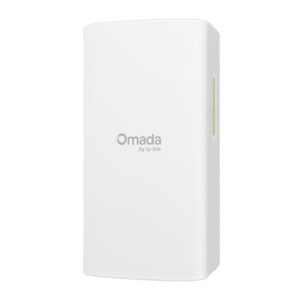
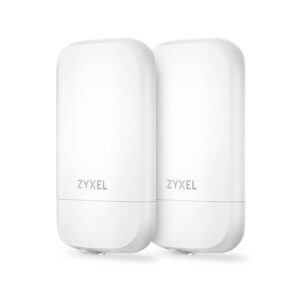
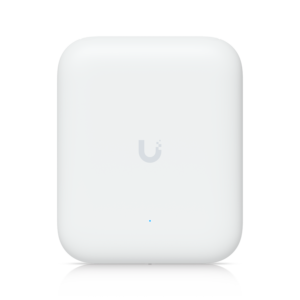
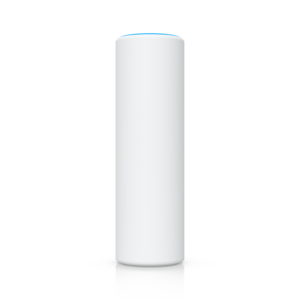
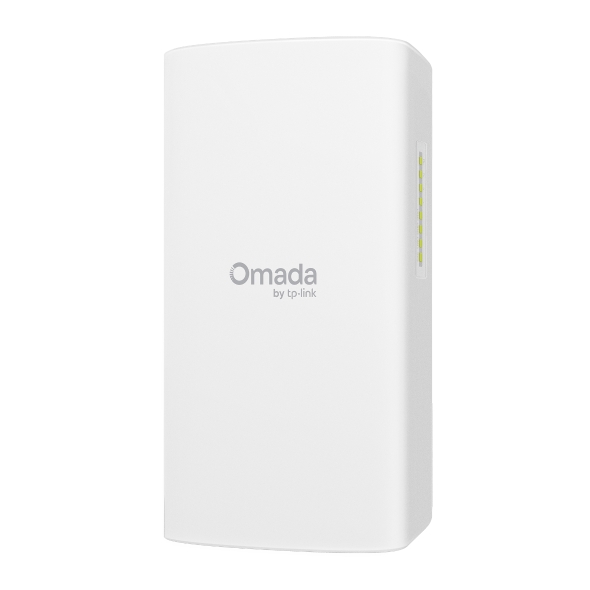
These two sit in the same category on our sheet and almost nowhere else. The Omada Flex Bridge 5 is an outdoor point-to-point unit: it carries a network across open air to a detached garage, a workshop or a gate camera, and a working link needs two of them. The UniFi U7 Pro XGS is a ceiling access point for a busy indoor room, sold to people who already run a UniFi controller and a switch with 802.3bt ports. Weighing them against each other only makes sense if you know which job you are hiring for.
The row that decides it is not the wireless standard, although the table makes much of Wi-Fi 5 against Wi-Fi 7. It is the pair of rows further down: outdoor rating and standalone mode. The Flex Bridge is IP66 rated and pairs with a DIP switch, so it works with no controller at all. The XGS is indoor only and does nothing without UniFi Network. Those two facts describe two different products, not a faster and a slower one.
Each makes a compromise that buys something specific. The Flex Bridge accepts an older radio and gigabit ports in exchange for weatherproofing, flexible power and two PoE-out ports that can feed cameras at the far end of the link. The XGS accepts a hard dependency on high-power PoE, and on Ubiquiti's ecosystem, in exchange for a 10 Gigabit uplink and a radio set built for dozens of clients in one room.
So the useful sentence is about who is wrong for whom. If you need coverage inside a house or office, the Flex Bridge is the wrong purchase whatever the diff rows say, because it is not an access point in the ordinary sense. If you need to reach another building without trenching cable, the XGS cannot do it at any price. The comparison below is best read as a reminder of how wide the access-point category is.
Editor’s note
The Flex Bridge 5 is a specialist and it is honest about it. What I like is the far end of the link: two ports that can power cameras mean one outdoor installation folds into a single PoE run from the house, and DIP-switch pairing keeps the setup close to plug and play. What it quietly compromises is speed and radio age. It carries a network, it does not carry a fast one, and anyone hoping for multi-gig between buildings should walk past it.
The U7 Pro XGS is the stronger piece of hardware, and it hides a trap in the power column. It needs PoE++, and the switch most people already own delivers PoE+. Nothing in the box supplies power. Get that wrong and the box sits dark. Get it right and it is the top of Ubiquiti's ceiling range, with a fast uplink its siblings lack.
Who should walk past each one: anyone without a controller should skip the XGS, because it has no standalone mode at all, and anyone wanting indoor coverage should skip the Flex Bridge, because that is not what it is. If you only need the radio set and not the fast port, the XGS has a cheaper twin that runs on ordinary PoE, and that is usually the better buy.
Head-to-head points: every spec is scaled between these products only, so a product can score high here and modestly on its own page, where the VS Score measures it against the median of its class.
Where the TP-Link Omada Flex Bridge 5 beats the Ubiquiti UniFi U7 Pro XGS
- Has DC power option ?
- Has standalone mode ?
- Has outdoor rated ?
- A lighter build ?590 g vs 800 g
Where the Ubiquiti UniFi U7 Pro XGS beats the TP-Link Omada Flex Bridge 5
- Wi-Fi 7 Wi-Fi standard ?Wi-Fi 7 vs Wi-Fi 5
- A much higher max wireless speed ?15,088 Mbps vs 867 Mbps
- Has 6 GHz band ?
- A much higher ethernet port speed ?10 Gbps vs 1 Gbps
- Has ceiling mountable ?
Key real-world differences
The spec sheet pulls in both directions. These are the gaps big enough to shape the decision — with the actual figures, and what each one means in real-world use.
- Wi-Fi standardWirelessWi-Fi 5 vs Wi-Fi 7 — advantage Ubiquiti UniFi U7 Pro XGS
The Wi-Fi generation supported; later is faster and handles more devices.
- Max wireless speedWireless867 Mbps vs 15,088 Mbps — 17.4× more for the Ubiquiti UniFi U7 Pro XGS
The combined theoretical throughput across all bands.
- Ethernet port speedPorts & power1 Gbps vs 10 Gbps — 10× more for the Ubiquiti UniFi U7 Pro XGS
The uplink port speed; multi-gig keeps Wi-Fi 6E/7 from bottlenecking.
- Standalone modeManagementYes vs No — only the TP-Link Omada Flex Bridge 5 has it
Works on its own without a controller.
- Ceiling mountableDesignNo vs Yes — only the Ubiquiti UniFi U7 Pro XGS has it
Mounts flat on a ceiling for the best coverage pattern.
Which one should you buy?
There is no single answer — it depends on what you will actually use it for. Match your priority to the pick below.
- Best for wireless Ubiquiti UniFi U7 Pro XGS takes the category 100 to 10 — driven by Wi-Fi standard (Wi-Fi 5 vs Wi-Fi 7).
- Best for management TP-Link Omada Flex Bridge 5 takes the category 100 to 72 — driven by standalone mode (Yes vs No).
- Best for ports & power Ubiquiti UniFi U7 Pro XGS takes the category 91 to 55 — driven by ethernet port speed (1 Gbps vs 10 Gbps).
- Best for design TP-Link Omada Flex Bridge 5 takes the category 63 to 37 — driven by outdoor rated (Yes vs No).
- Top overall score Ubiquiti UniFi U7 Pro XGS tops the overall VS Score at 87 while winning 2 of 4 categories outright.
Where each one falls short
TP-Link Omada Flex Bridge 5
- Wi-Fi standard: Wi-Fi 5 vs Wi-Fi 7
- Max wireless speed: 867 Mbps vs 15,088 Mbps
- Ethernet port speed: 1 Gbps vs 10 Gbps
- 4 specs are unreported (shown as Unknown) and excluded from its scores.
Ubiquiti UniFi U7 Pro XGS
- Standalone mode: Yes vs No
- Outdoor rated: Yes vs No
- DC power option: Yes vs No
What matters to you?
Drag the sliders to weight each category and re-rank the products to suit your priorities.
Score breakdown
Wireless
Ports & power
Management
Design
Specs last verified October 11, 2026TP-Link Omada Flex Bridge 5: 14 of 18 specs verified (78%)Ubiquiti UniFi U7 Pro XGS: 18 of 18 specs verified (100%)Unverified specs show as Unknown — never estimated, never scored
What reviewers say
The bottom line
Buy the Omada Flex Bridge 5 when the problem is distance: a second building, a gate, a camera on a pole, anything that needs a network carried across open air. Buy two, mount them with line of sight, and let its PoE-out ports power the far end. Buy the UniFi U7 Pro XGS when the problem is density: one large room full of devices on a UniFi network that already has the switching to power it.
The trade-off that settles it is what each cannot do. The Flex Bridge will never be a modern indoor access point, and the XGS will never survive a winter on a wall outside. Pick by the building, not by the bigger number.